The Request selector appears in Spend for certain expenses when specific conditions are met. It allows you to link an expense to an existing request when specific criteria apply.
Where the Request selector appears
Where you select the request depends on whether the expense is split into line items:
If the expense has no line items, select the request in the Request field of the Details section.
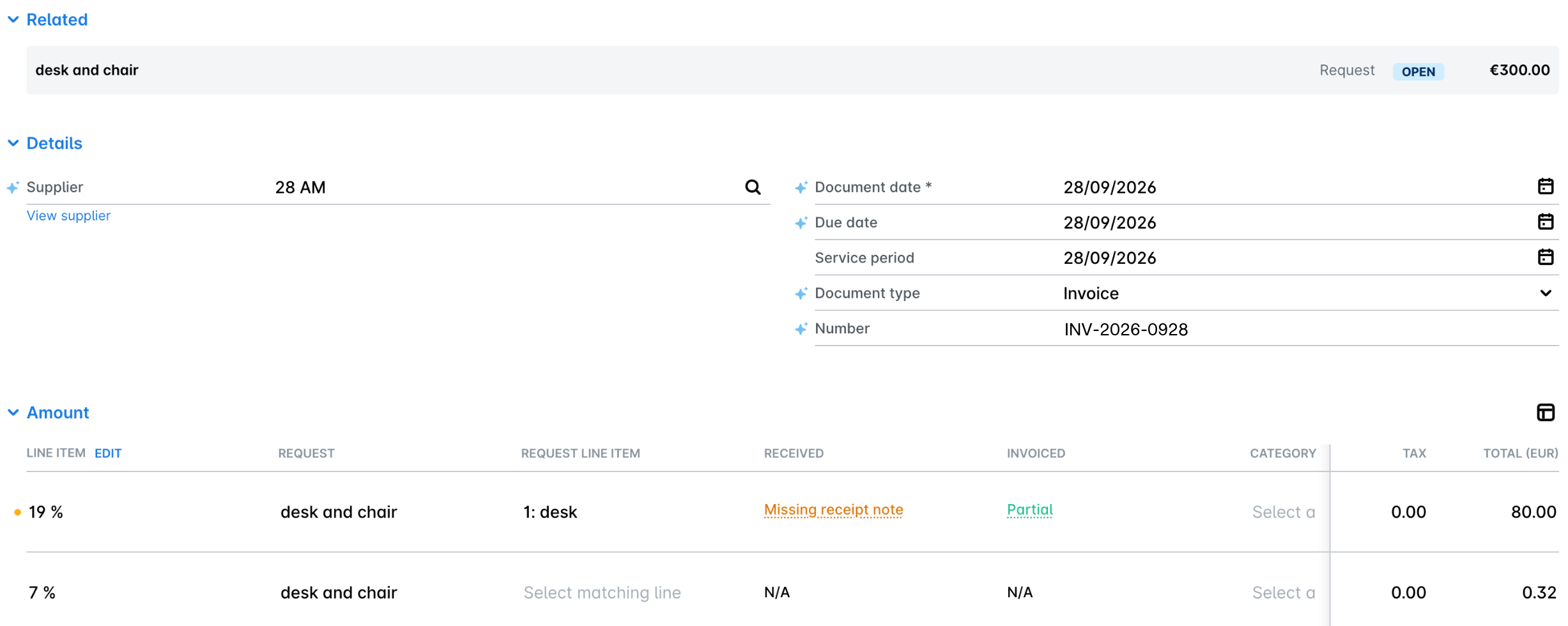
If the expense has line items, select a request for each line item in the Amount section. Once you select the request, the Matching request line item field becomes required, and you select the request line item that the expense line item matches. This way, you can link different line items of the same expense to different requests or request line items.
In both cases, the linked request also appears in the Related section of the expense, together with its status and amount.
Line item layouts
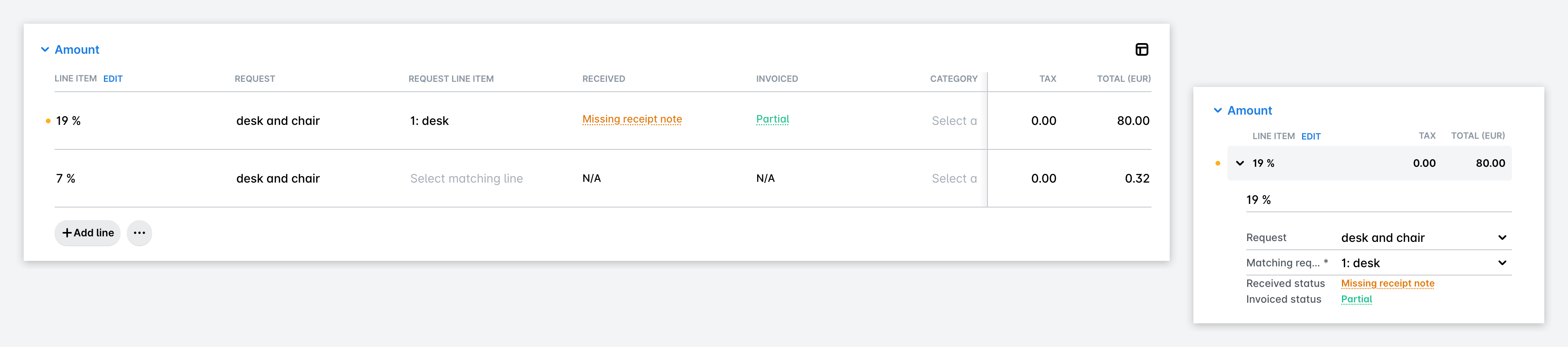
Line items in the Amount section appear in one of two layouts:
Table layout - each line item is a row, and the Request, Request line item, and Received columns show the request data next to the tax and total amounts.
Vertical layout - each line item expands to show its fields one below the other, including Request, Matching request line item, Received status, and Invoiced status.
On narrower screens, Payhawk automatically switches to the vertical layout.
Request selector visibility
The expense must be in Draft status.
For bank expenses, at least one enabled request type must have an allowed payment method of Bill.
For card expenses, at least one enabled request type must have an allowed payment method of Card.
Only requests with the status Open appear in the drop-down list.
Supplier filtering
If the expense has a Supplier ID, only requests with either a matching supplier ID or no supplier are shown.
If the expense has no Supplier ID, supplier-based filtering is skipped.
Requests with inactive suppliers are always excluded.
A suggested supplier (a name only, without an ID) is treated as having no Supplier ID.
Who can link an expense to a request
A user can link an expense to a request if any of the following conditions is met:
Their role includes the policy Link expenses to any request.
They are a Team Manager of the request.
They act as a reviewer within the workflow for that request type.
They are both the owner of the expense and the owner of the request.
Spend types
Bills can be linked to requests with a Bill payment method.
Card expenses can be linked to requests with a Card payment method.
Both bills and card expenses can be linked to requests with a None payment method if the request type allows the relevant outcome type.
Expenses cannot be linked to requests with the No payment needed payment method.