Payhawk is integrated with PPF (Portail Public de Facturation), the French national eInvoice system for exchanging procurement and invoicing documents electronically, that helps your organization comply with France's domestic B2B eInvoicing mandate from September 2026.
Payhawk connects through its partner Invopop, a French government-approved platform (Plateforme Agréée), which receives your invoices and reports the required regulatory data and statuses to the tax authority on your behalf.
Specifics
Before you connect to PPF, make sure to finish your KYC verification with Payhawk. The PPF registration can only be finalized once the KYC is complete.
If your company is part of a VAT group, the SIREN that Payhawk derives automatically from your VAT number may be incorrect. If a pre-filled SIREN is wrong, contact Payhawk Support attaching an official document, such as a commercial register extract, which confirms the correct SIREN, so that the team can set it for you. After a SIREN is changed, it becomes active the following day due to delayed updates on behalf of the directory (annuaire).
Connecting the two systems
To connect your Payhawk account to PPF:
Log in to the Payhawk Web Portal.
Go to Settings > Integrations > eInvoicing tab.
On the PPF card, click on Connect.
On the next page, click on Continue.
On the Register on the Portail Public de Facturation (PPF) page:
Payhawk checks whether you have a valid VAT number, associated with your account, and derives the SIREN number from that VAT number.
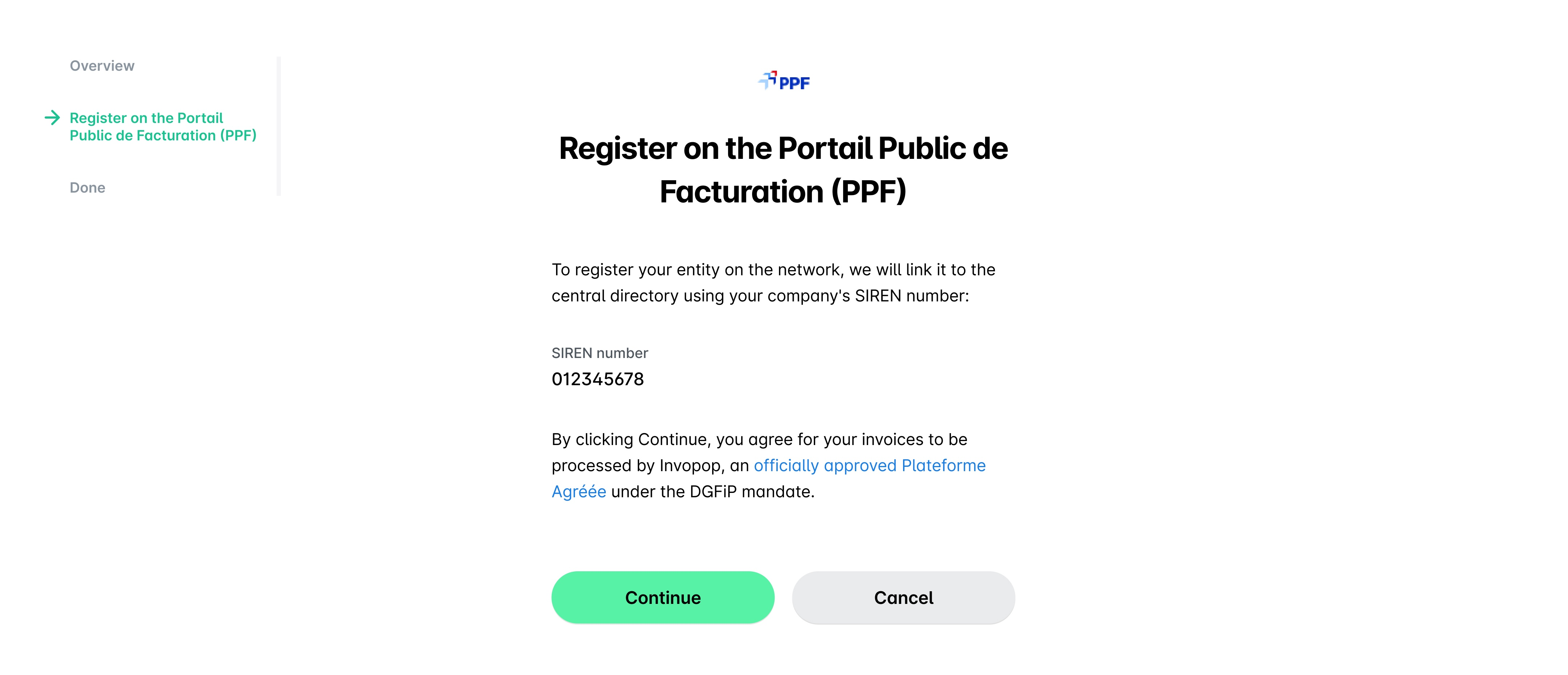
If your SIREN number is currently registered with another eInvoicing provider, you can choose either of the following options:
Initiate a migration directly through the Payhawk UI when connecting. If a taken routing key is selected, Payhawk automatically starts the migration process, which serves as an alternative to manually deregistering with a previous provider. The connection will show as pending while the migration is finalized behind the scenes, and which can take up to a week, and the existing provider will continue to receive eInvoices until a notification email confirms the switch is complete. Payhawk's partner Invopop sends the migration request to your existing provider and handles the communication with them for you.
During the migration, your existing provider has about 5 days to object or to provide a migration code. Some providers take longer or do not reply. If yours has not replied, contacting them directly can speed up the process. Once the migration completes, the registration finishes automatically and the user who started it receives an email.
Don't disconnect or deregister from your existing provider while the migration is pending. Your existing provider keeps receiving your eInvoices until the switch is complete, so you don't miss any. If you have already disconnected, contact Payhawk Support so the team can complete your registration.
Add a suffix after your SIREN number to use both Payhawk and your existing eInvoicing provider side by side.
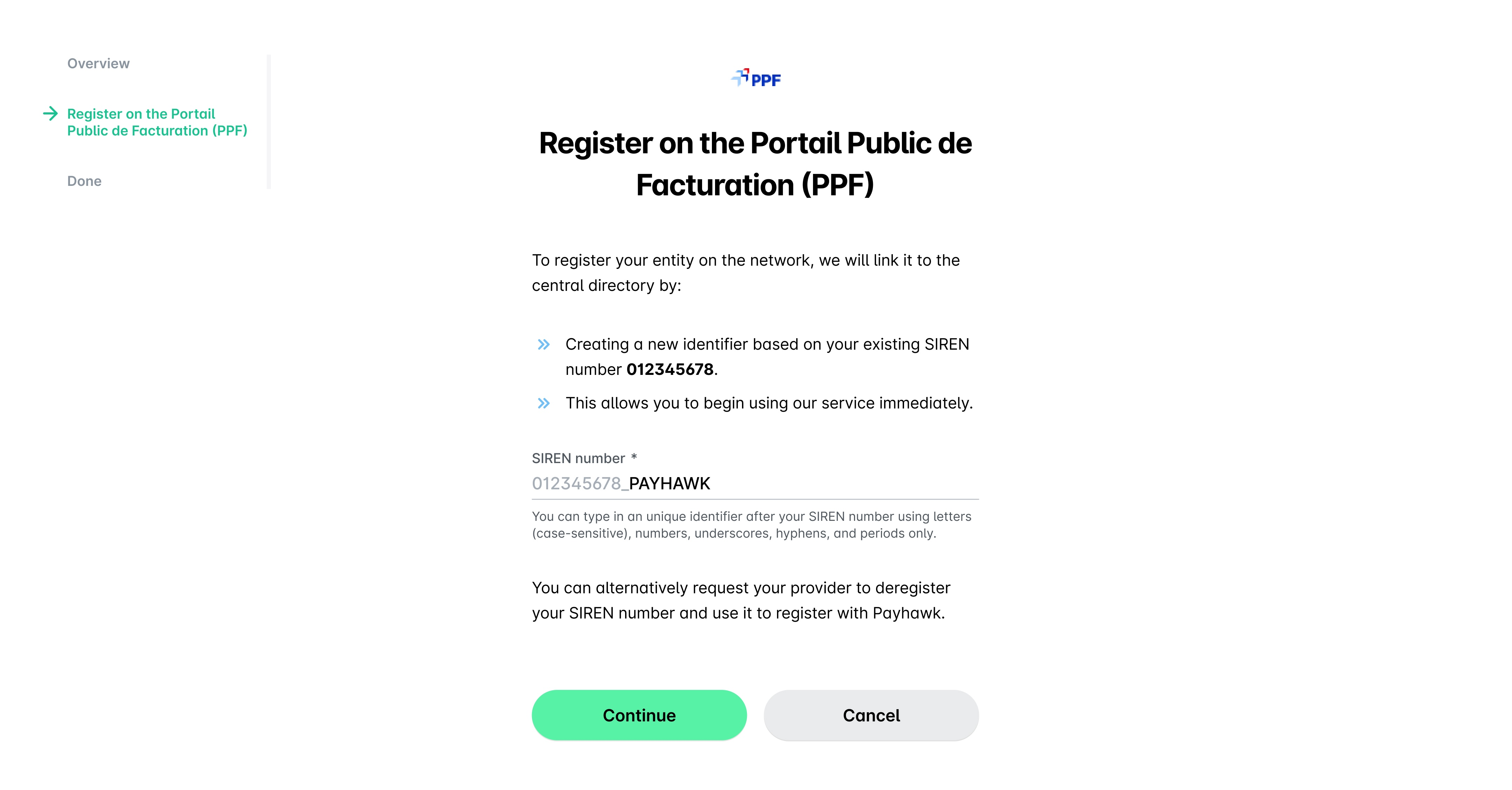
If you registered your SIREN with a suffix but want Payhawk to take over your plain SIREN (with no suffix) that is still registered with another provider, unregister in Payhawk and then register again, leaving the suffix empty. Registering the plain SIREN with no suffix triggers the portabilité migration that switches it from the other provider to Payhawk.
Add your SIREN number and agree to the compliant eInvoice processing, if your SIREN number is not in use with another provider.
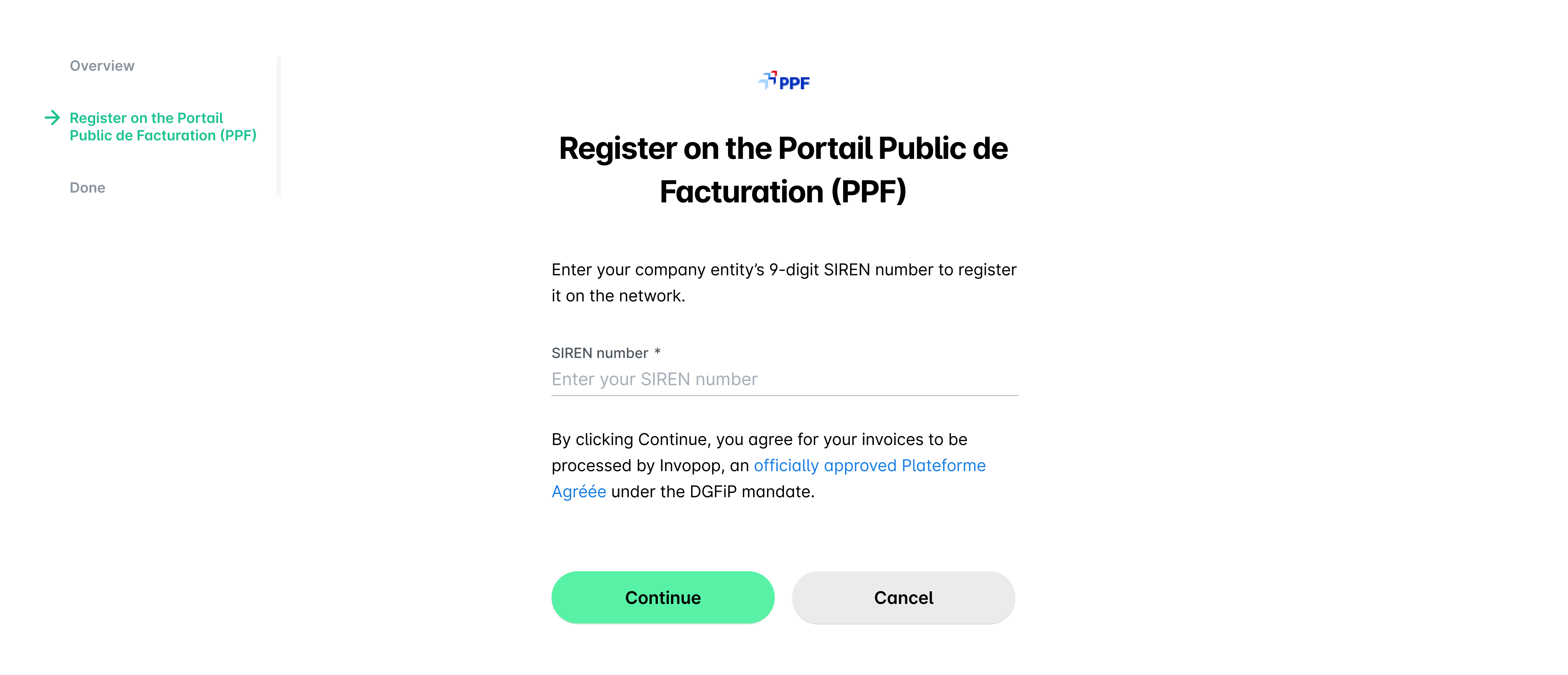
Click on Continue.
On the next page, click on Okay. Once the integration is fully active, you'll be notified via email about the successful connection.
The connection process takes less than a minute. Changes to the French directory (annuaire) take effect on the next calendar day, so your PPF address becomes active the day after you connect.
There is no mandatory verification period, so you can start receiving eInvoices as soon as your address is active. In fact, some organizations are already receiving live eInvoices ahead of the September 2026 mandate.
Receiving PPF invoices in more than one system
PPF uses Peppol as a transport network. A participant network identifier can be "owned" by a single access point only - for example, Payhawk.
To register two platforms with PPF, for example, Payhawk and Pennylane, you need to make sure that at least one those registration uses a suffix, which will instruct the system to treat it as a different participant network identifier (similar to a different electronic address for the invoices it will send).
As a result, your supplier can choose to which participant network identifier (address) they'll send the invoice and the invoice will come from the network either to Payhawk or to Pennylane, but not to both.
This infrastructure helps avoid duplicating invoices - if the invoice is received in Payhawk and then you export your expenses to Pennylane, no duplicate will be created as the invoice was sent to Payhawk only.
Reporting invoice lifecycle statuses to PPF
As an invoice moves through its lifecycle, its status is reported to PPF.
Reporting these invoice lifecycle statuses is part of the PPF exchange and remains separate from eReporting. While eReporting handles sending transaction and payment data to the tax authority, this is a function of the ERP and falls outside the scope of Payhawk.
The following statuses are mandatory and are always reported:
200 Déposée is reported by the supplier's Plateforme Agréée (PA) when the invoice is submitted.
210 Refusée is reported when you delete an eInvoice received from PPF in Payhawk.
212 Encaissée is reported by the supplier's PA when they receive the payment.
213 Rejetée is reported by either the supplier's PA or Invopop when functional controls (validations) fail on their side.
Other statuses, such as approved and received, are optional, thus Payhawk doesn't report them.