Documentation Index

Fetch the complete documentation index at: https://payhawk.document360.io/llms.txt

Use this file to discover all available pages before exploring further.

В момента локализираме Payhawk документацията на български език, поради което виждате някои колекции от статии на английски, а други - на български. Екипът ни работи усилено скоро целият сайт да е наличен на български. Благодарим за търпението!

How can I resend email invites to employees?

Prev Next
This content is currently unavailable in Bulgarian. You are viewing the default (English) version.

When you as a Payhawk administrator invite your company's employees to Payhawk, they receive an email invite to register.

If during the next 5 days, an employee doesn't register with Payhawk, the email invite will expire and you'll need to resend it:

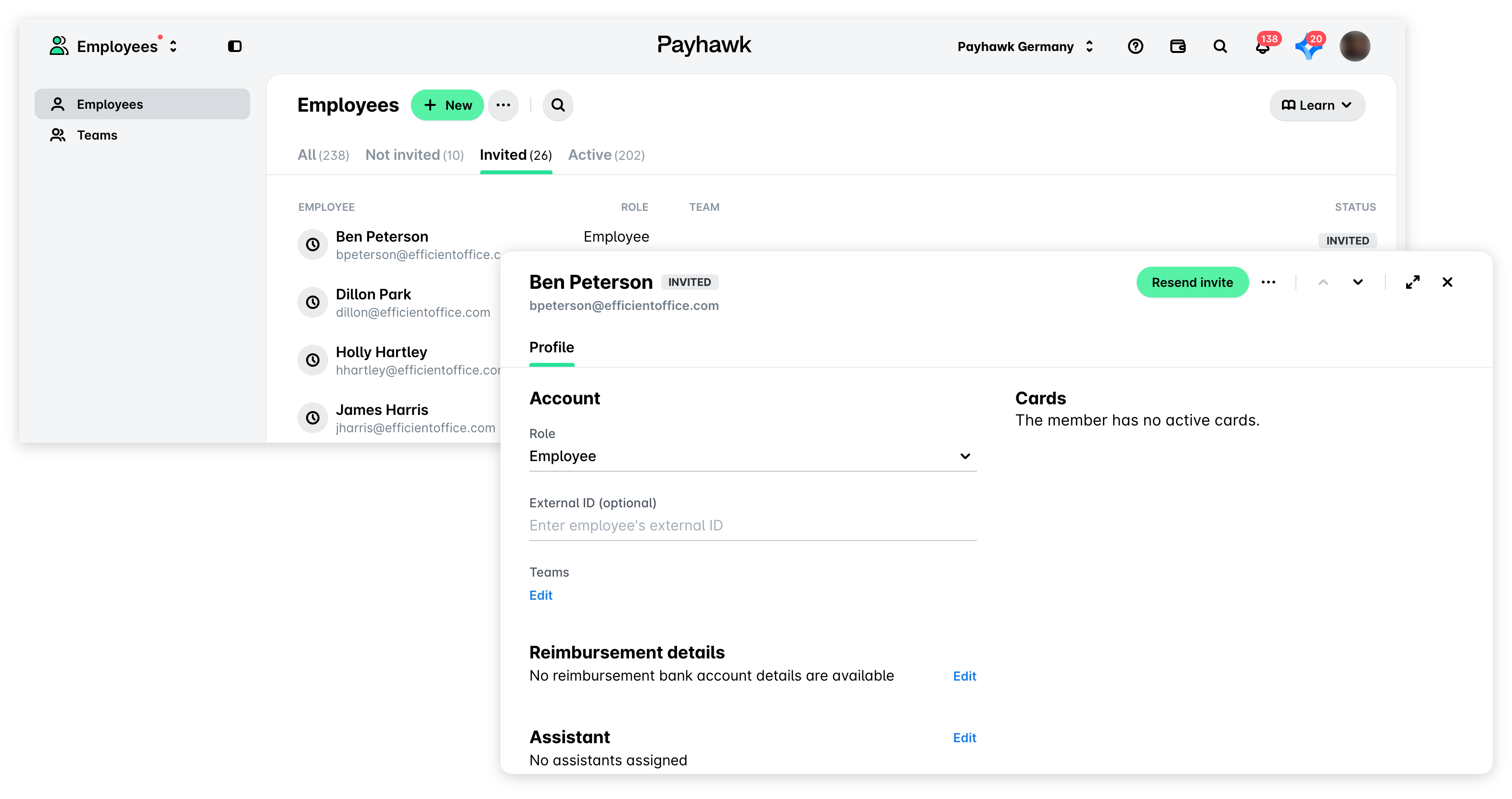
  1. In the Payhawk web portal, go to the Employees > Invited tab.

  2. Select the employee by clicking on their record.

  3. Click on the Resend invite button.