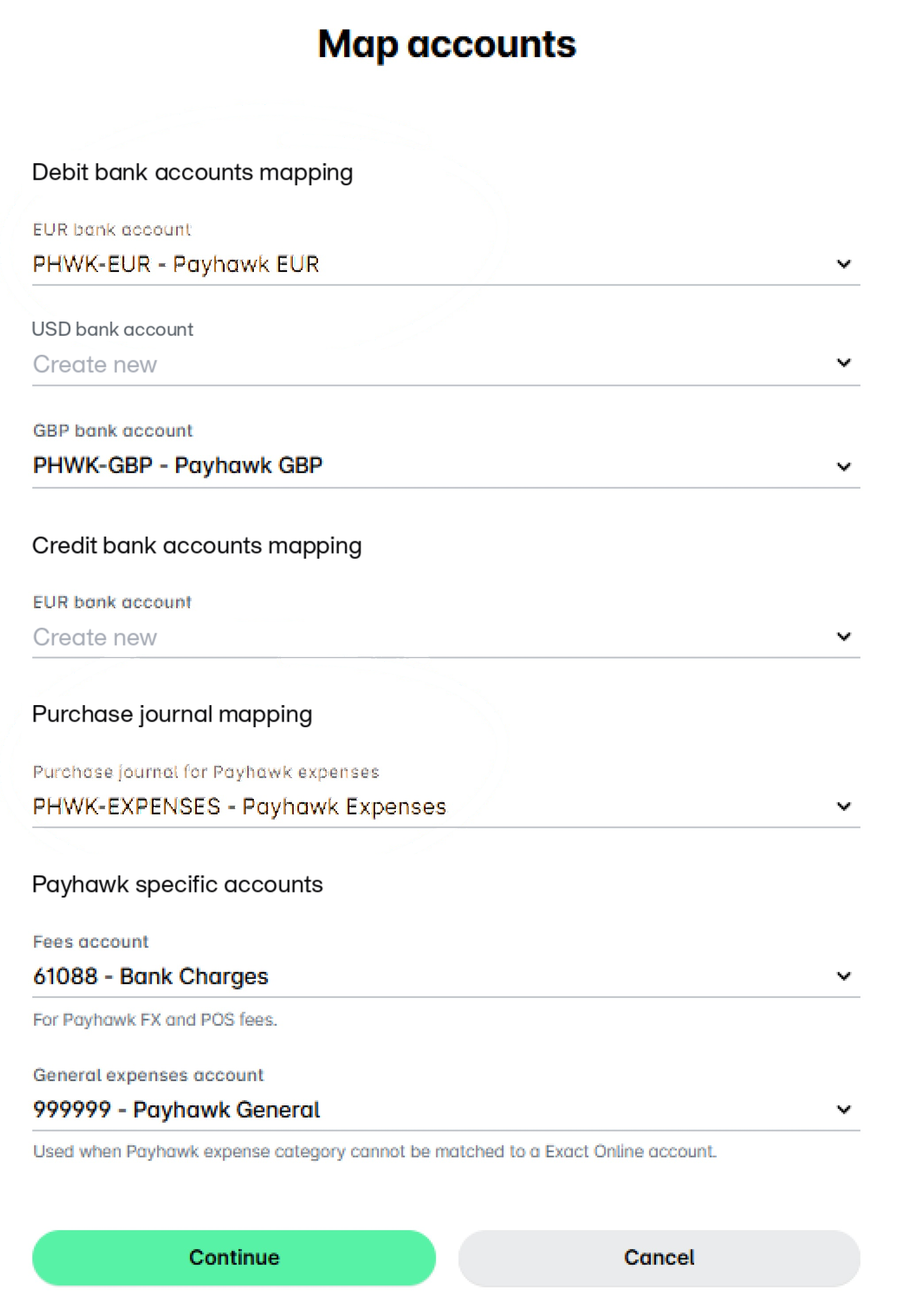
Error message
Please enable variable exchange rate and variable currency for the Journal.Relevant ERP integrations
Exact Online
Cause
The selected purchase journal is not configured to support Variable Exchange Rate in the ERP.
Solution
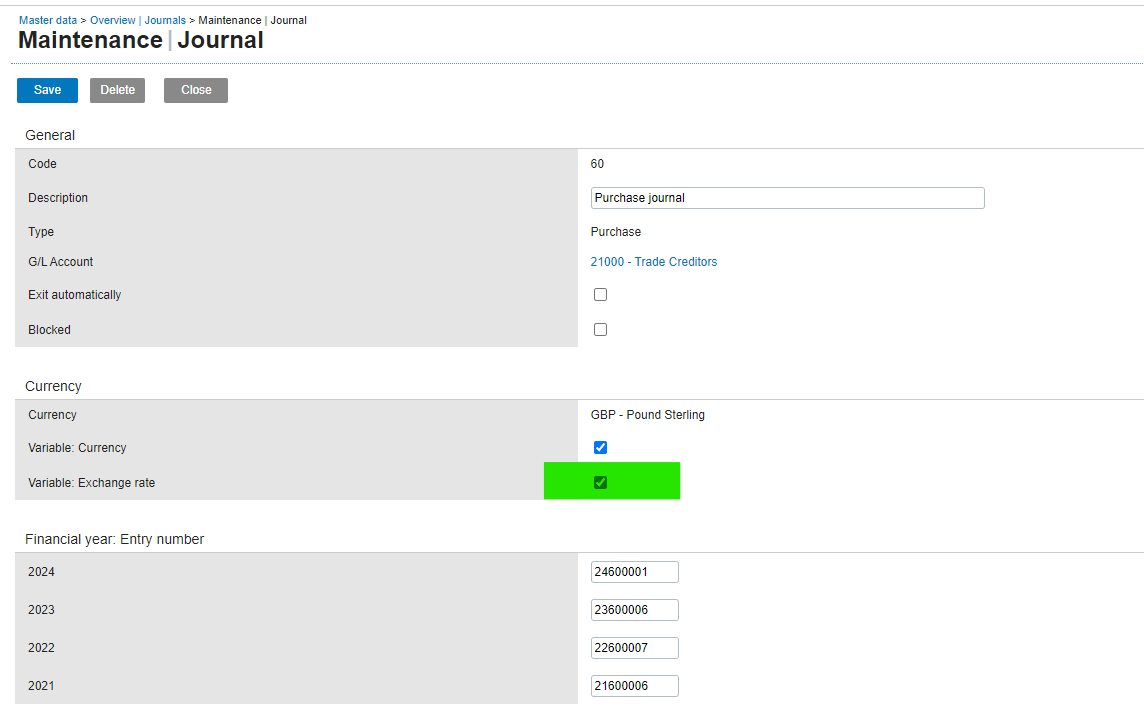
In the ERP, go to Master Data > Journals > Selected Purchase Journal > Currency, and select Variable: Exchange Rate.
Verify that the correct journal is selected (the one in the screenshot is an example).
Go back to the Payhawk configuration wizard and make sure that the bank account for the corresponding currency is mapped and that the purchase journal for Payhawk expenses corresponds to the variable of the selected purchase journal in the ERP.