Documentation Index

Fetch the complete documentation index at: https://payhawk.document360.io/llms.txt

Use this file to discover all available pages before exploring further.

Payhawk документацията е в процес на превод. Докато той тече, част от статиите и свързаните ресурси ще са на български, а други на английски. Благодарим за търпението!

Why are the last 4 digits of my card different on the invoice?

Prev Next
This content is currently unavailable in Bulgarian. You are viewing the default (English) version.

When you add your card to a digital wallet, such as Apple Pay or Google Pay, the card network, for example, Visa or Mastercard, generates a unique digital token, called Device Account Number. The card network then links this token to your device.

For security reasons, when you make a payment with your card using a digital wallet, the transaction document, such as an invoice or receipt, will show your Device Account Number, not your card number.

The following image shows where you can view the Device Account Number in Apple Wallet.
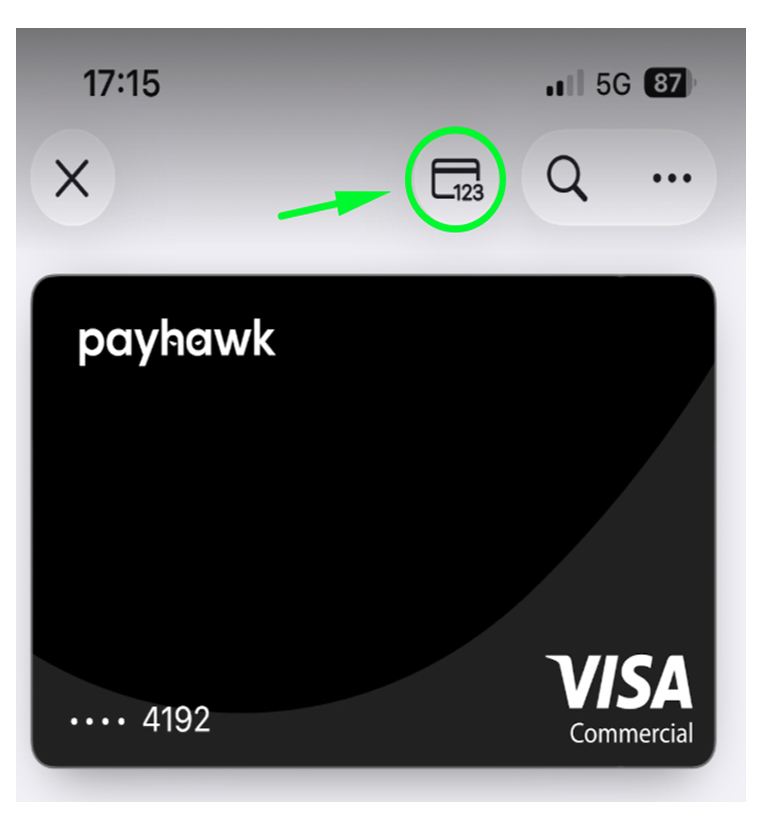
A Payhawk Visa card displayed with a highlighted card icon in the corner.

The following image shows where you can view the Device Account Number in Google Pay.
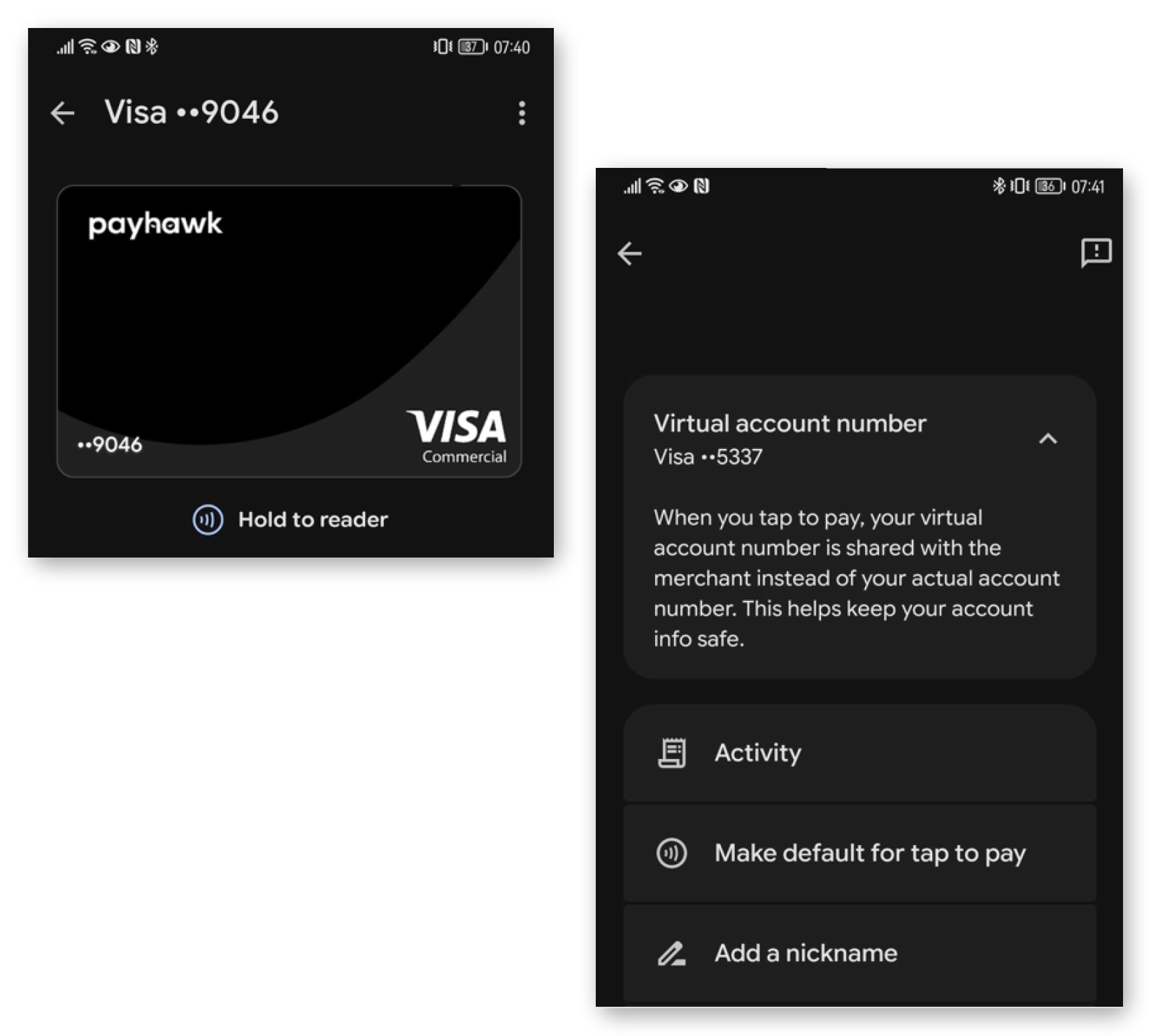
Visa card details with options for virtual account number and recent activity overview.