This article explains how proforma invoices are exported to your ERP system and the subsequent accounting entries that are automatically created. Understanding this process will help you reconcile payments and manage your accounts effectively.
The actual General Ledger (GL) and tax rates used when exporting a proforma invoice are configurable within the ERP integration's settings.
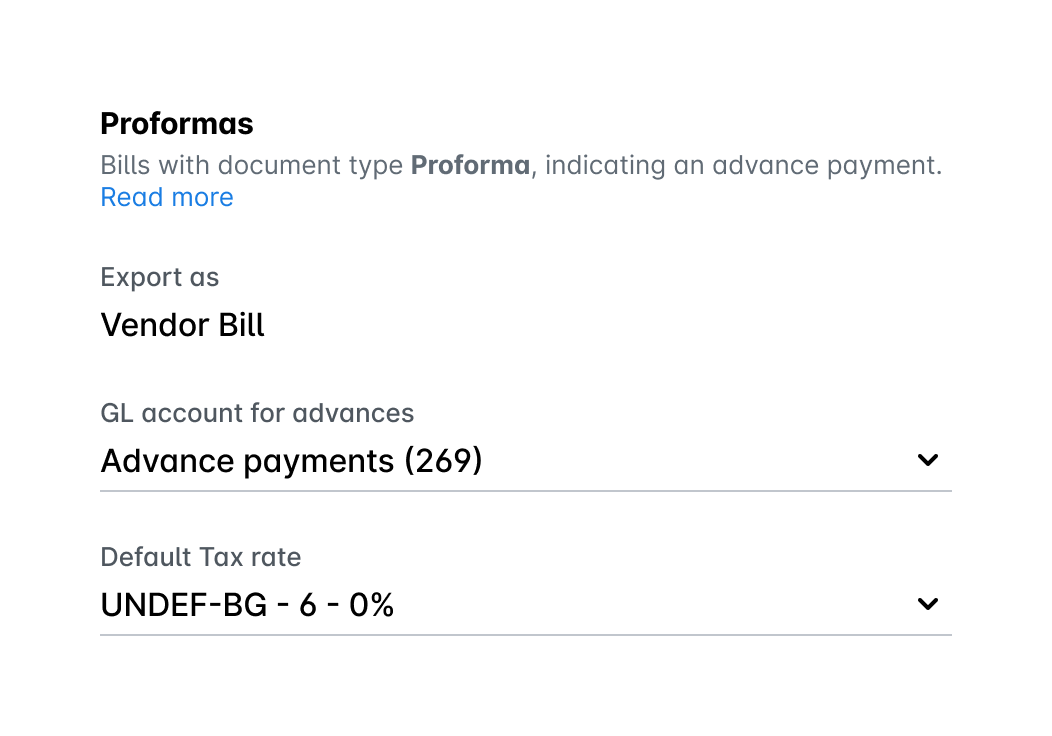
Note that exporting proforma invoices is currently supported for the Oracle NetSuite integration.
Payhawk handles proforma invoices by booking them upon payment. This article covers two possible scenarios.
Proforma invoice value equals tax invoice value
In this case, the amount paid for the proforma invoice is the same as the final tax invoice.
When the proforma invoice is paid, a vendor bill is created in the ERP system, and the payment is recorded against the account which you’ve already configured within the ERP integration’s settings. Once the final tax invoice is reviewed, the expense is recognized, for example as a fixed asset or P&L expense, along with the corresponding VAT. An automatic credit note is then generated to clear the initial proforma payment from the advance payments account. The final result is that the expense and VAT are correctly recorded, and the payment is reflected as a credit to your bank account.
For the Oracle NetSuite integration, you can configure a document-number suffix for proforma reversal exports, which post to Oracle NetSuite as a vendor credit, so each reversal keeps a document number distinct from the original vendor bill.
You can see an example of this scenario in the following table below.
Payhawk trigger | ERP posting | Account | Debit | Credit |
|---|---|---|---|---|
Proforma paid | Post Vendor Bill | Proformas / Advance Payments | 24,000 | |
Accounts Payable (AP) | 24,000 | |||
Post Bill Payment | Accounts Payable (AP) | 24,000 | ||
Bank | 24,000 | |||
Tax invoice reviewed | Post Vendor Bill | Fixed Assets / P&L | 20,000 | |
VAT | 4,000 | |||
Accounts Payable (AP) | 24,000 | |||
Automatic Bill Credit | Accounts Payable (AP) | 24,000 | ||
Proformas / Advance Payments | 24,000 |
Proforma invoice value is less than tax invoice value
In this case, the initial proforma payment is smaller than the final tax invoice, and requires an additional payment.
The initial proforma payment is recorded in the same way as the first scenario, debiting an advance payments account.
When the larger tax invoice is reviewed, the full expense and VAT are recorded.
An automatic credit note is then created to apply the initial proforma payment against the total amount due.
At the end, a final payment is made to cover the remaining balance on the tax invoice.
This process ensures that both payments are consolidated to close out the single expense correctly.
You can see an example of this scenario in the table below:
Payhawk trigger | ERP posting | Account | Debit | Credit |
|---|---|---|---|---|
Proforma paid | Post Vendor Bill | Proformas / Advance Payments | 12,000 | |
Accounts Payable (AP) | 12,000 | |||
Post Bill Payment | Accounts Payable (AP) | 12,000 | ||
Bank | 12,000 | |||
Invoice reviewed | Post Vendor Bill | Fixed Assets / P&L | 20,000 | |
VAT | 4,000 | |||
Accounts Payable (AP) | 24,000 | |||
Automatic Bill Credit | Accounts Payable (AP) | 12,000 | ||
Proformas/Advance Payments | 12,000 | |||
Invoice paid | Post Bill Payment | Accounts Payable (AP) | 12,000 | |
Bank | 12,000 |