Financial Controller AI AgentClose the month with complete data
The Financial Controller AI Agent clears your month-end by chasing employees, fetching invoices and coding expenses. All in line with your existing finance processes.

Month-end shouldn't start with a chase
Every month-end looks the same: chasing receipts, fixing cost centre errors, catching out-of-policy spend too late. The close slips, reporting accuracy suffers, and your team spends the final week buried in admin instead of analysis.

Submit expenses 62% faster, and clear approvals in just 3.5 days. The Financial Controller AI Agent keeps your work moving throughout the month, so closing is continuous and not packed into a few days.
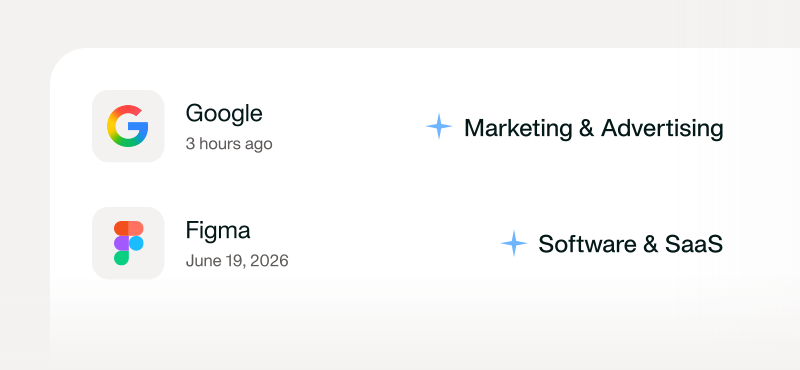
Stop fixing employee errors before every ERP sync. The Financial Controller AI Agent completes categories, cost centres, and VAT as spend happens, so you review accurate data instead of repairing it.
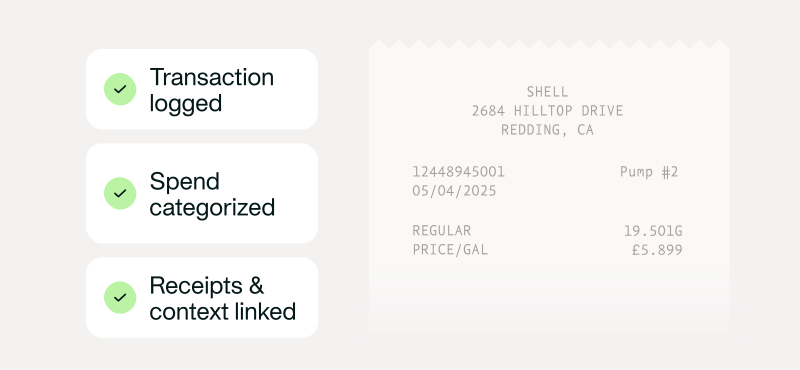
Redirect the hours lost to admin toward forecasting, analysis, and business partnering. The Financial Controller AI Agent absorbs the repetitive controller work, so finance contributes to decisions rather than data entry.
Hand the repetitive work to the agent
Finance reviews the results instead of producing them. The Financial Controller AI Agent takes on each repetitive task through the month, inside the Payhawk platform your team already runs.

Missing receipts hold up your close and your VAT recovery. The Financial Controller AI Agent reminds employees across platforms (including Slack) until every receipt is in, applying the same follow-up every time. You reach month-end with the documents already in, ready for review.

Manual coding to the GL and cost centres slows posting and is error-prone. The Financial Controller AI Agent fetches invoices, completes categorisation, cost centres, and VAT as each expense is created, then flags only the exceptions that need a person. Your team reviews clean entries instead of building them.
Agent Fetch securely signs into your supplier portals, retrieves each new invoice, and sends it straight to Payhawk, coded and ready for review. No manual downloads needed.








“It used to take two days of repetitive Slacks to remind people to send their receipts. But now, the AI Financial Controller Agent is my best friend! It sends all the reminders during the month… meaning, at the end of the month, I don’t have to send any messages. Also, with Agent Fetch, the setup was very smooth. We connected Uber, Deliveroo, OpenAI, and Aircall, and after that, the invoices just appeared automatically. It’s seamless for employees and our finance team.”
Farah Rouassi, VP Finance and Strategic Partnerships, Paradox
Cut manual chasing across finance
See the Financial Controller AI Agent working inside your existing Payhawk setup, with no separate AI project to run.
Discover enterprise power, without enterprise complexity
Manage employee expenses alongside all other company spend. With Payhawk you get complete control over your policies, workflows, and payments in a single platform.


FAQ
A Financial Controller AI Agent is software that handles repetitive controller work automatically. Inside Payhawk, it chases missing receipts, completes expense coding, and collects supplier invoices, so finance reviews clean data instead of preparing it.
It moves expense work forward continuously through the month rather than at close. Payhawk customers see expense submission drop from 6 days to 2, a 62% improvement, and approvals fall from 9 days to 3.5, a 61% improvement.
No. It is built into the Payhawk platform you already use for cards, expenses, and accounts payable. There is no separate AI tool, vendor, or implementation project to run.
It reminds employees directly in Slack and keeps following up on a consistent cadence until each receipt is submitted. Your controllers see what is still outstanding in real time and stop sending manual reminders.
Agent Fetch is a capability of the Financial Controller AI Agent that collects missing invoices for you. When a card expense is logged without its invoice, it retrieves the document from the supplier's website, matches it to the expense by amount and date, and attaches it automatically, then notifies you once it is done.
Yes. The agent runs under the same security framework as the rest of Payhawk, with role-based access that limits it to its intended task and per-customer data segregation over encrypted channels. When it fetches invoices from supplier sites, it never stores your portal passwords, works only through an encrypted session you log into yourself, and cannot change account settings or make purchases. Your data is not used to train AI models.
Yes. It applies categories, cost centres, and VAT treatment as each expense is created, using your accounting rules, then escalates only the exceptions that need a human review.
It works inside Payhawk, which feeds your existing ERP, so completed and approved expenses flow through without duplicate entry. Finance reviews once before export rather than fixing data afterwards.


