Error message
Failed to export updated expense. Change of period is not allowed for the expense in Exact Online.Affected ERP integrations
Exact Online
Cause
This error occurs when you attempt to update the Document Date or Service Period for an expense in Payhawk that has already been exported to Exact Online, and your Exact Online account has the Period-date check setting configured as Mandatory.
When Payhawk tries to update the entry in Exact Online with the new dates, Exact Online's mandatory period-date check prevents any changes to the period, which causes the export update to fail.
Solution
To resolve this issue:
Log in to your Exact Online account.
Navigate to Master Data > Settings > Company > Financial > Dates.
Locate the Period-date check setting.
If the setting is currently set to Mandatory:
Change the setting to a less restrictive option, such as Warning or Off, to allow period changes. This will enable Payhawk to update the expense dates in already-exported entries.
Keep the setting as Mandatory and avoid changing the Document Date or Service Period for expenses that have already been exported to Exact Online.
Click Save.
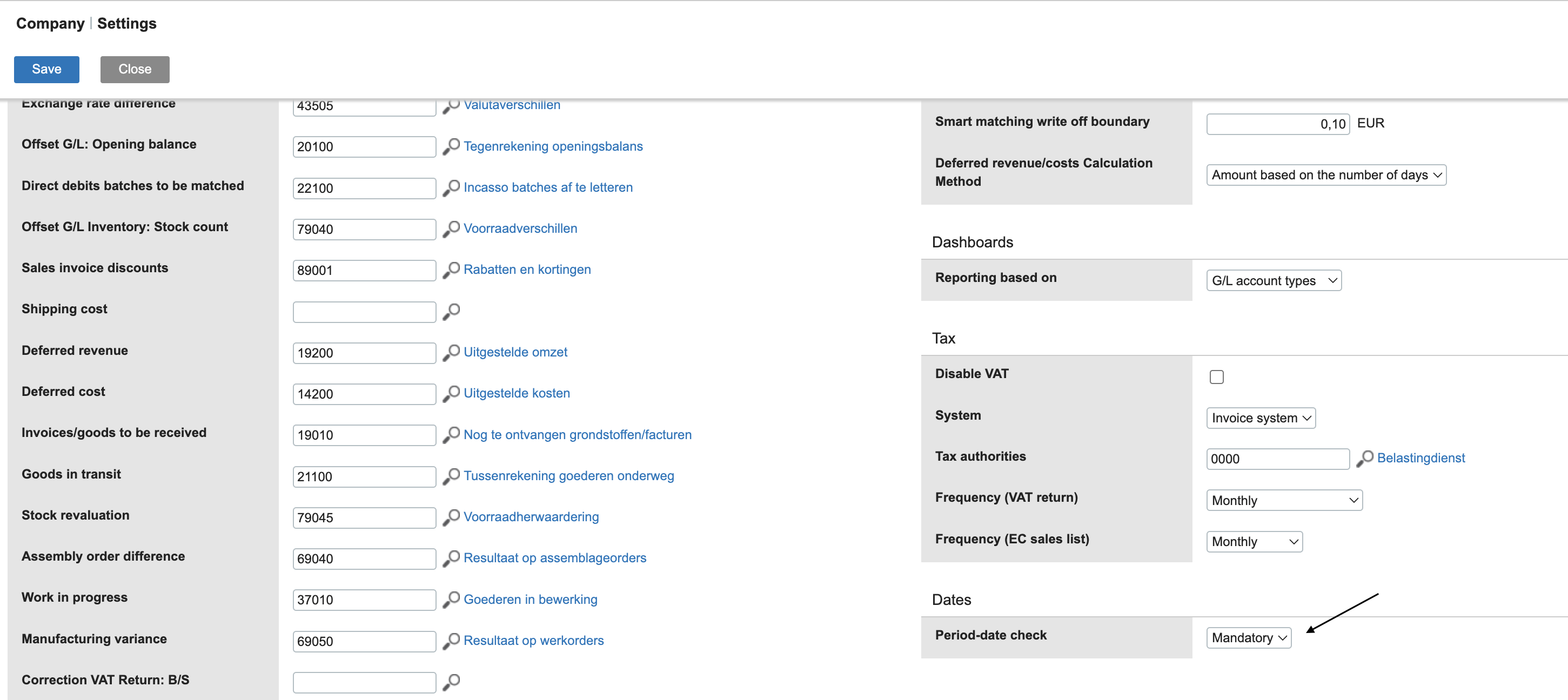
Return to Payhawk and attempt to export the updated expense again. The export must now be successful.