This article provides answers to some of the most frequently asked questions (FAQ) related to opening new Payhawk company accounts in the US.
What information do cardholders of US companies need to enter on their User Profile?
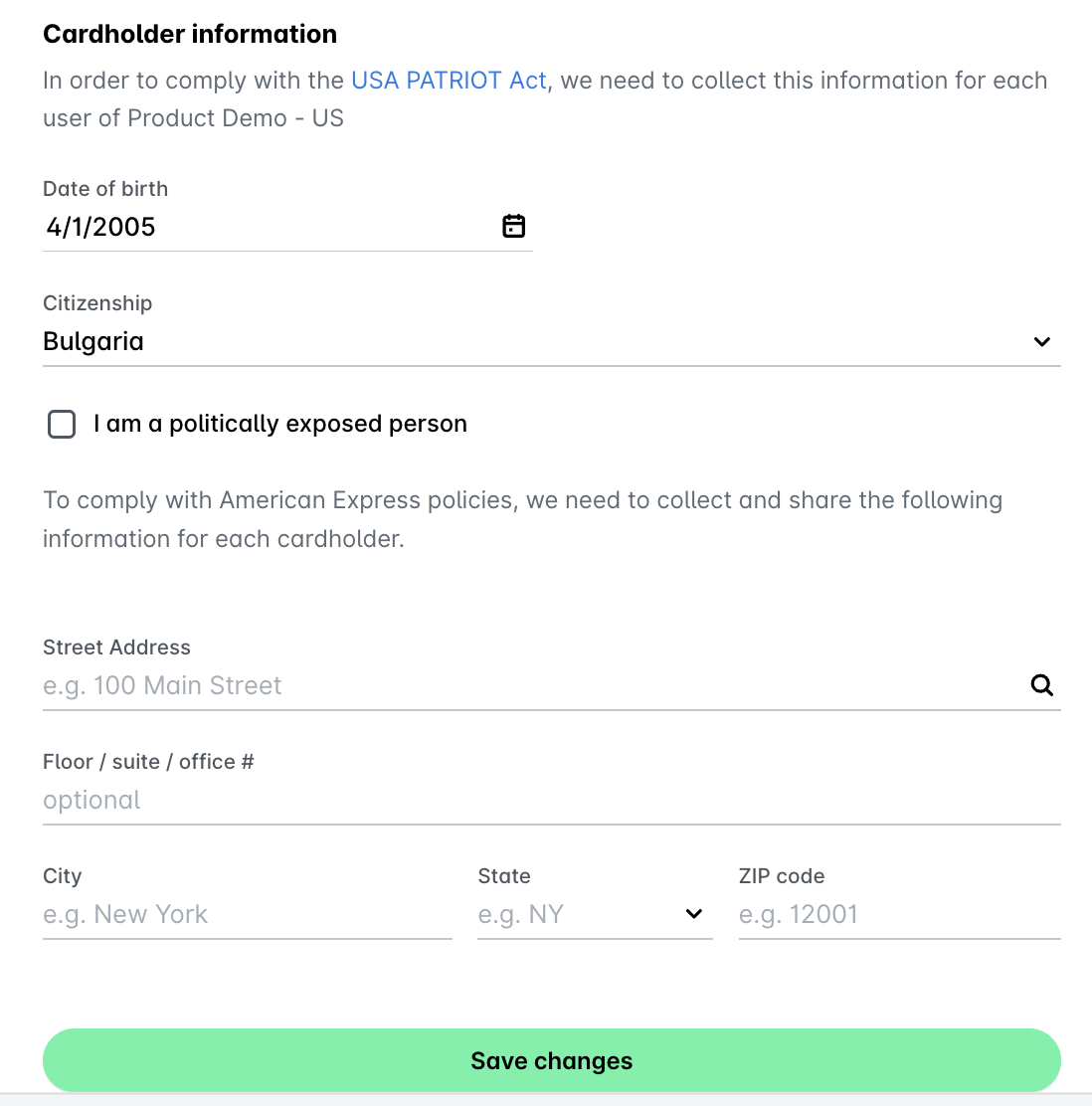
To comply with the USA Patriot Act 2001, all financial institutions need to have a customer identification policy. At Payhawk, we require each cardholder of an onboarded US entity to enter the following information on their User Profile:
Name
Date of Birth
Citizenship
Yes/No to the question “I am a politically exposed person”
All data stored in Payhawk is SOC 2 Type 2 Compliant, and you can review Payhawk's Security Policy online.
What happens if an employee does not provide their information on their User Profile?
Employees cannot be issued a card (physical or virtual) without the above-mentioned information on file.
The Payhawk Mobile App will remind users to enter their details, but this is a non-blocking experience. Employees can still access and use the Payhawk Web Portal and Payhawk Mobile App for reimbursement-related activities.
Payhawk Administrators should encourage cardholders to complete their information to remain compliant and enable card issuance.
Are the employee details enforced in the Web Portal and Mobile App?
No. There is no system blocker preventing employees from logging in or using Payhawk if they have not provided their details on their User Profile.
Can I issue a card to a shared or team email account instead of a specific individual?
No. For US-issued cards (and certain other jurisdictions), cardholder verification is a regulatory requirement. Each cardholder must be a real individual with their own names, date of birth, address, etc.
A shared or team email can still be used as a Payhawk Web Portal and Payhawk Mobile App user for:
Managing expenses
Approving transactions
Viewing reports
However, it cannot be verified as a cardholder because it does not represent a single individual with the appropriate data input.
To issue a card, assign the card to a real individual. That person must provide:
Legal name
Date of birth
Address
These requirements are specific to US card programs due to Know Your Customer (KYC) and anti-money laundering (AML) regulations and US PATRIOT Act. Other regions or card providers may have different requirements.