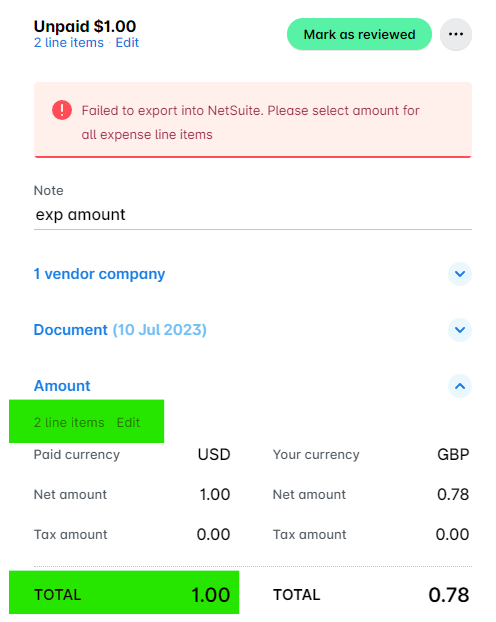
Error message
Please select amount for all expense line items.Affected ERP integrations
DATEV
Exact Online
MS Business Central
Microsoft Dynamics 365 Finance & Operations
Oracle NetSuite
QuickBooks Online
Cause
This error occurs when one or more line items in the expense have an amount of 0 (zero). Expenses with line items that have zero amounts cannot be exported to your ERP integration.
Solution
To resolve this issue:
In the Payhawk Web Portal, go to the Expenses app.
Click on the expense that failed to export to open its details view. You can apply the Failed export filter to locate the expense quickly.
Check all line items in the expense. Look for any line item where the Amount field shows 0 (zero) or is empty.
For each line item with a zero amount, do either of the following:
Enter the correct amount if the line item is valid.
Delete the line item if it was added by mistake or is not needed.
Click on Save and try to export the expense again.