For security reasons and also to activate your card or add it to Google Wallet or Apple Wallet, you may need to see the Payhawk Mobile App version you are currently using.
Make sure you are always using the latest version of the Payhawk Mobile App.
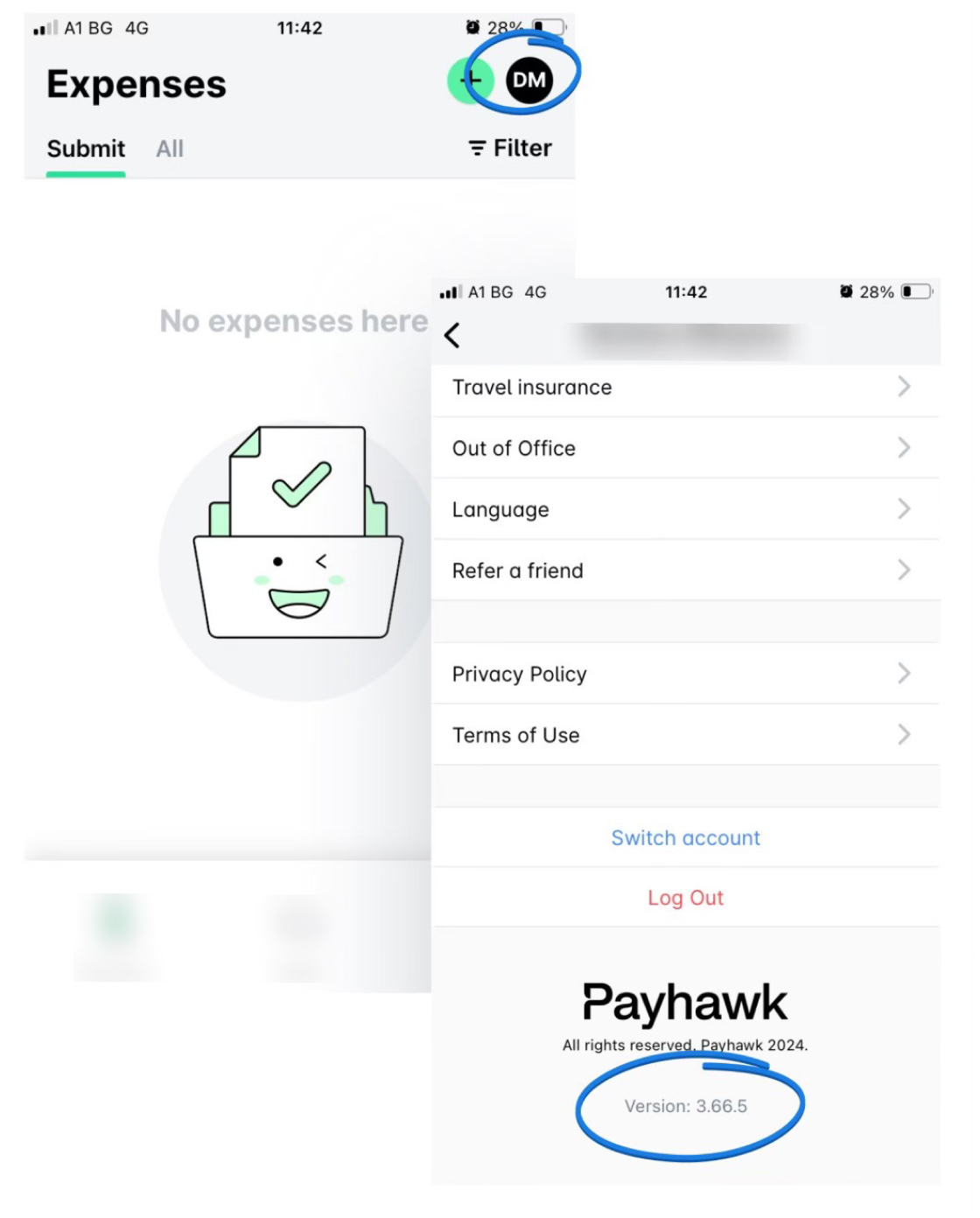
If you need to view the current version you are using:
In the Payhawk Mobile App, tap your profile icon.
On the next screen, scroll down to the bottom.