Documentation Index

Fetch the complete documentation index at: https://payhawk.document360.io/llms.txt

Use this file to discover all available pages before exploring further.

В момента локализираме Payhawk документацията на български език, поради което виждате някои колекции от статии на английски, а други - на български. Екипът ни работи усилено скоро целият сайт да е наличен на български. Благодарим за търпението!

Employee cards are missing after bulk enrollment

Prev Next
This content is currently unavailable in Bulgarian. You are viewing the default (English) version.

After the bulk enrollment of company employee Visa cards, employees might not see their linked cards in Payhawk.

To view the cards, advise employees to do the following:

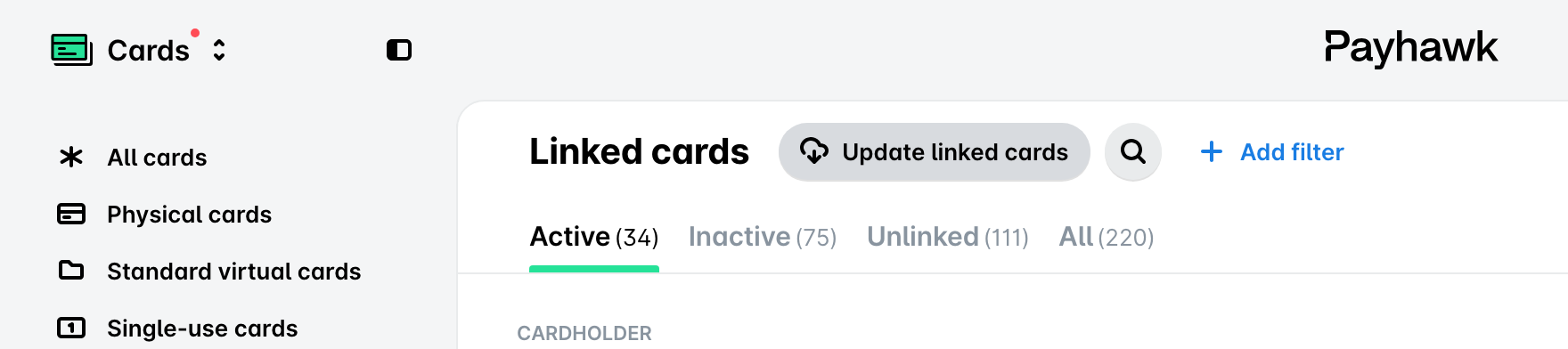
1. In the Payhawk web portal, go to Cards > Linked cards.  

2. Click on Update linked cards.  

Interface showing options to manage linked cards, including active and inactive cards.

The refresh happens instantly, and missing cards are expected to appear right away.

If the issue persists, contact Payhawk Support.