Documentation Index

Fetch the complete documentation index at: https://payhawk.document360.io/llms.txt

Use this file to discover all available pages before exploring further.

В момента локализираме Payhawk документацията на български език, поради което виждате някои колекции от статии на английски, а други - на български. Екипът ни работи усилено скоро целият сайт да е наличен на български. Благодарим за търпението!

Syncing data between Payhawk and QuickBooks Online

Prev Next
This content is currently unavailable in Bulgarian. You are viewing the default (English) version.

The Payhawk-QuickBooks Online integration enables you to sync your QuickBooks Online chart of accounts, tax rates, and QuickBooks Online classes, locations, customers and projects, and billables in an elegant and efficient way.

To sync your account between the Payhawk and QuickBooks Online systems:

  1. Log in to the Payhawk web portal.

  2. Go to Settings > Integrations.

  3. On the QuickBooks Online integration, click on the three dots menu and select Manually sync.

It's recommended to manually sync your integration before pushing any changes, as master data is not automatically synced with the QuickBooks Online integration.
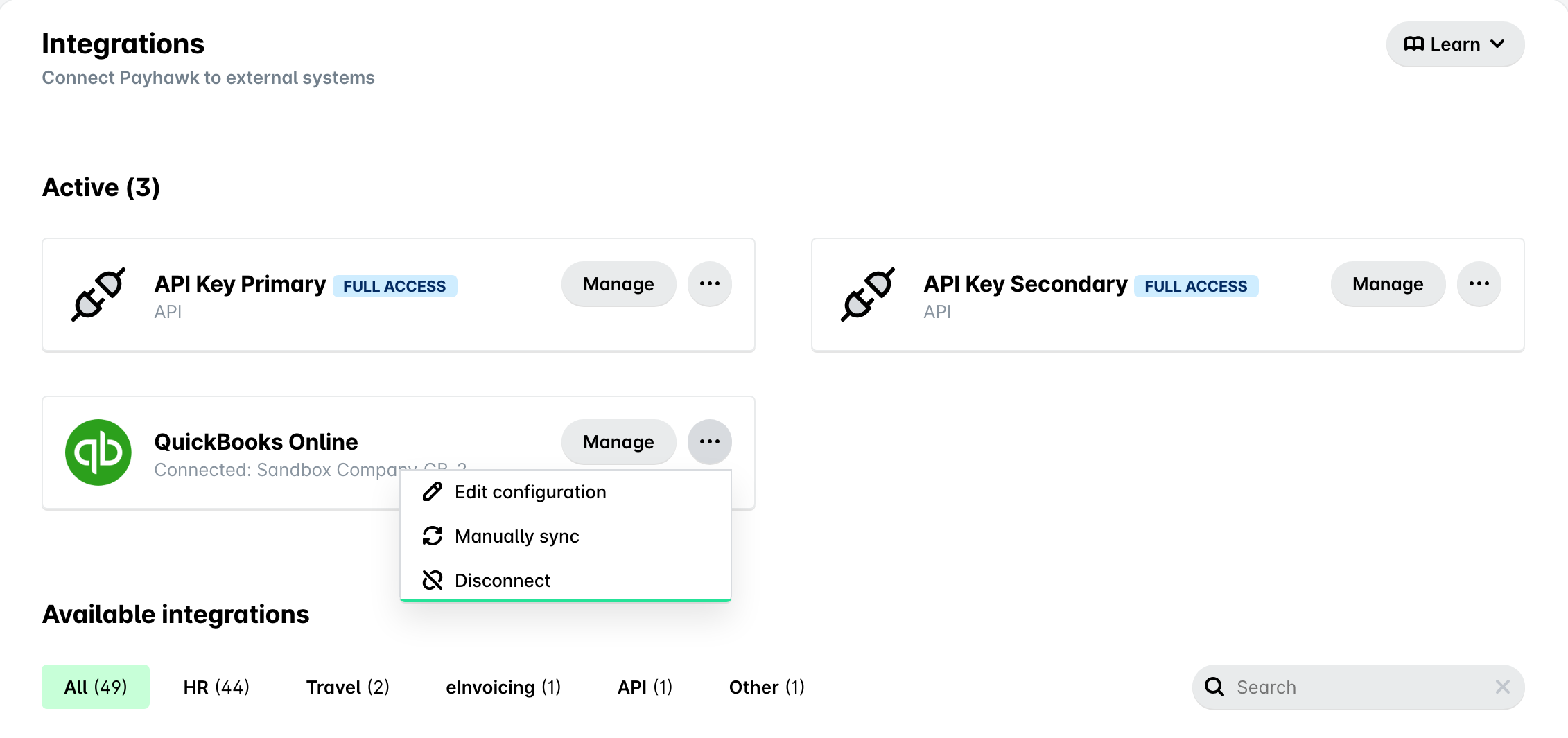
The Manually sync option in the three dots menu of the QuickBooks Online integration in Payhawk

Next steps