Error message
Invalid expense account provided. Please check whether vendor expense account in Oracle NetSuite is valid for the connected subsidiary.Affected ERP integrations
Oracle NetSuite
Cause
This error occurs when the vendor selected for an expense has a default expense account set up in their Oracle NetSuite record, and this default account is not valid for the subsidiary that the Payhawk integration is connected to. When this default account is present, Oracle NetSuite attempts to use it, overriding the G/L account specified by the expense category in Payhawk. This conflict causes the export to fail.
Solution
To resolve this issue:
Log in to your Oracle NetSuite account.
Navigate to the record of the vendor that is causing the error.
Locate the Default Expense Account field, which is typically found under the Financial or Account Information section of the supplier record.
Clear the value in this field to remove the default expense account assignment.
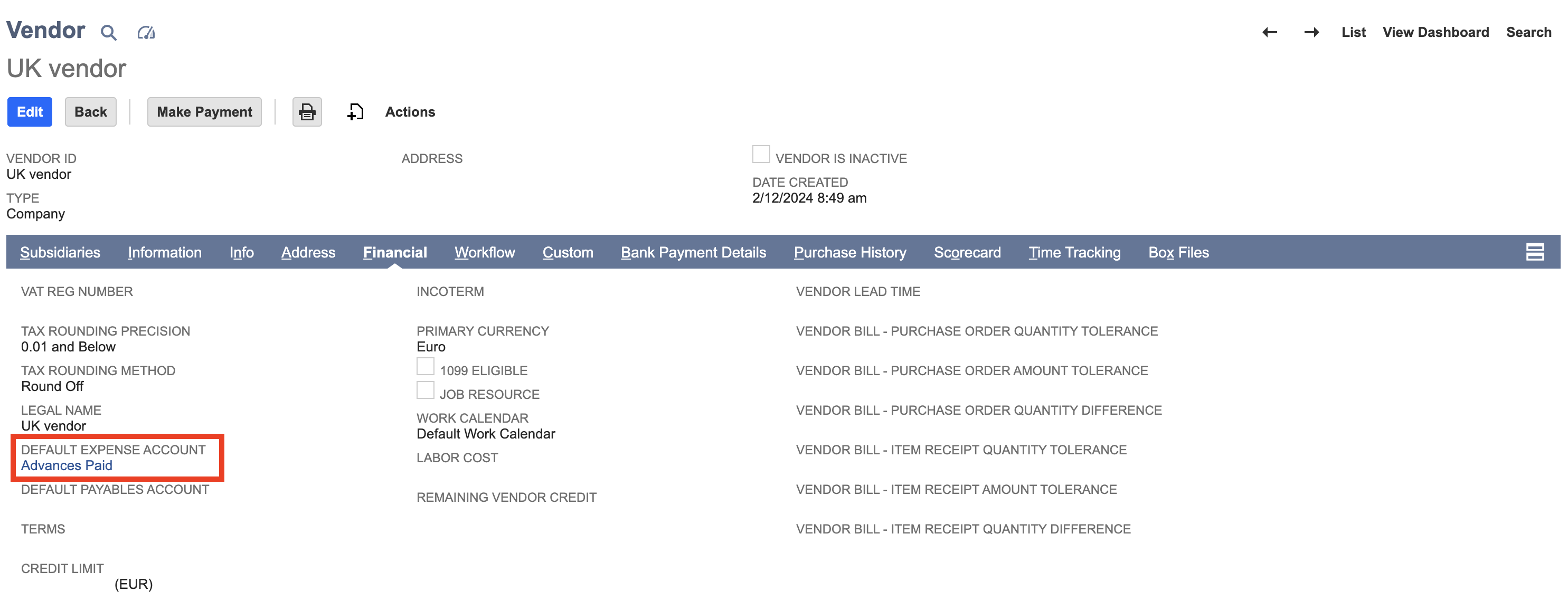
Save the updated supplier record.
Return to Payhawk and attempt to export the expense again.