Foutmelding
Failed to export into Microsoft Dynamics 365 Finance. Document number is too long.

(Exporteren naar Microsoft Dynamics 365 Finance is mislukt. Documentnummer is te lang)
ERP-integraties waarop deze fout betrekking heeft
Microsoft Dynamics 365 Finance & Operations
Oorzaak
Deze fout treedt op wanneer het documentnummer de standaard maximale lengte van 20 tekens overschrijdt die is toegestaan voor export naar Microsoft Dynamics 365 Finance & Operations.
Oplossing
Zo los je dit probleem op:
Log in op je Microsoft Dynamics 365 Finance & Operations-account
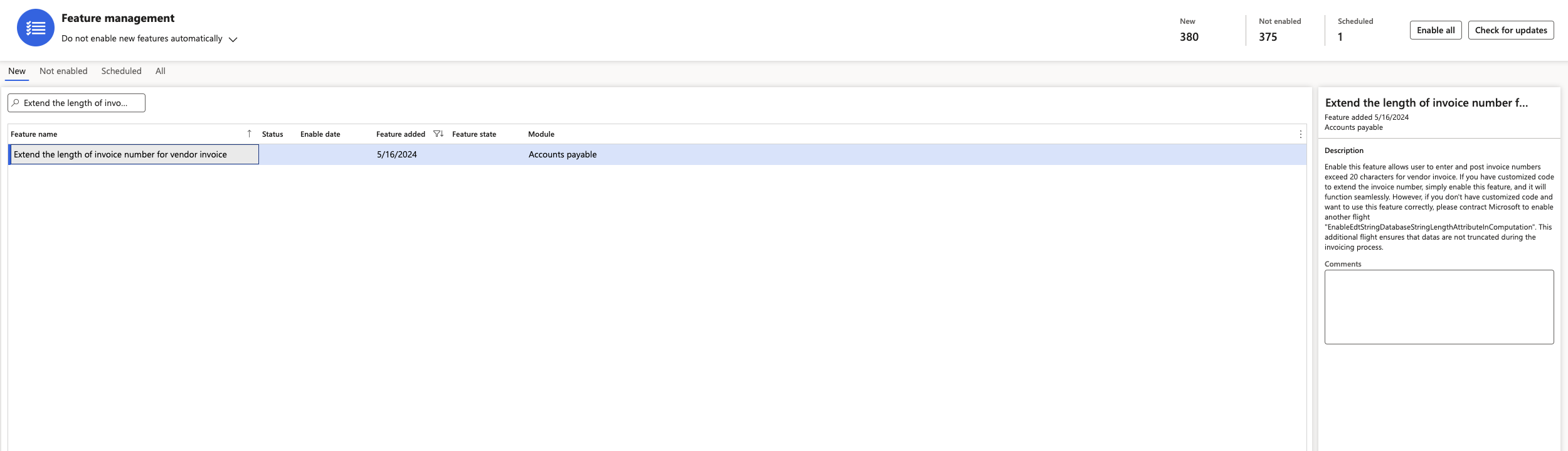
Navigeer naar functies beheren.
Selecteer de functie de lengte van het factuurnummer voor factuur van leverancier verlengen en schakel deze in. Daarna ga je terug naar het Payhawk-webportaal en probeer je de onkosten opnieuw te exporteren.