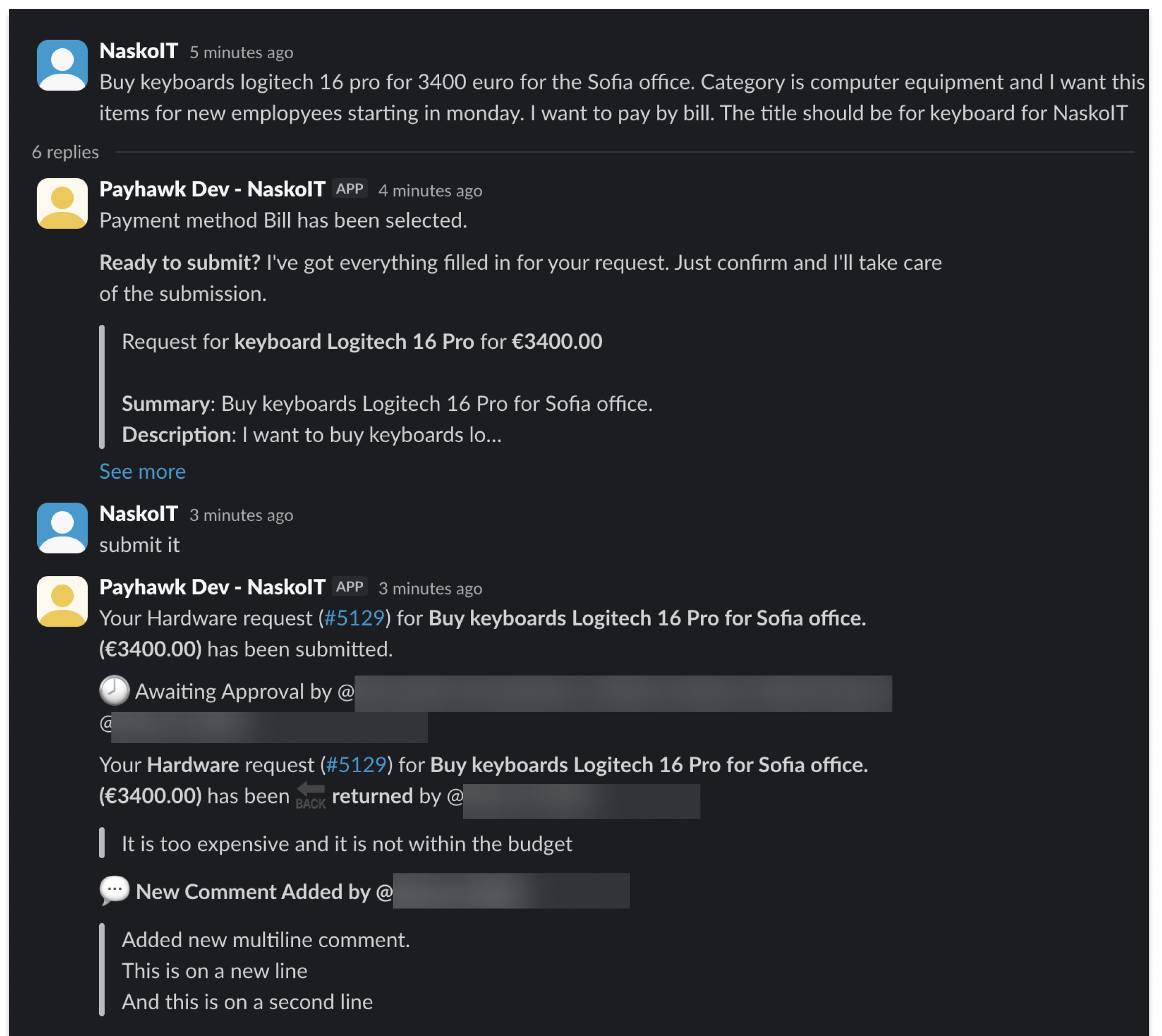
When using the Payhawk Procurement AI Agent, you can stay on top of your corporate requests through the notifications the AI Agent triggers. Additionally, all users involved in the procurement process gain full visibility and transparency regarding the status and handling of requests throughout the company.
Types of notifications
The following table summarizes the types of notifications and their details.
About | Purpose | Occurrence | Receivers |
|---|---|---|---|
Returned request | Notifies the request owner that their request was returned for additional input. | Upon the return of the request | Request owner |
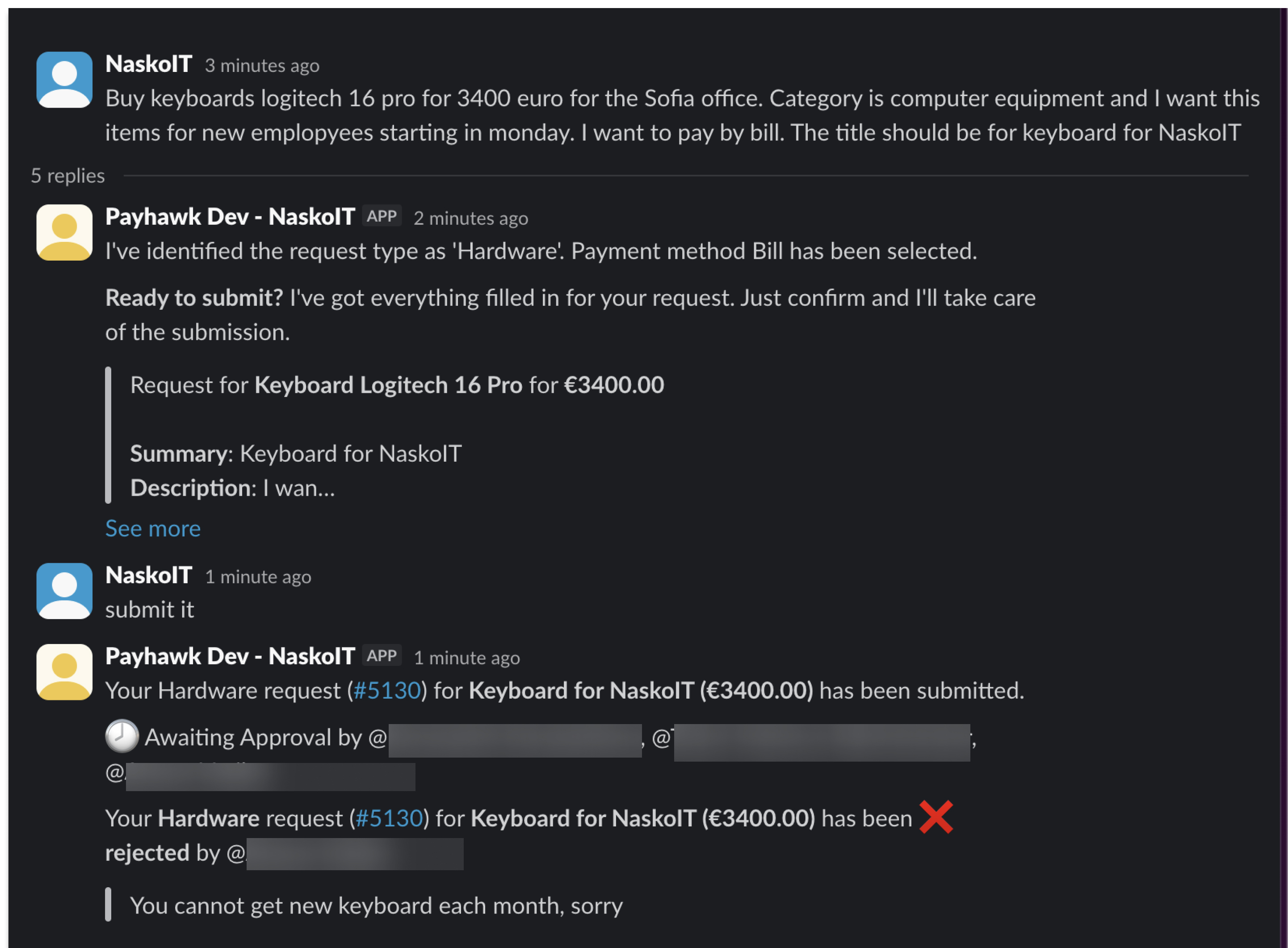
Rejected request | Notifies the request owner that their request has been rejected by the approver and deleted from the Payhawk system. | Upon request rejection | Request owner |
Approved request | Notifies the request owner that their request has been approved. | Upon request approval | Request owner |
Review needed | Notifies reviewers of a new request that requires their review. | Upon request submission (if a review step is included in the workflow) | All reviewers defined in the workflow for this request type |
Approval needed | Notifies approvers of a new request that requires their approval. | Upon request submission, or upon request review (if a review step is included in the workflow) | All approvers defined in the workflow for this request type |
Comment added | Notifies the request owner and any tagged users when a new comment has been added. | Upon comment addition | Request owner |
Examples
Here are a few examples of how notifications you receive by the Procurement AI Agent in Slack would look like.
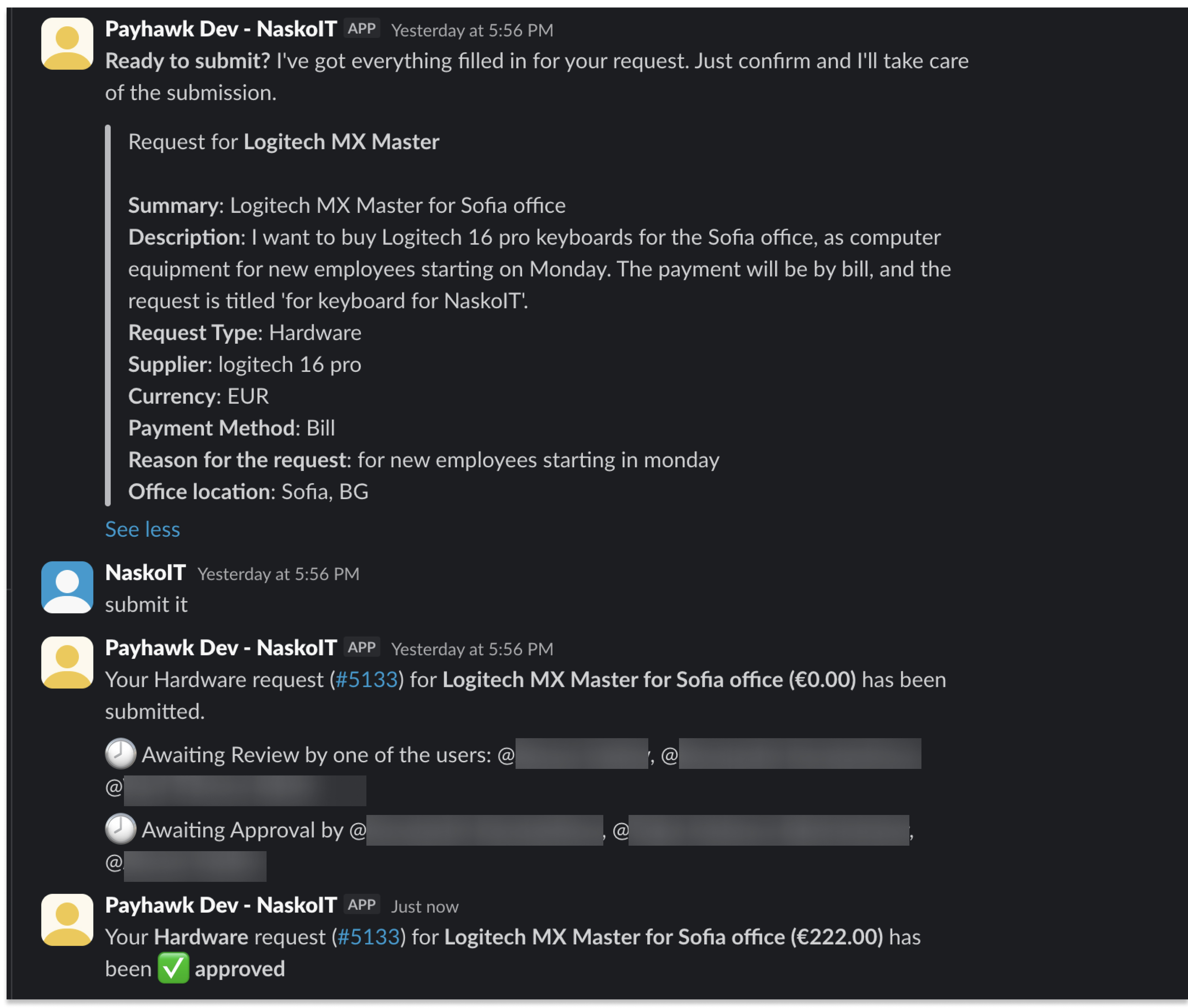
The following image shows a notification for an approved request with the following use case:
The request is submitted for review by the owner.
The request is reviewed by a reviewer as per the defined workflow for the company.
The request is sent for approval and approved by the approver as per the defined workflow for the company.
The owner receives a notification that the request is approved.
The following image shows a notification for a request that has been returned to the request owner for additional input.

The following image shows a notification for a request that has been rejected.
The following image shows a notification for a comment that has been added to a request.