The Financial Controller AI Agent is a powerful automation partner that handles the heavy lifting of expense management and month-end closing. By guiding employees through guided expense submissions, automatically matching receipts, and fetching invoices directly from vendor portals, the AI Agent ensures that financial data is accurate and complete without constant manual intervention.
Beyond simple reminders, the AI Agent proactively manages the entire accounting lifecycle. It triages approval queues, identifies coding inconsistencies, and monitors budget burn to forecast potential overspending. For Finance teams, it simplifies complex workflows like month-end closes and multi-entity rollups, providing a consolidated view of spend while automatically chasing missing documentation from owners.
Integrated with your accounting systems and existing approval workflows, the Financial Controller AI Agent maintains a rigorous audit trail. It ensures every expense is coded, approved, and exported correctly, leaving your Finance team free to focus on strategic analysis rather than administrative chasing.
You can also enable the smart expense note to automatically generate notes for your company's expenses.
If you are unsure exactly what the Financial Controller AI Agent can do for you, you can ask it directly.
Common challenges in expense management
Finance Teams often struggle with manual receipt chasing, delayed approvals, and compliance oversight, which can slow down the month-end closing process. The Payhawk Financial Controller AI Agent tackles these challenges by automating expense tracking, receipt collection, and approval workflows, which significantly reduce manual follow-ups during and at the end of the month.
How the Financial Controller AI Agent works for Finance teams
By using the Financial Controller AI Agent, Finance teams can streamline processes and enhance efficiency through:
Real-time updates for both submitters and approvers, ensuring transparency and faster decision-making.
Improved workflow oversight, accelerating month-end close and reducing bottlenecks.
Company-wide visibility for users with the View company expenses permission, who can review, approve, and submit expenses on behalf of others across one or multiple entities.
How the Financial Controller AI Agent works for employees
Both in the Payhawk product (Web Portal and Mobile App) and in the communication channel, employees can seamlessly act on Payhawk smart reminders and do the following:
Receive smart reminders for missing documents, pending expense submissions, and approvals.
Submit and approve expenses directly in the chat.
Enter all required details, such as categories and custom fields, through a conversational chat flow without switching apps.
Upload several receipts at once and let the AI Agent match each one to the right expense.
Review expenses that are pending review, and create a new expense when a receipt does not match an existing one.
Accessing the Financial Controller AI Agent
The Financial Controller AI Agent comes out of the box and is included in both the Payhawk mobile app and Web Portal.
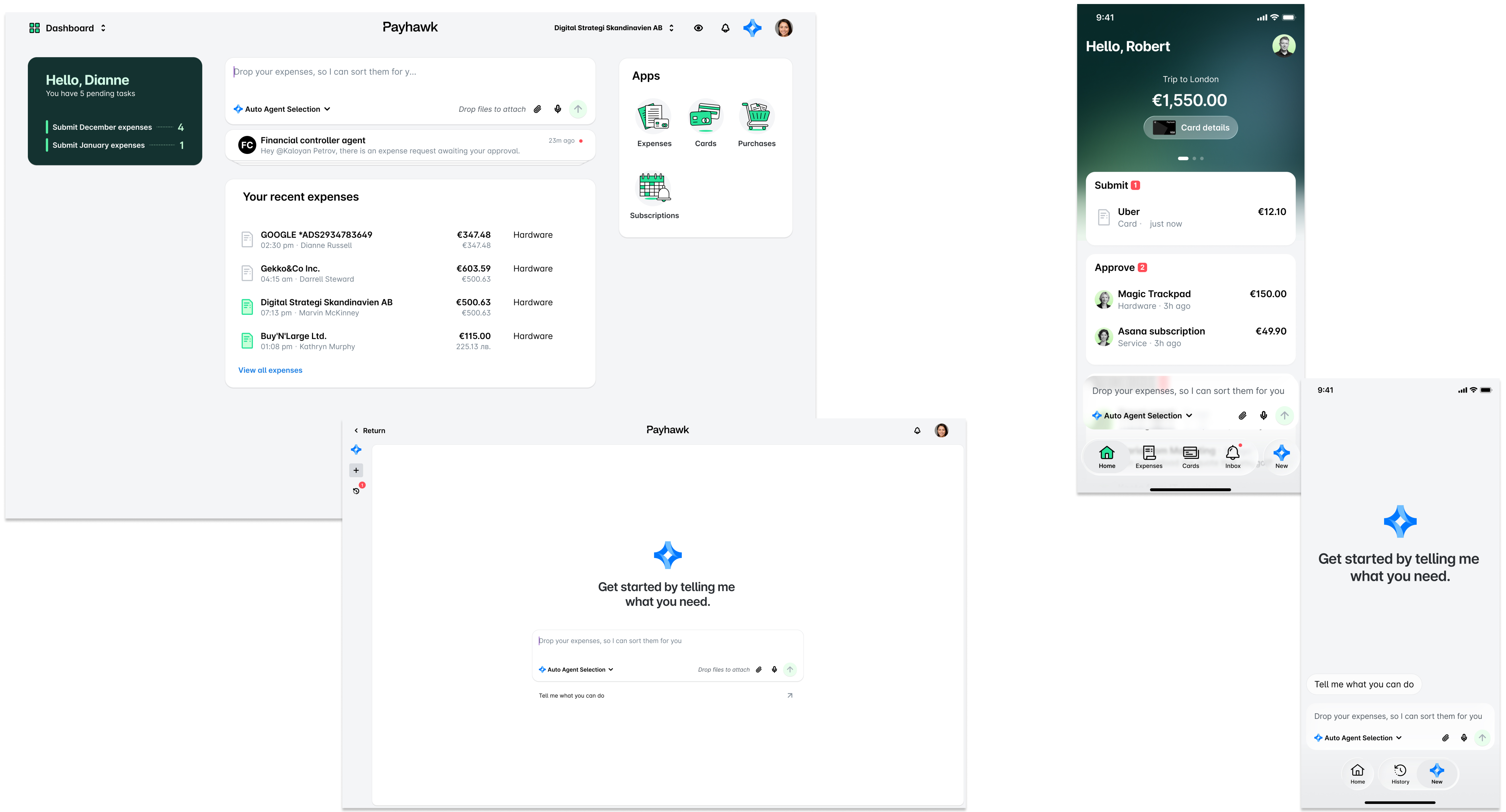
The AI Agent will be accessible in the communication channel only if a Payhawk Administrator at your company has enabled the communication channel in the Payhawk Web Portal from Settings > AI Office.
To fully utilize the Payhawk-Slack integration, employees must first authenticate, granting the communication channel access to their expense data. For more information, see the employee guide for setting up the Slack connection.
Processing your data
For more information about how Payhawk processes personal data for the Financial Controller AI Agent feature, see the following resources:
Global Privacy Policy - Covers personal data for which Payhawk acts as a Controller.
Data Processing Addendum - Covers personal data for which Payhawk acts as a Processor.