Error message
Please check whether date fields are populated correctly in the expense and configured correctly in NetSuite.Affected ERP integrations
Oracle NetSuite
Cause
This error occurs when a custom date field in Oracle NetSuite is not synced to Payhawk, preventing the export of the entity (vendor bill, expense report, or journal entry). Fees are exported as journal entries and may also trigger this error.
Solution
To resolve this issue, use either of the following approaches:
Disable the custom date field in Oracle NetSuite.
Configure the field to apply to Purchase, Expense Report, and Journal transactions in Oracle NetSuite, then retry the export.
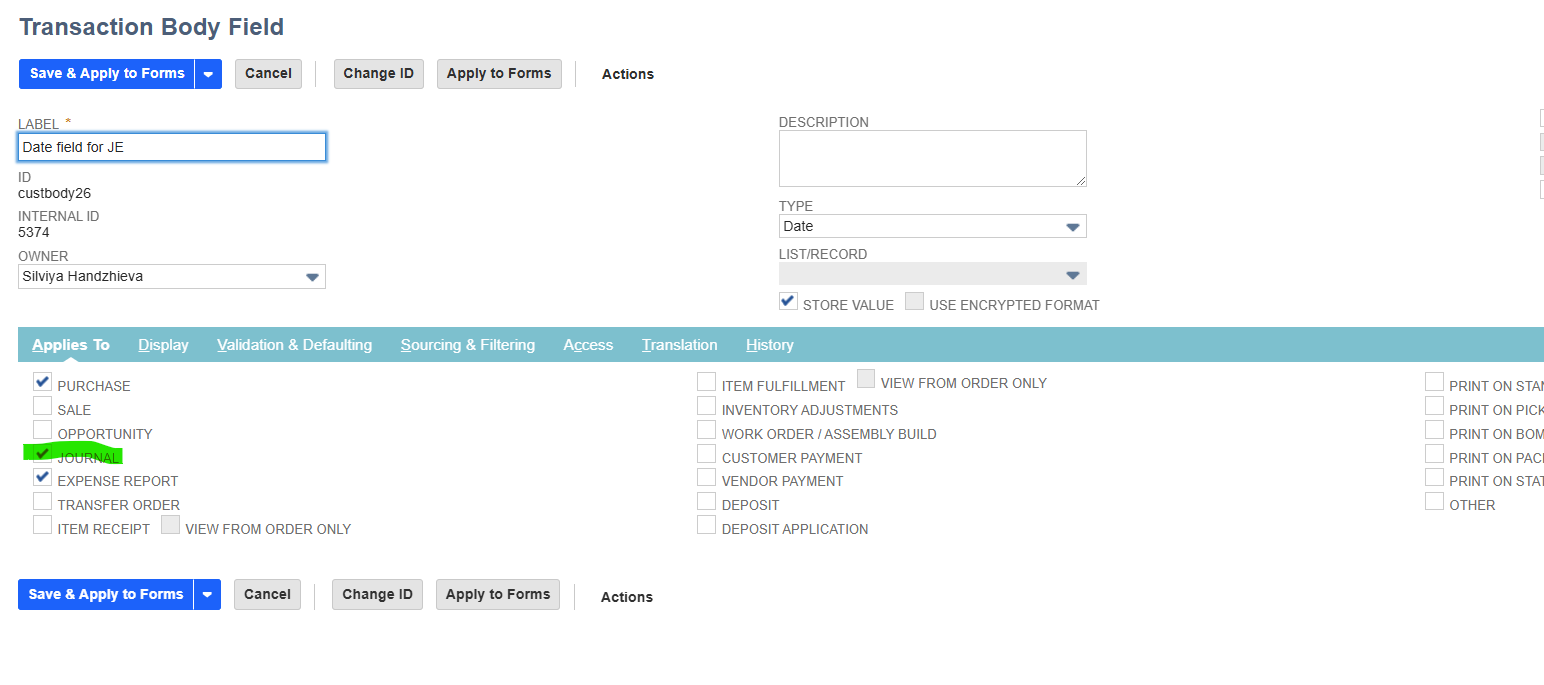
If the expense exports successfully but is returned for review, the issue likely affects journal entries used for fee exports.