Error message
The selected G/L account is not mapped to an expense category in NetSuite.Relevant ERP integrations
Oracle NetSuite
Cause
The issue arises when there is no expense category in Oracle NetSuite linked to the G/L account associated with the expense category in Payhawk.
If you're using direct integration with Oracle NetSuite, you can configure reimbursements to export into the ERP as either Expense Reports or Vendor Bills.
If you use expense reports, Oracle NetSuite requires expense categories to post them correctly.
Solution
To handle this error:
Check the selected category of the expense you are facing issues with in Payhawk.
Check the selected expense account in Oracle NetSuite and its Internal ID.
Go to Payhawk and verify that the two are matching:
Go to Settings > Fields library > Category.
Locate the expense category.
Make sure the corresponding account matches the Internal ID from Oracle NetSuite.
Expense categories are a specific type of categorization in Oracle NetSuite. To view the list, search for Expense Categories within the ERP.
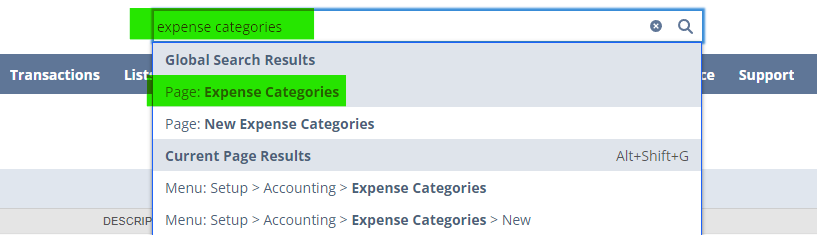
Here is an example of how Expense Categories appear in Oracle NetSuite:
Internal ID - The unique identifier for the expense category. This may vary for each Oracle NetSuite account or may not appear if it’s optional.
Name - The name of the expense category, specific to the Oracle NetSuite account shown in the screenshot.
Description - A brief description of the category. This field may be empty.
Expense Account - The account from the chart of accounts that is linked to this expense category.

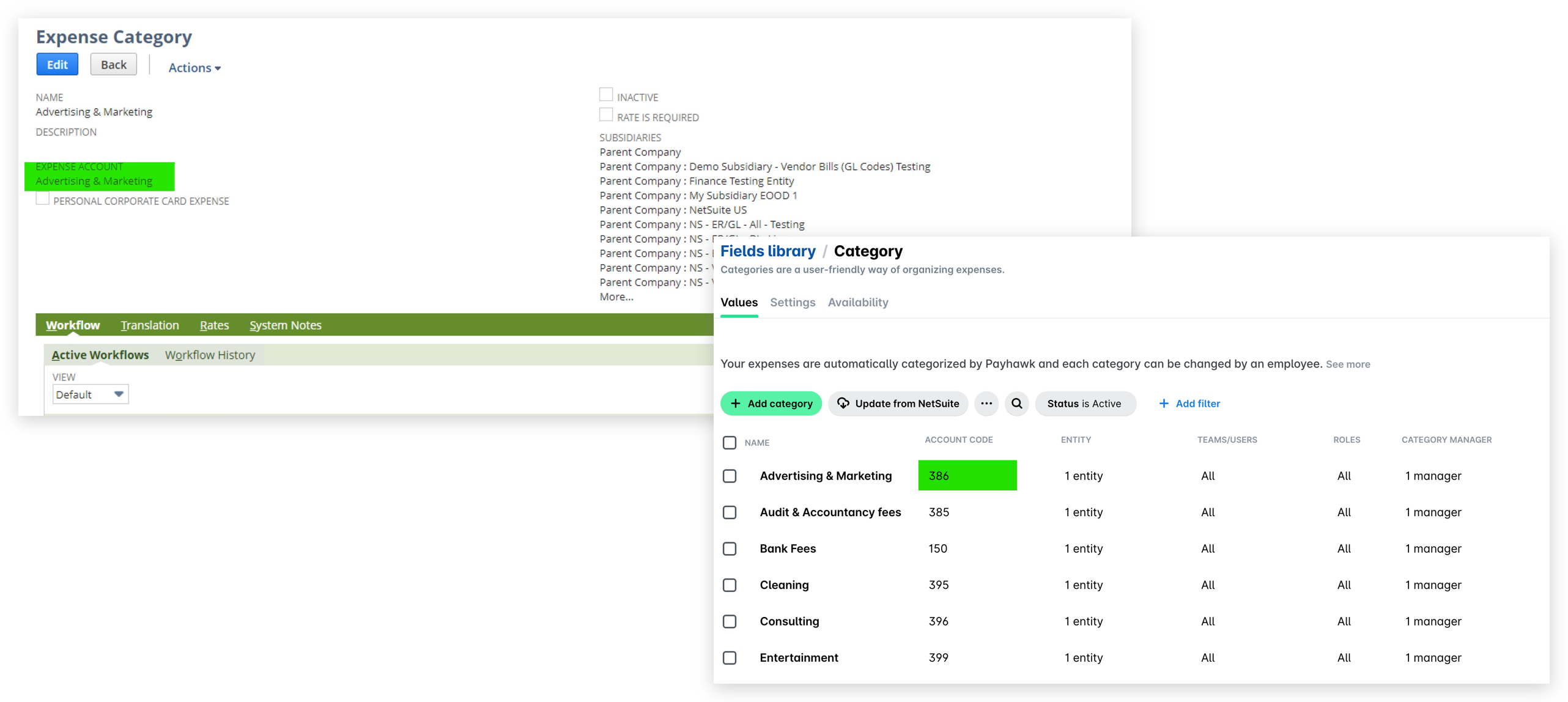
The following screenshot is from Oracle NetSuite, showing a specific expense category:

*The 10001 code is the code of the account from Oracle NetSuite.
The Expense Account field is the most crucial one. The account selected here must match the one configured in Payhawk under Fields library > Category > ACCOUNT CODE.
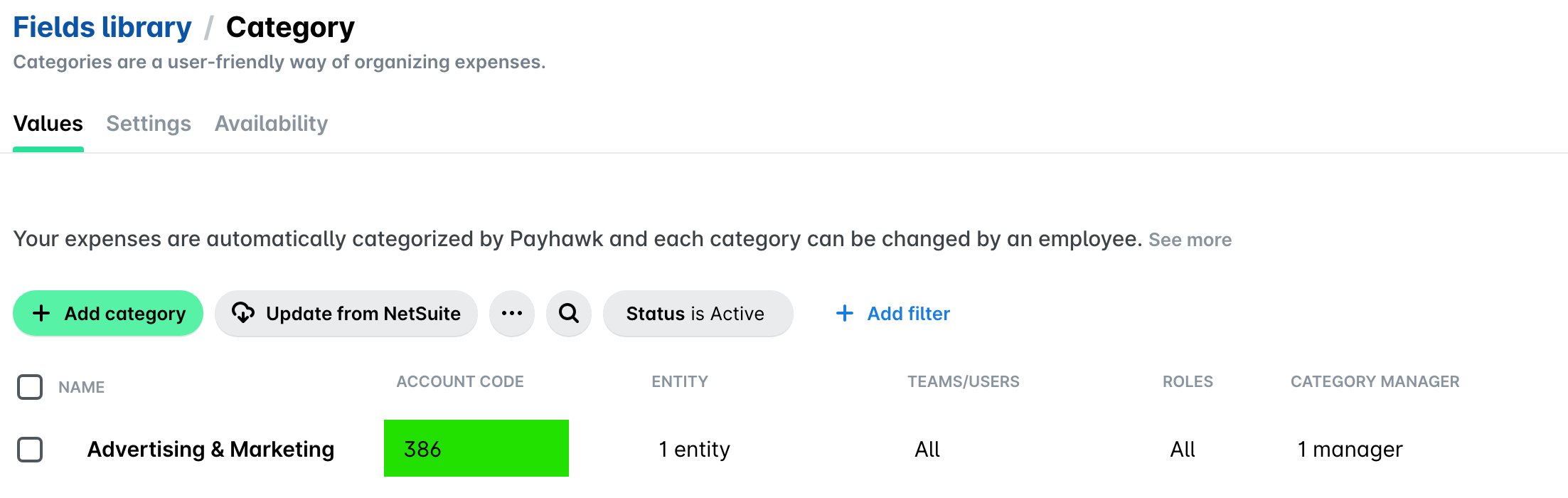
*ACCOUNT CODE is the Internal ID of the account code from Oracle NetSuite.
The following screenshot is from Oracle NetSuite, showing Expense Categories.
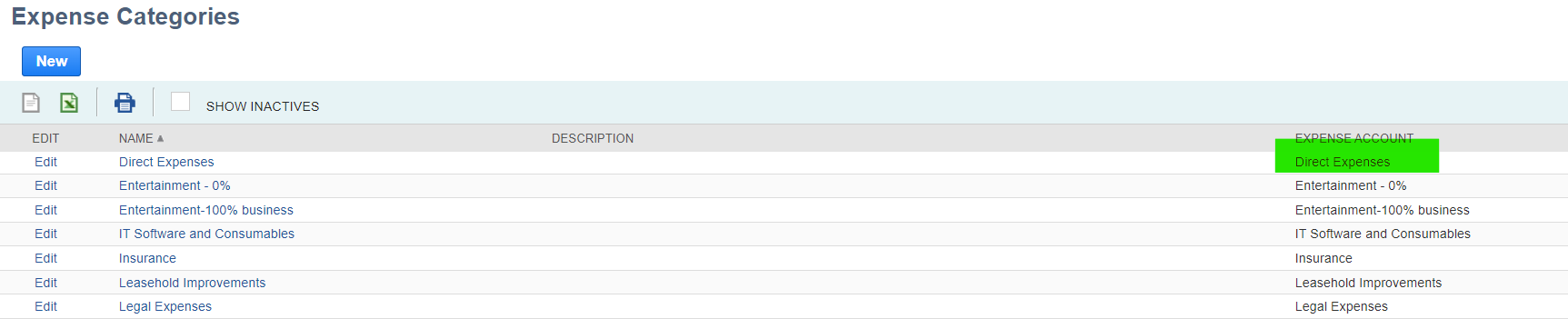
The selected expense account in Oracle NetSuite must correspond to the account code (Internal ID) configured in Payhawk.