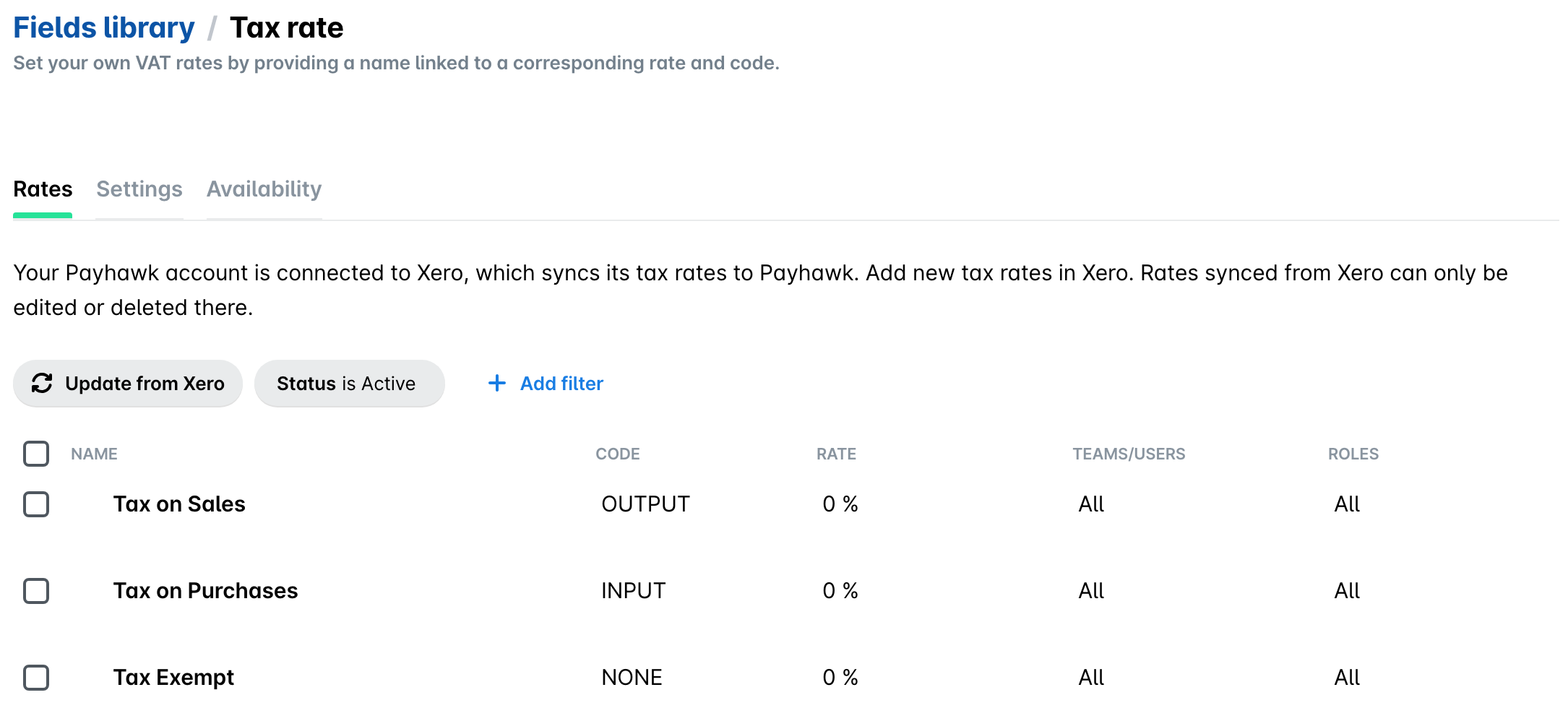
When you connect your Payhawk account to Xero, your available Xero VAT rates are automatically imported.
If you update your Xero VAT rates after the connection between the two systems has been established, you have to manually update that data in Payhawk.
To manually update your VAT rates in Payhawk:
In the Payhawk Web Portal, go to Settings > Fields library.
Click on Tax rate.
Click on Update from Xero. As a result, Payhawk will show the VAT rates that are applicable to the specific expense.