Когато свържете акаунта си в Payhawk с Exact Online, данните ви от Exact Online за Cost Center (Разходен център), Cost Unit (Разходна единица) и Projects (Проекти) се импортират автоматично.
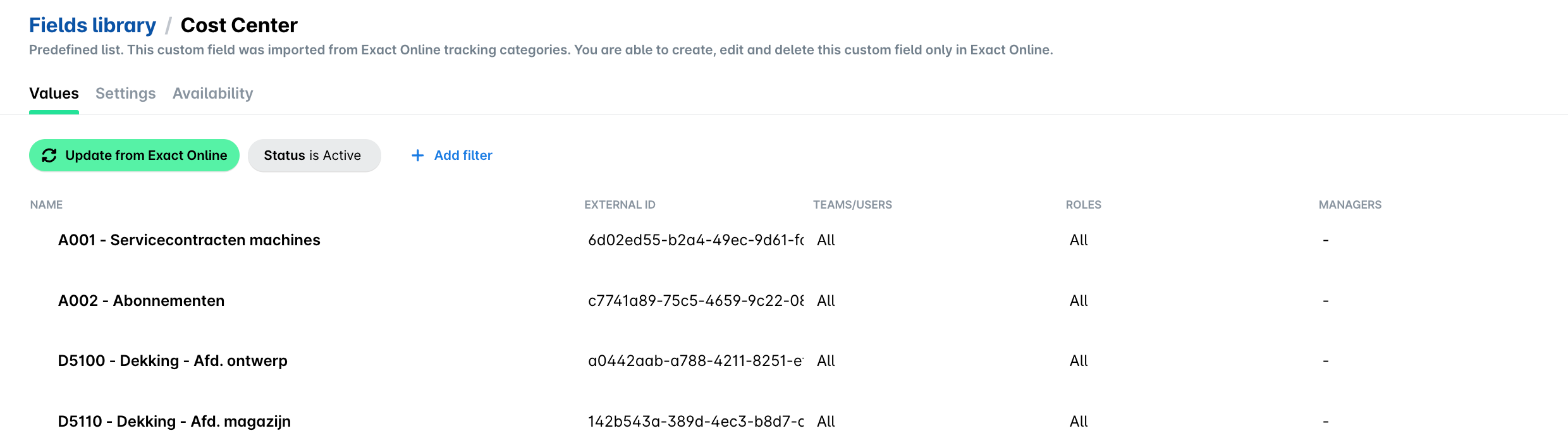
Ако актуализирате персонализираните полета в Exact Online, след като връзката между двете системи е установена, трябва ръчно да актуализирате тези данни в Payhawk.
За да актуализирате ръчно персонализираните си полета в Payhawk:
В уеб портала на Payhawk отидете на Настройки > Библиотека с полета.
Изберете желаната категория за проследяване.
Кликнете върху Актуализиране от Exact Online.
Следващи стъпки