Mensaje de error
The selected account for a billable expense does not have an income account in QuickBooks Online associated with it.

(La cuenta seleccionada para un gasto facturable no tiene asociada una cuenta de ingresos en QuickBooks Online.)
Integraciones de ERP afectadas
QuickBooks Online
Motivo
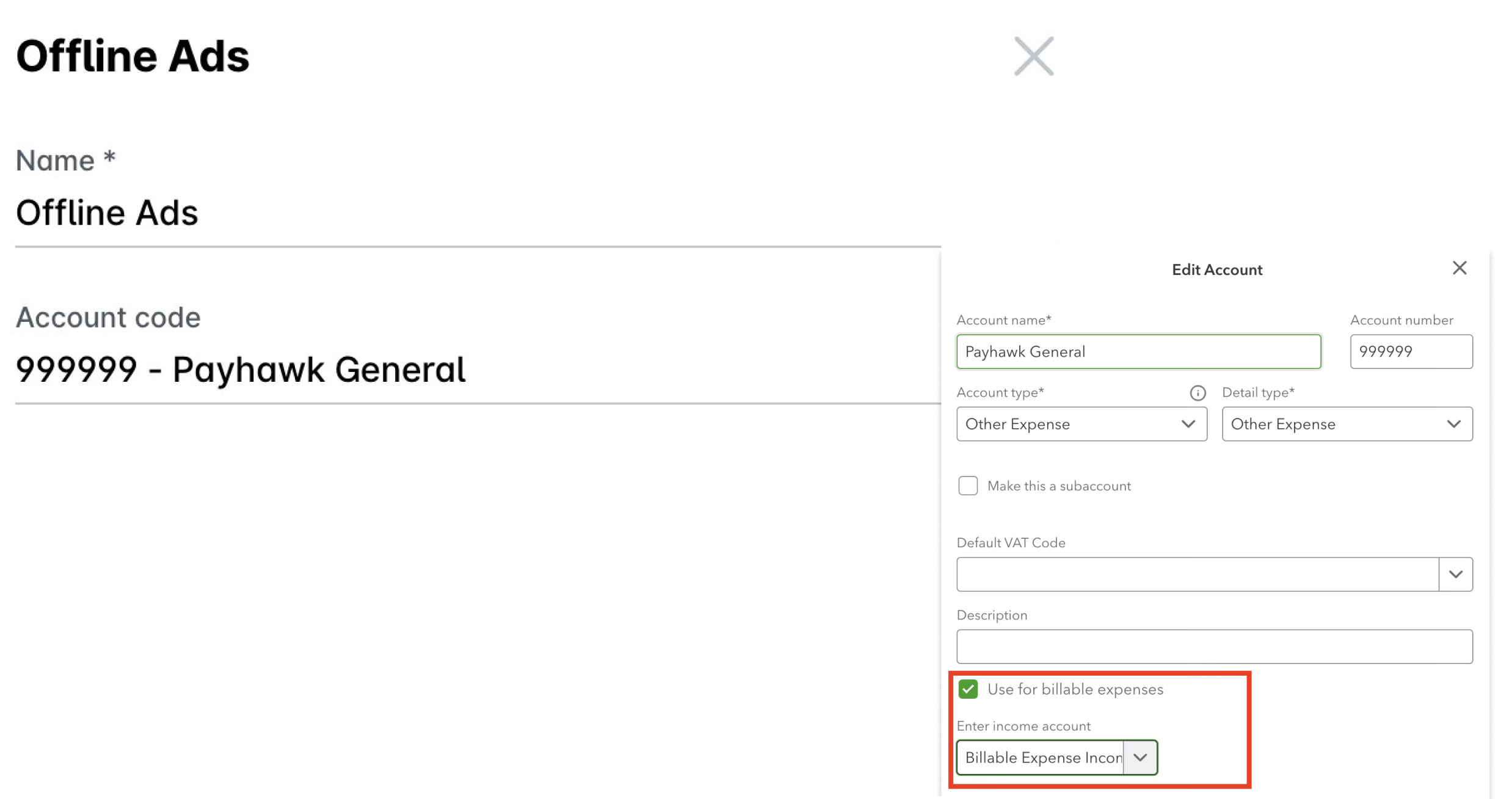
Este error se produce cuando intentas exportar un gasto marcado como facturable en Payhawk, pero la cuenta de gastos correspondiente en QuickBooks Online no está configurada para admitir gastos facturables.
Para que un gasto sea facturable en QuickBooks Online, la cuenta del plan de cuentas asignada a la categoría de gasto en Payhawk debe:
Tener habilitada la opción de facturable.
Tener configurada una cuenta de ingresos asociada.
Solución
Para resolver este problema:
Inicia sesión en tu cuenta de QuickBooks Online y ve a Configuración.
Selecciona Plan de cuentas.
Localiza la cuenta de gastos asignada a tu categoría de gastos en Payhawk.
Haz clic en el icono de lápiz situado junto a la cuenta para editarla.
En la configuración de la cuenta, activa la opción Registrar gastos y conceptos facturables como ingresos.
Selecciona una Cuenta de ingresos en el menú desplegable para asociarla a esta cuenta de gastos. Esta será la cuenta en la que se registrarán los ingresos facturables cuando factures al cliente.
Haz clic en Guardar y cerrar.
Una vez que la cuenta esté configurada correctamente en QuickBooks Online, ve a Payhawk e intenta exportar el gasto de nuevo.
Asegúrate de que las categorías de gasto de Payhawk estén asignadas a las cuentas correctas del plan de cuentas de QuickBooks Online configuradas para los gastos facturables.