If you manage several entities as a group in Payhawk, you can work with spend, cards, requests, and trips for all entities at once from your group account. You no longer need to switch between entities to review, approve, or pay expenses, issue cards, or follow up on requests and trips.
Using the Group apps
The Group apps are available to Group Administrators. In each app, you see the same data and actions that you see in each entity separately, based on your role and permissions in that entity.
Opening the Group apps
To open a group app:
In the Payhawk Web Portal, switch to your group from the entity switcher in the header.
Open the app switcher in the top-left corner and select Spend, Cards, Requests, or Trips.
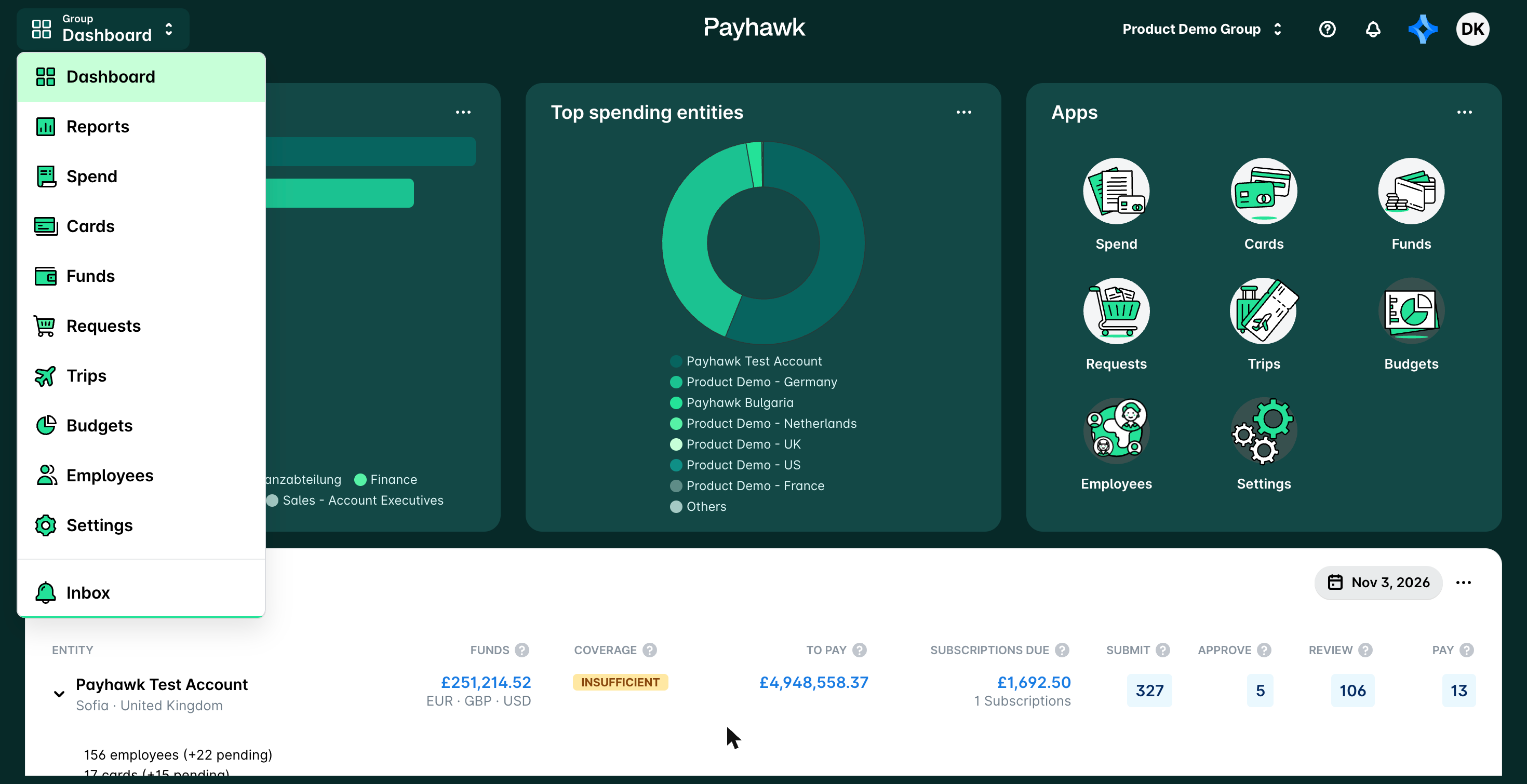
You can also open the apps from the Apps section of the Group dashboard.
Working with the Group apps
All group apps adhere to the following rules:
Each app shows one list with the items of all entities in the group. The list has the same tabs, columns, and filters as in an entity, plus an Entity column and an Entities filter.
When you click on an item, the same details panel opens as in the entity.
Every action, such as approving an expense or issuing a card, runs in the item's entity with your permissions there.
Links that lead outside the group app open the item's entity in a new browser tab, so you don't lose your place in the group.
If the data of one entity can't load, the list still shows the other entities, together with a warning and a Try again option.
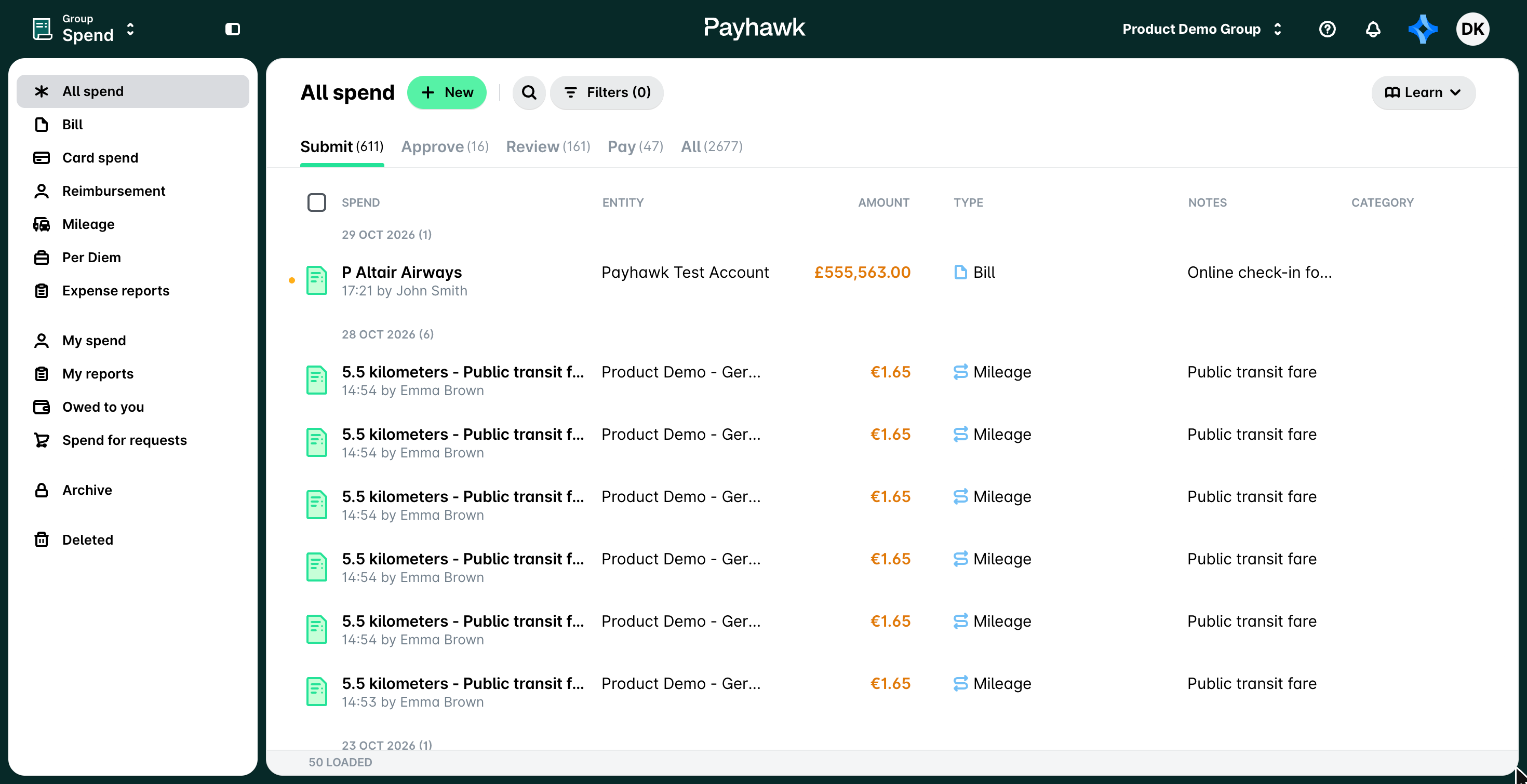
Working with the Spend app
In the Spend app, you can see and manage the spend of all entities. You can perform the following actions:
Create, submit, approve, review, and return expenses, individually or in bulk.
Authorize and pay expenses in the entity they belong to.
Use the same views as in an entity, such as My spend, My reports, Owed to you, and Spend for requests, as well as Archive and Deleted.
Use all filters available in an entity, and choose, reorder, and resize columns.
Manage expense reports, including submitting, approving, reviewing, and paying them, and editing the expenses inside a report.
Working with the Cards app
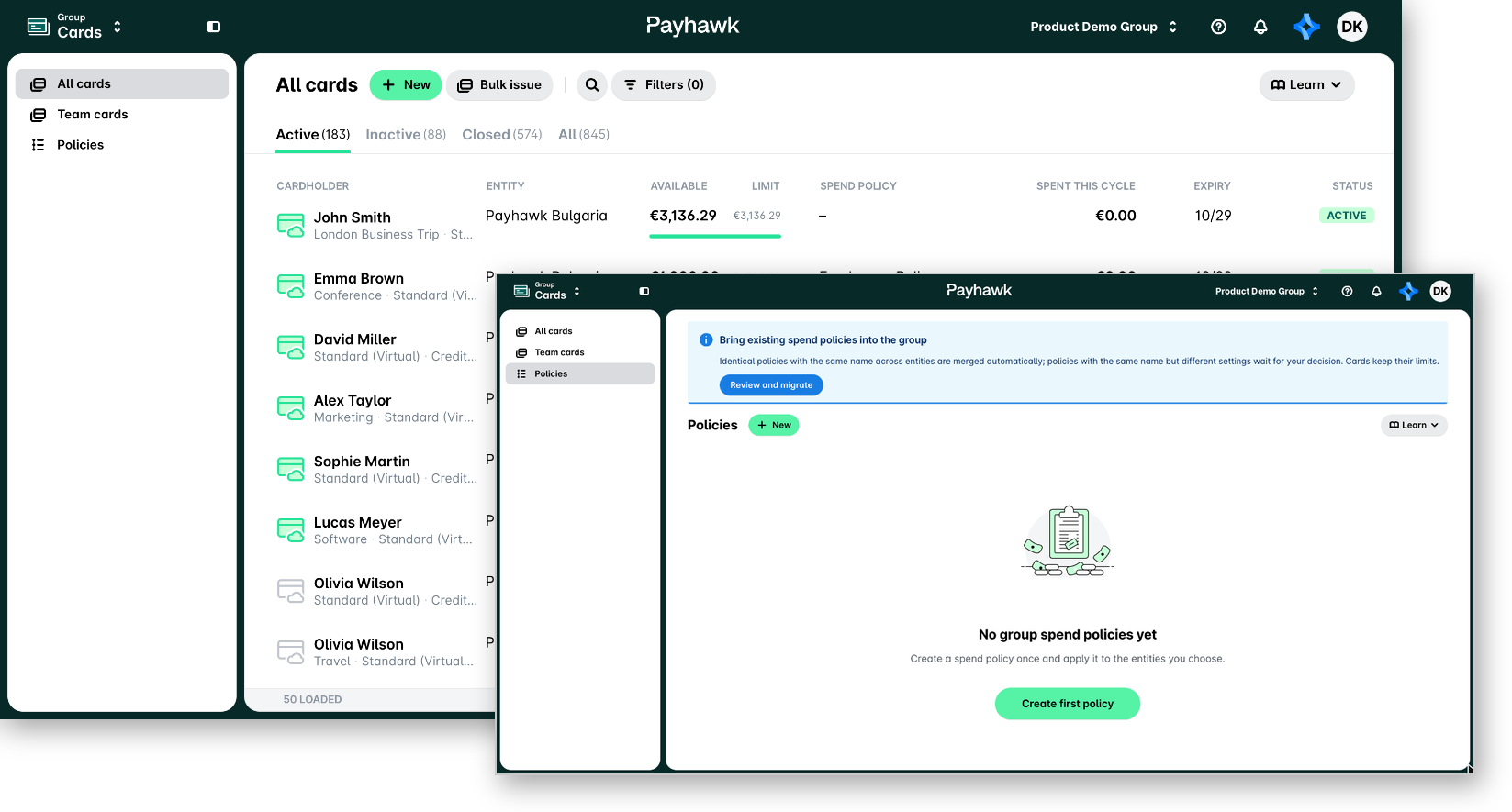
In the Cards app, you can see the cards of all entities. You can perform the following actions:
Issue and request cards for any entity in the group, including linked virtual cards, and issue cards in bulk with Bulk issue.
View team cards in Team cards.
Filter the cards by entity, card type, cardholder, and spend policy.
Create spend policies in Policies and apply them to all or some entities. To bring existing entity policies into the group, click on Review and migrate. For more information, see managing spend policies on the group level.
Working with the Requests app
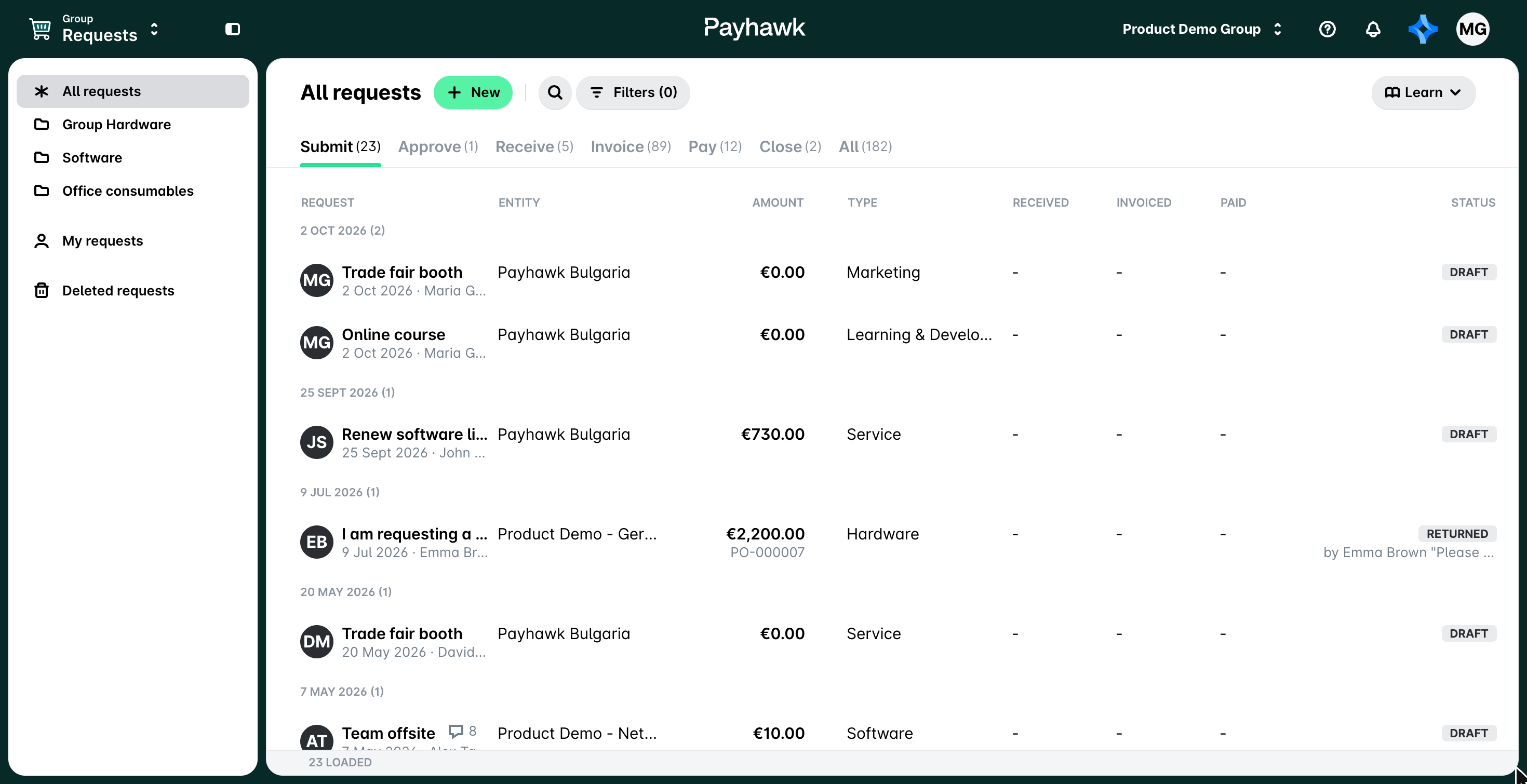
In the Requests app, you can see the requests of all entities. The side menu lists the request types managed on the group level. You can perform the following actions:
Edit request fields, add documents, and use the Pay section of a request.
Change the request name, type, or owner.
Move a request to another entity. For more information, see managing request types, owners, and entities.
View deleted requests.
Working with the Trips app
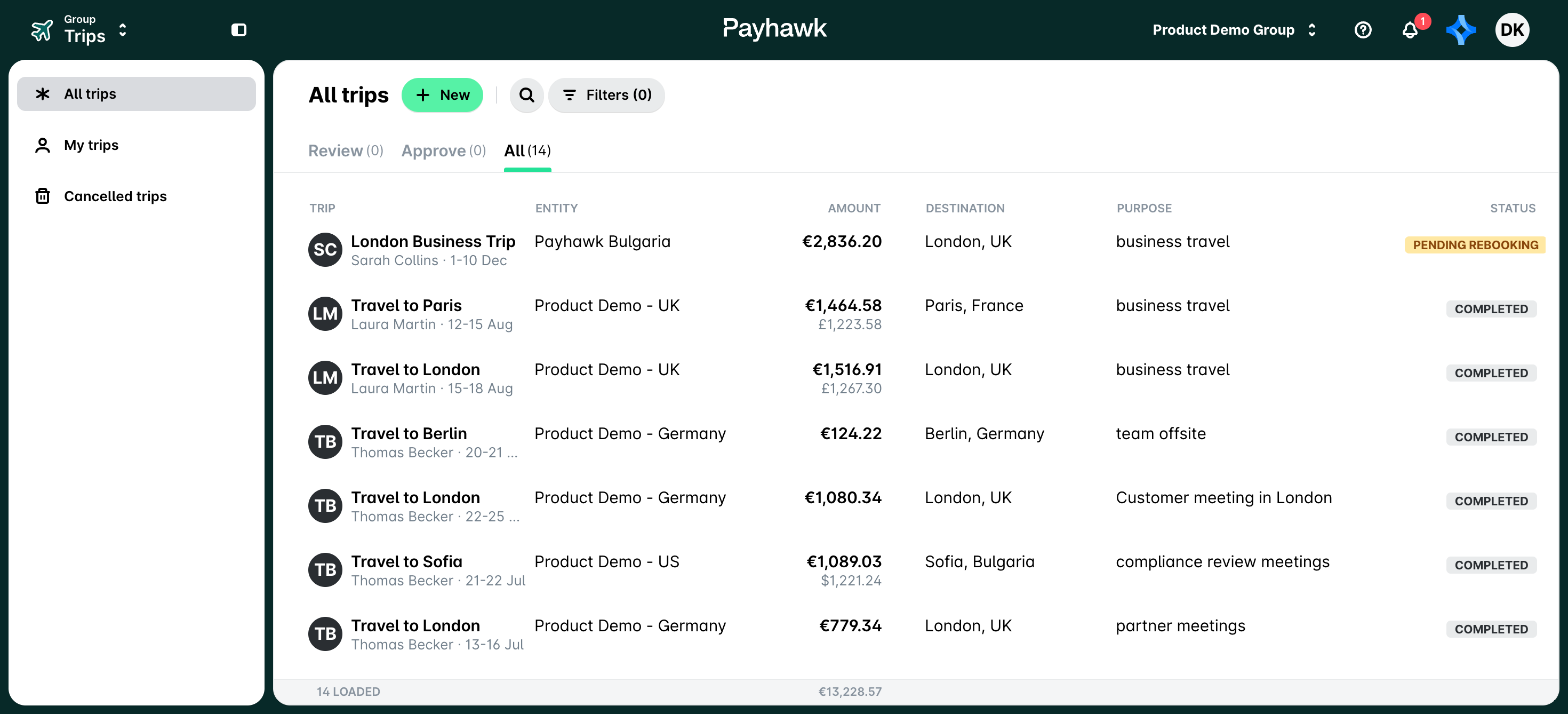
In the Trips app, you can view the trips of all entities. You can perform the following actions:
Review and approve trips in the Review and Approve tabs, or view the trips of all entities in All.
Create a new trip by first selecting the entity.
Filter the trips by entity, status, employee, trip type, and departure or arrival date.
View your own trips in My trips and cancelled trips in Cancelled trips.
Settings managed on the group level
Spend policies and trip, request, and expense report types are created once on the group level. Each entity gets a read-only copy, which can only be changed from the group. For spend policies, you choose the entities or select All entities. Trip types are copied to every entity that uses the Travel Agent.
To reuse the settings of an entity, use the Pull from entity option for trip types, request types, and expense report types, and Review and migrate for spend policies. For more information, see moving your entity settings to the group level.