Foutmelding
Failed to export into MS Business Central. Payment did not receive an automatic Document No. value. Please check your No. Series setup.

(Exporteren naar MS Business Central is mislukt. De betaling heeft niet automatisch een documentnummer gekregen. Controleer je instellingen voor nummering)
ERP-integraties waarop deze fout betrekking heeft
MS Business Central
Oorzaak
Deze fout wijst meestal op een probleem met de instellingen voor nummering in MS Business Central. Het systeem kan niet zelf automatisch unieke identificatienummers genereren voor objecten zoals betalingen. Dat is wel nodig om onkosten te kunnen exporteren.
Oplossing
Zo los je dit probleem op:
Log in op je MS Business Central-account.
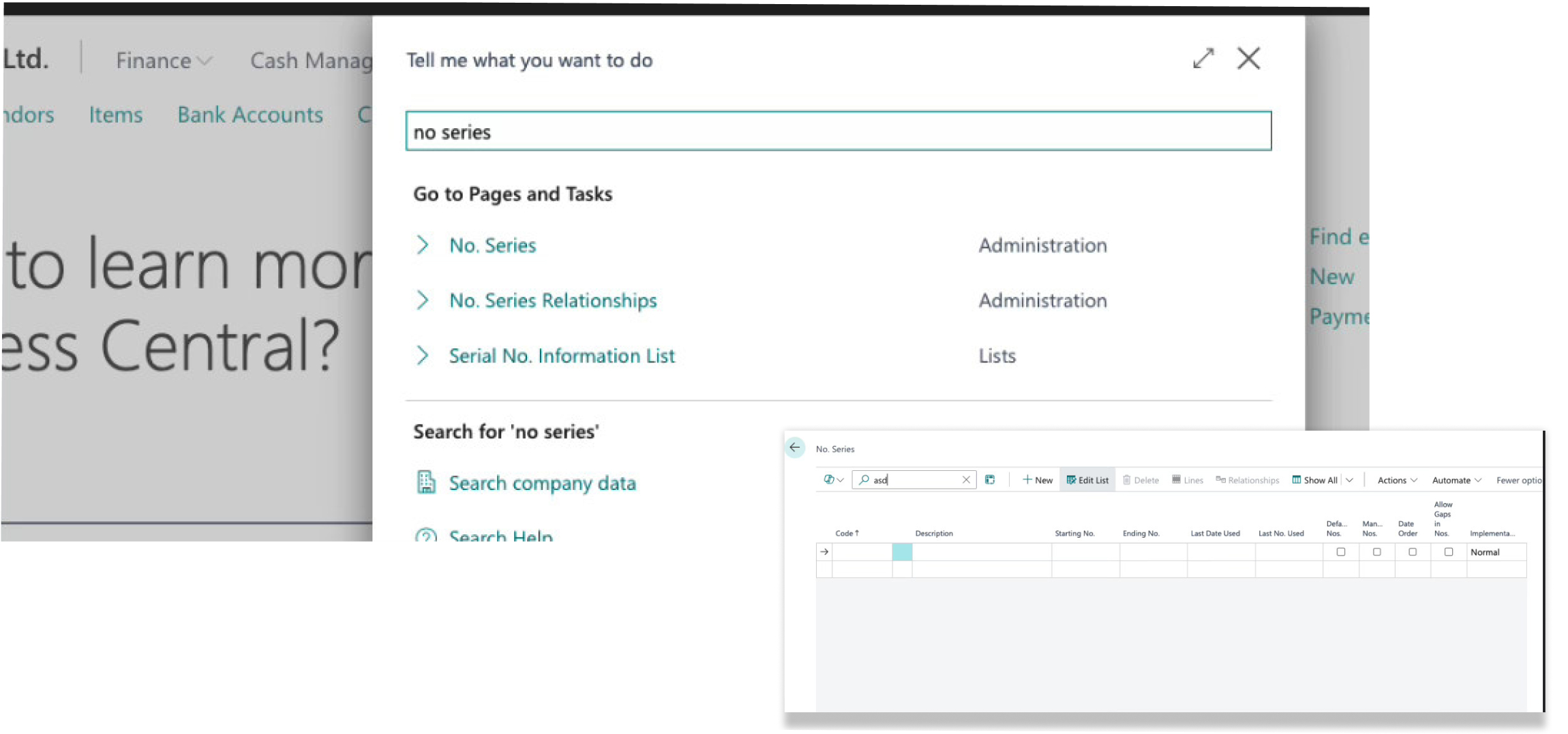
Navigeer naar de instellingen voor nummering.
Controleer de configuratie van de nummering voor betalingen. Zorg ervoor dat deze is ingesteld om automatisch opeenvolgende identificatienummers te genereren. Zoek naar voorbeelden van correct geconfigureerde nummerreeksen als leidraad voor je controle, zoals:
Een actieve status voor de betreffende nummering.
Een gedefinieerd begin- en eindnummer.
Een laatst gebruikt nummer dat aangeeft dat de serie werkt.
Het toestaan van handmatige invoer kan automatische nummering verhinderen als dit niet zorgvuldig wordt geconfigureerd.
Als je verkeerde configuraties niet kunt identificeren of het probleem niet kunt oplossen, maak dan een screenshot van je nummerreeks voor betalingen en neem contact op met Payhawk Support.
In het onderstaande voorbeeld zie je een opstelling uit een testomgeving die verkeerd geconfigureerde nummerreeksen laat zien: