The Org chart shows your company's reporting lines, meaning who reports to whom, in one view. It's built from the Line Managers you sync from your HR system or set in Payhawk.
The Org chart is available in Payhawk Labs as part of the new HR system connection.
Accessing the Org chart
To access the Org chart feature:
In the Payhawk Web Portal, go to Employees.
In the side panel, select Org chart.
To be able to view the Org chart, you need the View organizational chart permission.
To change reporting lines, you need Edit organizational chart.
For Payhawk group accounts, the permissions are View group organizational chart and Edit group organizational chart. The standard Employee role doesn't include them, so a Payhawk Administrator can add them in Settings > Roles and permissions if needed.
If the chart is empty, Payhawk shows one of these messages:
No employees yet: add or sync employees first.
No line managers set yet: open any employee and set their Line Manager to start building the chart. For more information, see Setting up Line Managers.
Reading the chart
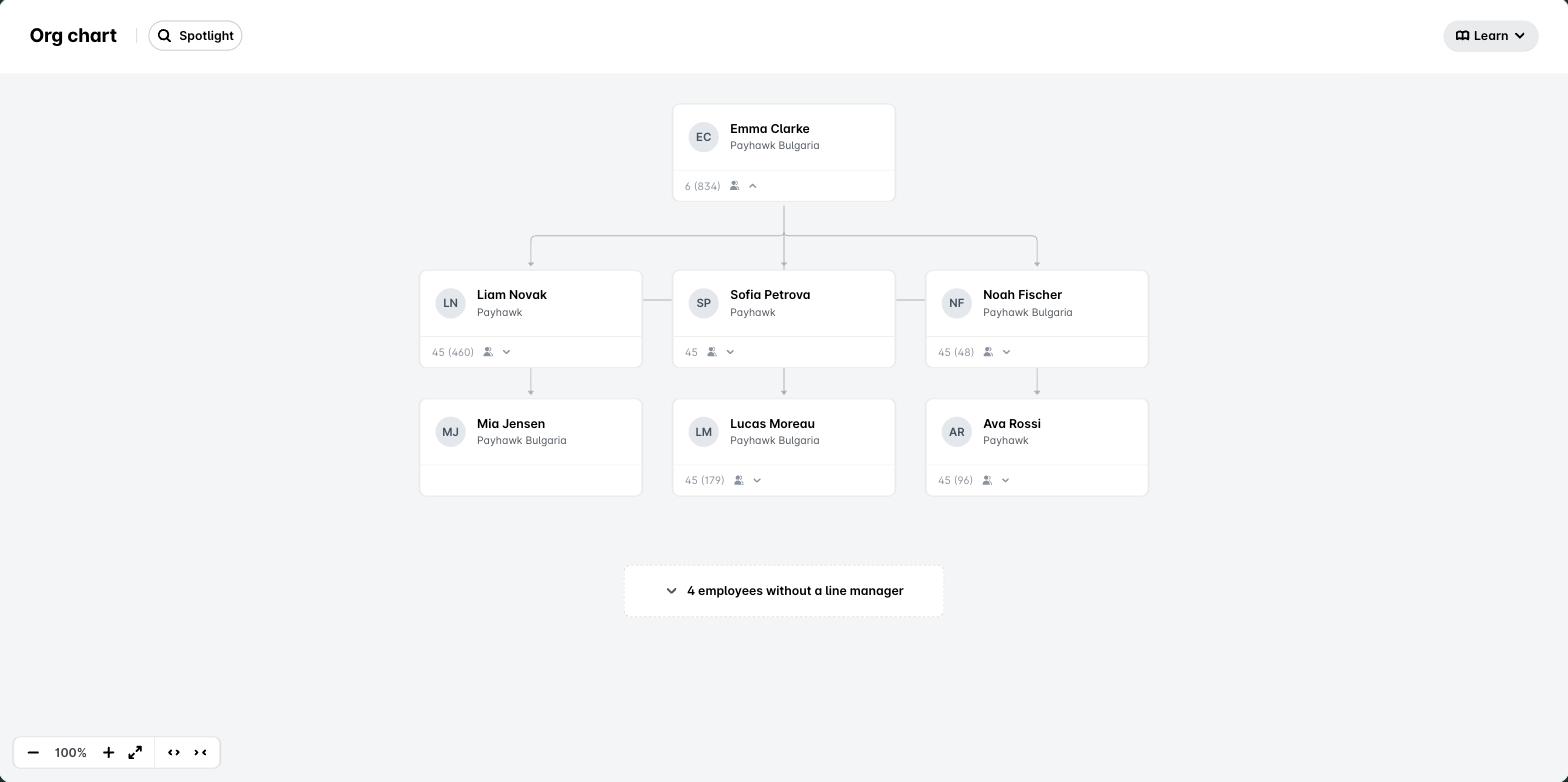
Each card shows the employee's photo and name, or their email if they have no name. In a group, the chart shows employees across all entities, and each card also lists the entities the employee belongs to.
The number at the bottom of a card shows direct reports first, then everyone in that branch in brackets. For example, 3 (12) means 3 direct reports and 12 people in total. Click the number to expand or collapse the branch, or click the card to open the employee's details.
Employees who don't have a Line Manager and don't manage anyone are grouped in X employees without a line manager.
Finding people and moving around the chart
To highlight one person's reporting line, use Spotlight. To go back to the full chart, click Clear spotlight.
To move around the chart, use the toolbar in the bottom-left corner:
Zoom in and Zoom out change the size of the chart.
Fit chart to screen shows the whole chart at once.
Expand all and Collapse all open or close every branch.
Spotlight and the toolbar are available at group level only. At entity level, the chart shows the reporting lines without them.
