The integration pulls your SAP S/4HANA® master data into Payhawk, thus all master data flows one way, from SAP S/4HANA into Payhawk. Payhawk never changes your master data in SAP S/4HANA.
Master data syncs on demand, when you trigger it from Payhawk whenever you need updated data. Note that suppliers are also treated as master data, but they sync automatically every night.
To sync your account between the Payhawk and SAP S/4HANA systems:
Log in to the Payhawk Web Portal.
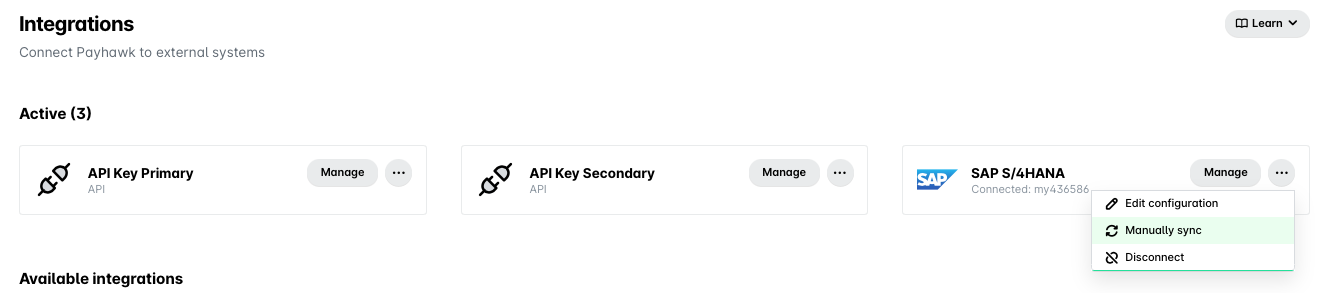
Go to Settings > Integrations.
On the SAP S/4HANA integration, click on the three dots menu and select Manually sync.
It's recommended that you trigger a manual sync when:
Adding or renaming GL accounts in SAP S/4HANA.
Changing your cost center or profit center structure.
Adding or updating suppliers in SAP S/4HANA.
Changing tax codes.
Starting a new fiscal period.