When the segregation of duties feature is enabled, sensitive actions are held until they receive the required number of approvals. Each sensitive action that needs approval appears as an authorization request in your Payhawk Inbox.
Notes on approving and declining sensitive actions requests
You can approve a sensitive action only if you are an eligible approver and you didn’t initiate the action.
The person who initiated the action can withdraw a pending supplier change or cancel a pending transfer before it is approved.
The sensitive action request shows how many approvals have been granted and how many are still needed. The sensitive action goes through once it has all the required approvals.
You can approve or decline a request, but you cannot edit what it contains. To change the request, ask the person who raised it to withdraw it and send a new one.
Accessing sensitive actions requests
You can access a sensitive action request from your phone or computer from the email request notification you have received.
Alternatively, open the Payhawk Mobile App on your phone or log in to the Payhawk Web Portal with your browser, and access the request from your Payhawk Inbox.
Approving and declining sensitive actions requests
To approve or decline a sensitive action request:
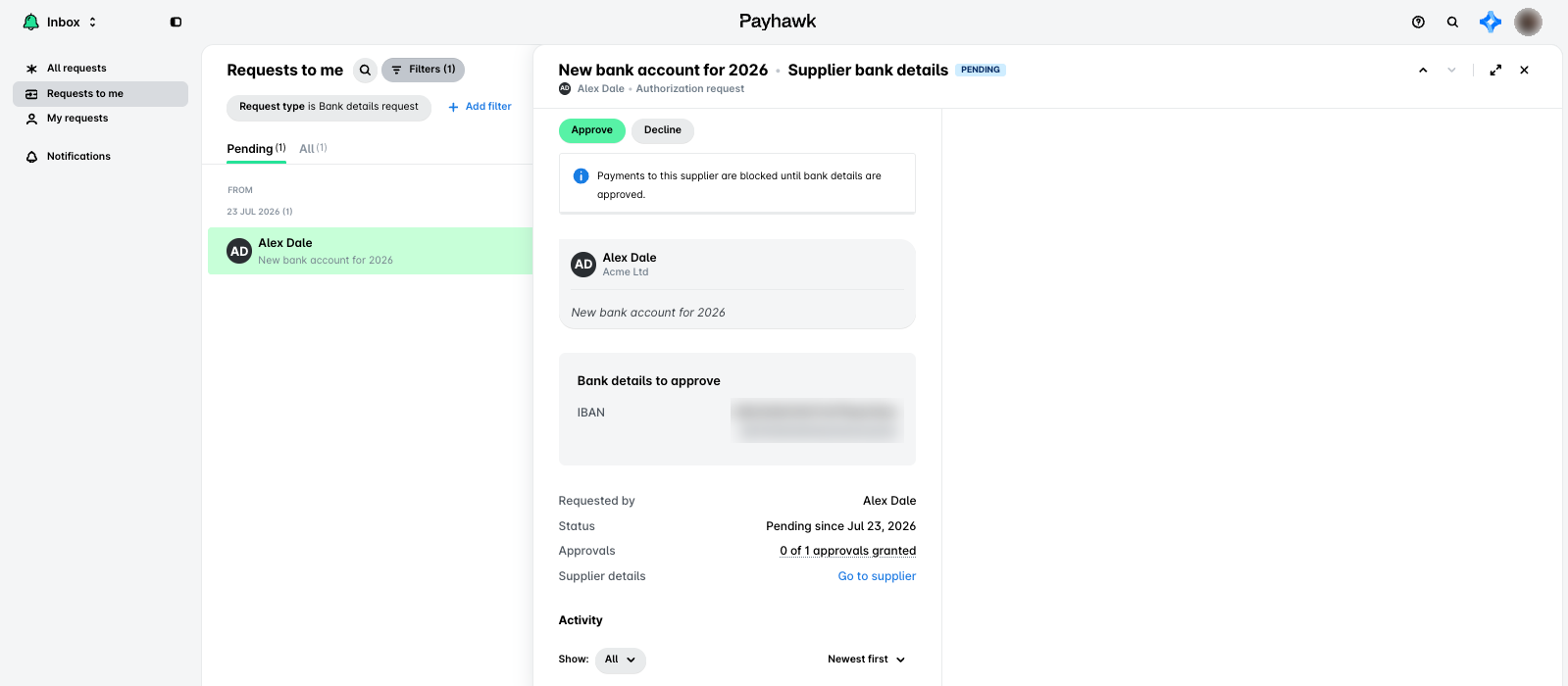
In the Payhawk Web Portal, open the app switcher in the top-left corner and go to Inbox > Requests to me, then select the Pending tab. In the Payhawk Mobile App, go to Inbox > Requests > Pending.
Select the authorization request you want to review by clicking on it.
The request shows what is changing, for example, the old and new supplier bank details, or the details of an internal transfer, who requested the change, the status of the request, and how many approvals it has, for example, 0 of 1 approvals granted.
Review the details, then:
Click on Approve to authorize the sensitive action.
Click on Decline to reject the sensitive action.
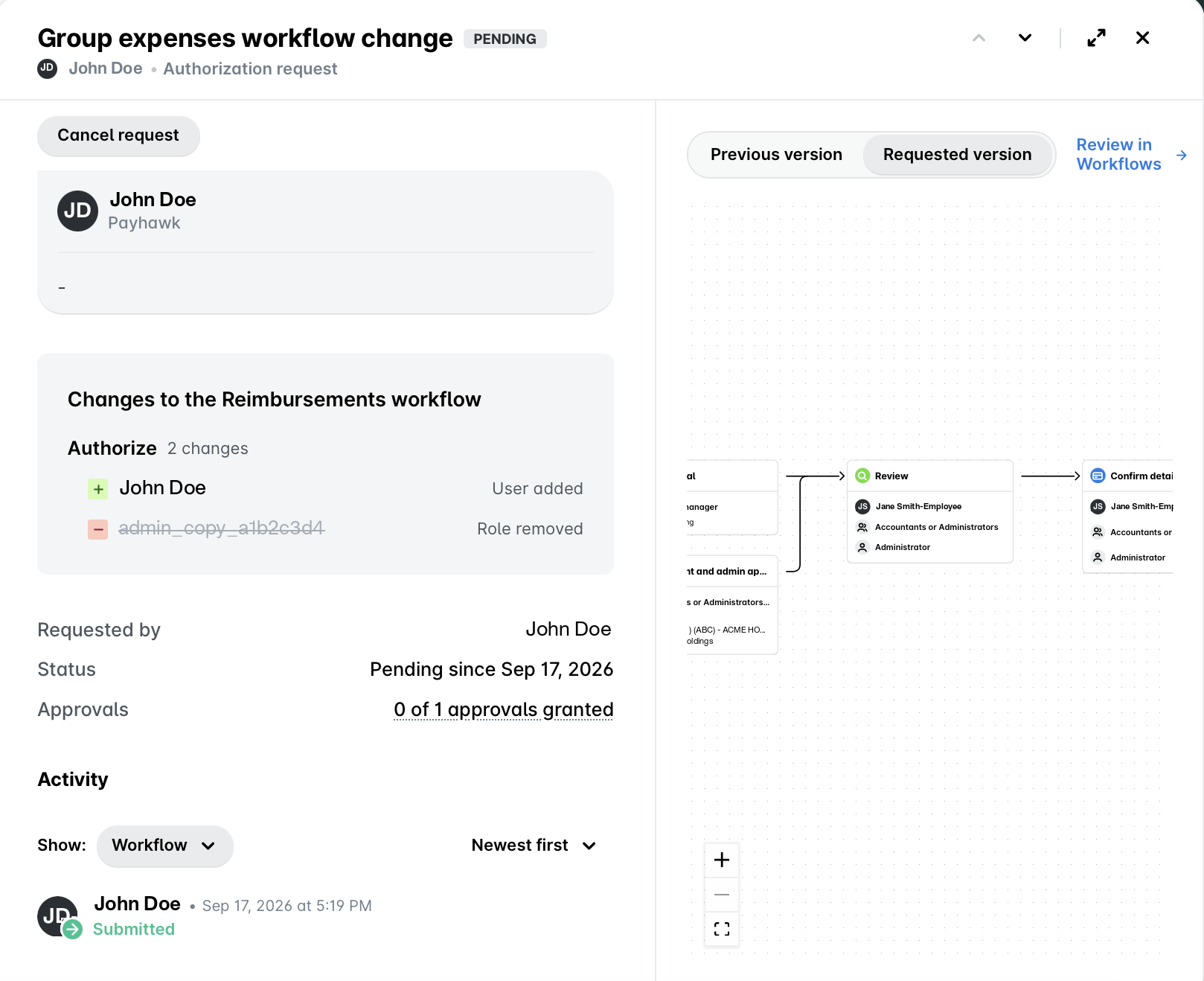
Reviewing a workflow change request in the Web Portal
A request for a workflow change shows a summary of what changes at each step of the workflow, under a heading such as Changes to the Bills workflow. Each step lists how many changes it has and what they are, for example, a role removed from the Review step, or a user added to the Authorize step.
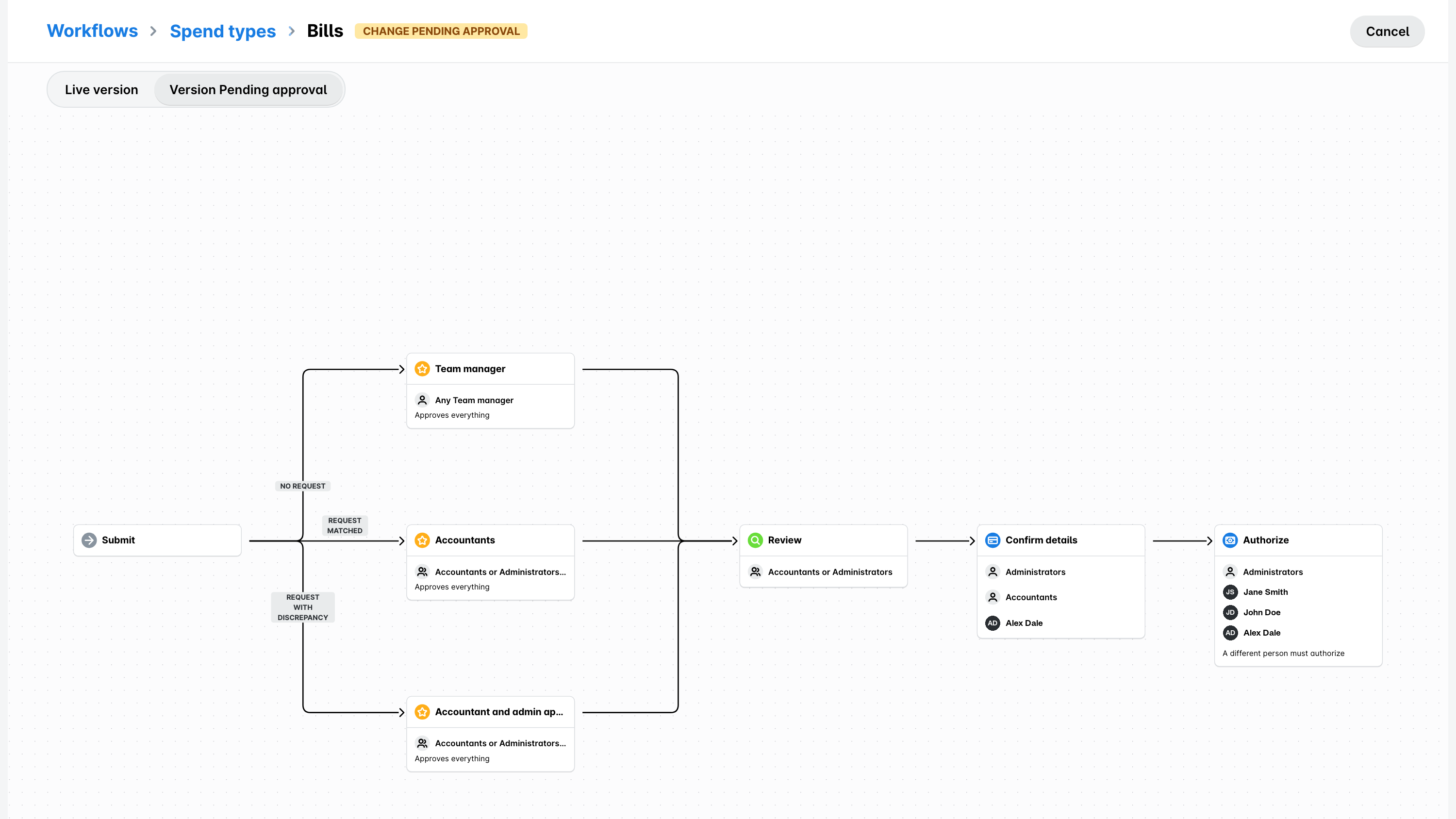
A workflow is a set of connected steps, so a list of changes doesn't always show the full picture. To compare the whole workflow before and after the change, use the Previous version and Requested version buttons next to the diagram on the right of the request.
To see the two versions in a larger view, click on Review in Workflows. The workflow opens in read-only mode with a Live version and Version Pending approval toggle. From there, click on Review and decide to go back to the request and approve or decline it.
Reviewing a workflow change request in the Mobile App
The Payhawk Mobile App shows the summary of the change, the request details, and the activity on the request, so you can approve or decline most requests from your mobile phone.
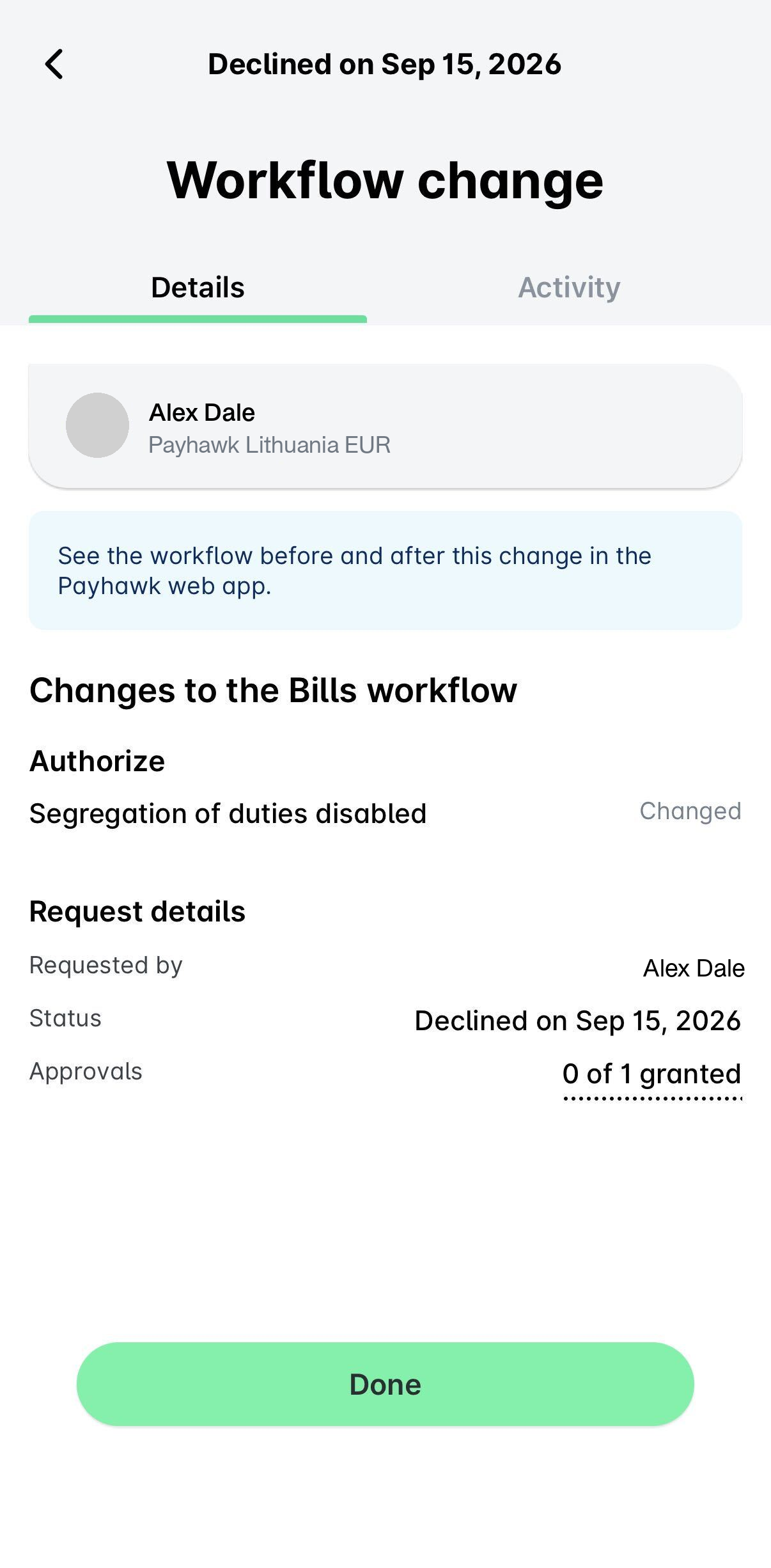
If Payhawk cannot list the individual changes, the request shows Approval steps restructured in place of the summary, and the Approve button is turned off on mobile. Open the request in the Payhawk Web Portal to see what changed and approve it there.
Status messages while a change is pending approval
If segregation of duties is turned on for supplier bank detail changes, a change to a supplier's payment details is held until it is approved.
While the change waits for approval, Payhawk shows the following messages:
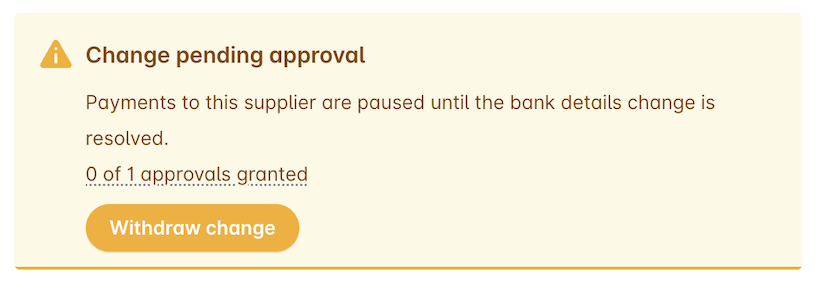
Change pending approval - Payments to this supplier are paused until the bank details change is resolved. This message appears on the supplier, together with the number of approvals still needed and a Withdraw change button.
Payments to this supplier are blocked until bank details are approved. - This message appears on the related authorization request in the Requests inbox.

Submitted for approval - This message appears on the workflow, together with the number of approvals granted and a Withdraw change button. The workflow keeps its current setup until another user who can edit workflows approves the change in their Inbox.

Change pending approval on workflows - This message appears on the workflow for every user except the one who requested the change and shows the user who submitted the change.

Change withdrawn - This message appears on the workflow and shows that the user who requested the workflow change withdrew it, and Payhawk doesn't apply it.

Useful resources