You can require independent approval for a set of sensitive actions in Payhawk. When the segregation of duties feature control is enabled, an action is held pending until it receives the required number of approvals. The person who starts the action cannot approve it, so no single person can both start and authorize a sensitive change.
Sensitive actions requiring a separate approver
Segregation of duties covers five sensitive actions. Each action is set either inside an entity or on the group level. Actions performed inside an entity are approved by that entity's users, while actions performed on the group level are approved by that group's users.
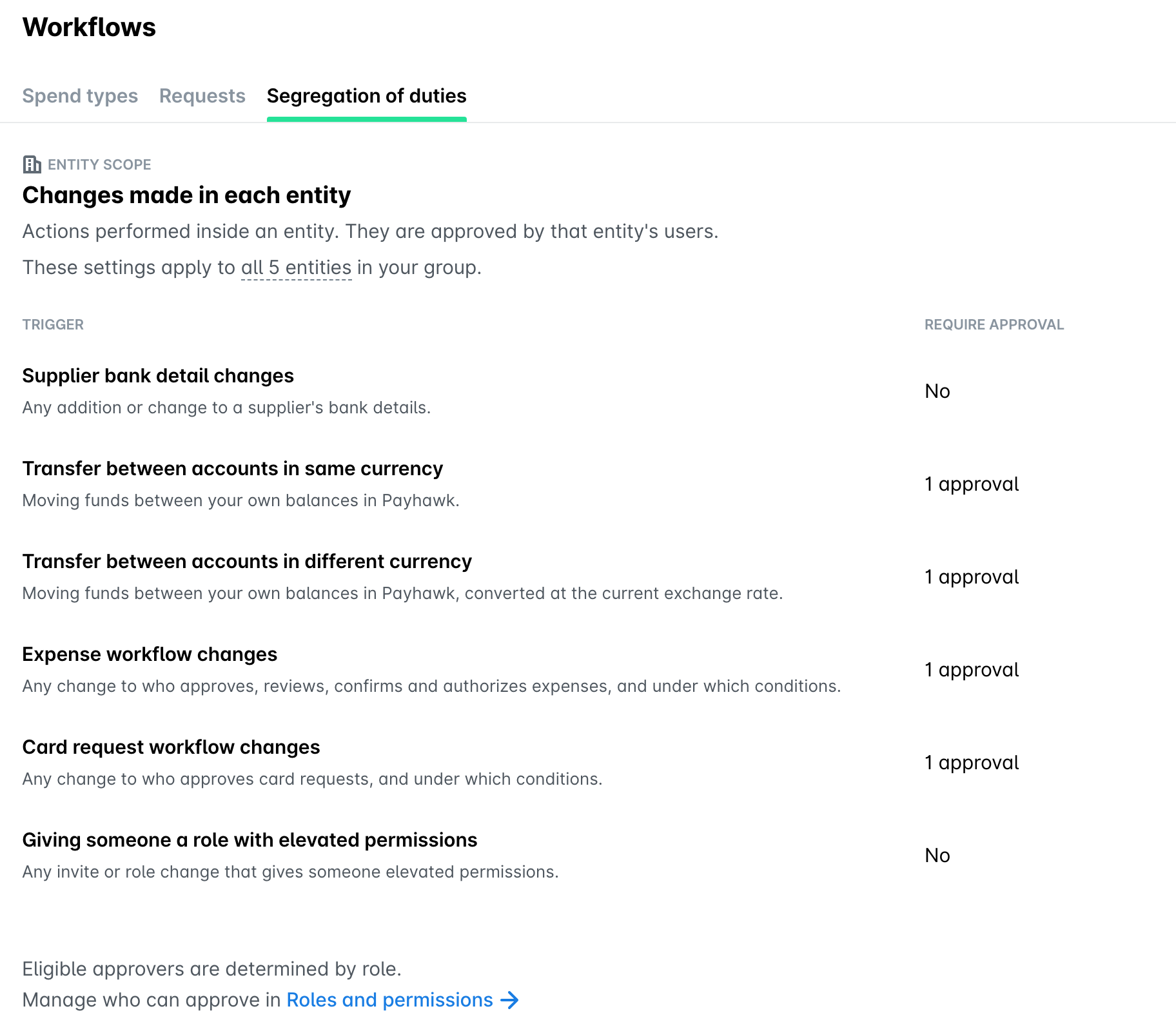
Sensitive actions on entity level
The following actions are set for each entity in your group:
Supplier bank detail changes - a change to a supplier's payment details. Payments to that supplier are paused until the change is approved.
Transfer between accounts in same currency - an internal transfer between your own Payhawk accounts in the same currency.
Transfer between accounts in different currency - an internal transfer between your own Payhawk accounts in different currencies. Note that the exchange rate is locked when the transfer is approved.
Expense workflow changes - any change to who approves, reviews, confirms, and authorizes expenses, and under which conditions.
Card request workflow changes - any change to who approves card requests, and under which conditions.
Sensitive actions on group level
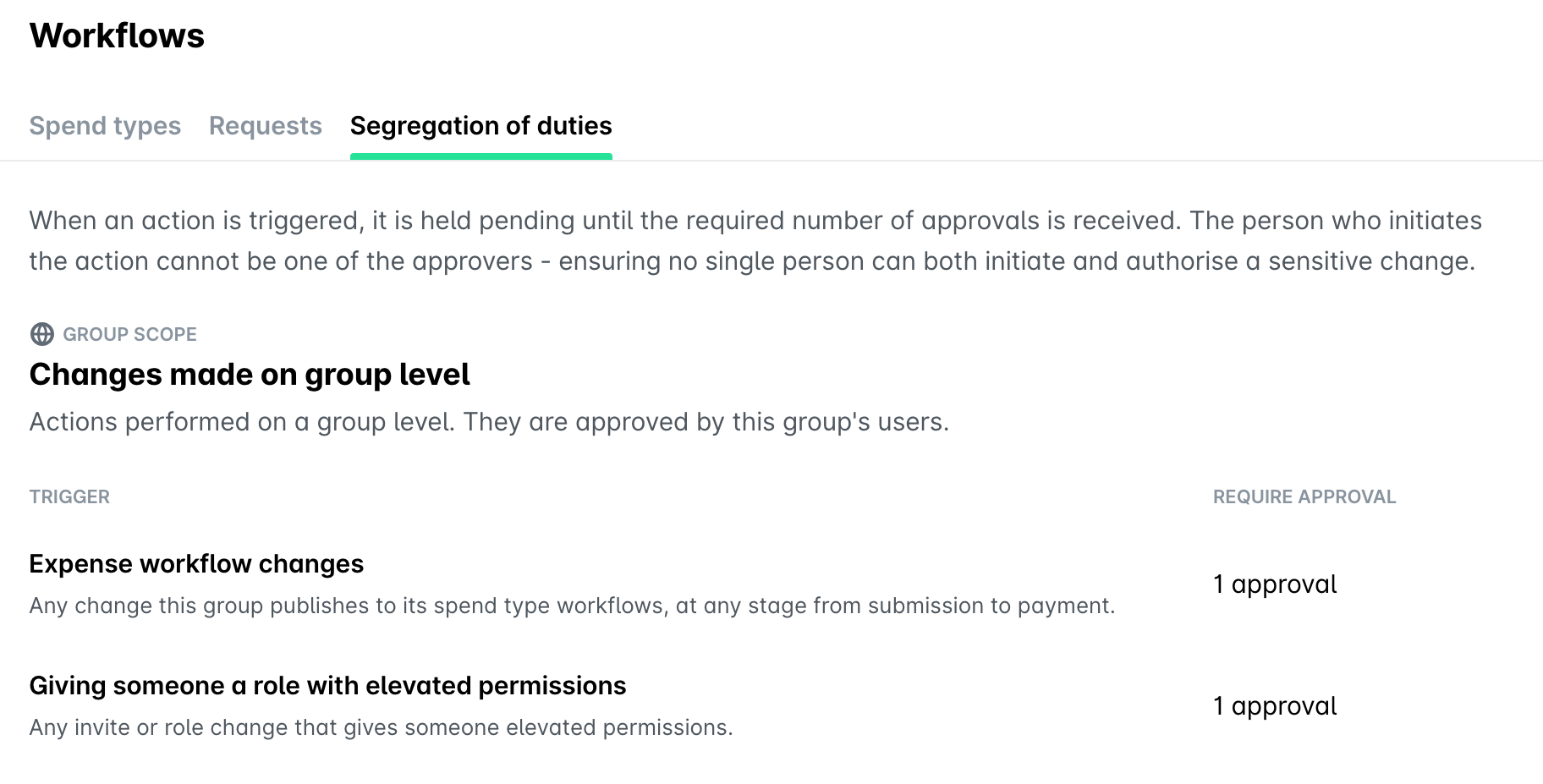
Expense workflow changes are set on the group level. These are any changes the group publishes to its spend type workflows, at any stage from submission to payment.
Eligible approvers for sensitive actions
Eligible approvers are determined by role. You can manage which roles can approve sensitive actions from your Group Dashboard > Settings > Roles and permissions. You can also exclude individual users from the eligible approvers list for a sensitive action, for example, a Payhawk Administrator who will otherwise receive a request for every change. Excluded users keep their role and permissions, but they stop receiving authorization requests for that action.
For an action set inside an entity, Payhawk lists the eligible approvers for each entity and shows how many users are eligible in each one. An entity that inherits the group's expense workflows shows a Managed by group label. You cannot change the approvers for that entity, because the action does not apply to it.
Each sensitive action that needs approval appears as an authorization request in the Payhawk Inbox of an eligible approver. An eligible approver can approve or decline the request and see how many approvals are still needed. The person who initiated the sensitive action can withdraw or cancel it while it’s still pending.
An action can only be approved by an eligible approver who did not initiate the change. For each sensitive action, you can set how many approvals are required before it can go through.
Changing the segregation of duties settings
You can manage the settings of segregation of duties in Settings > Workflows > Segregation of duties tab. For more information, see setting up segregation of duties.
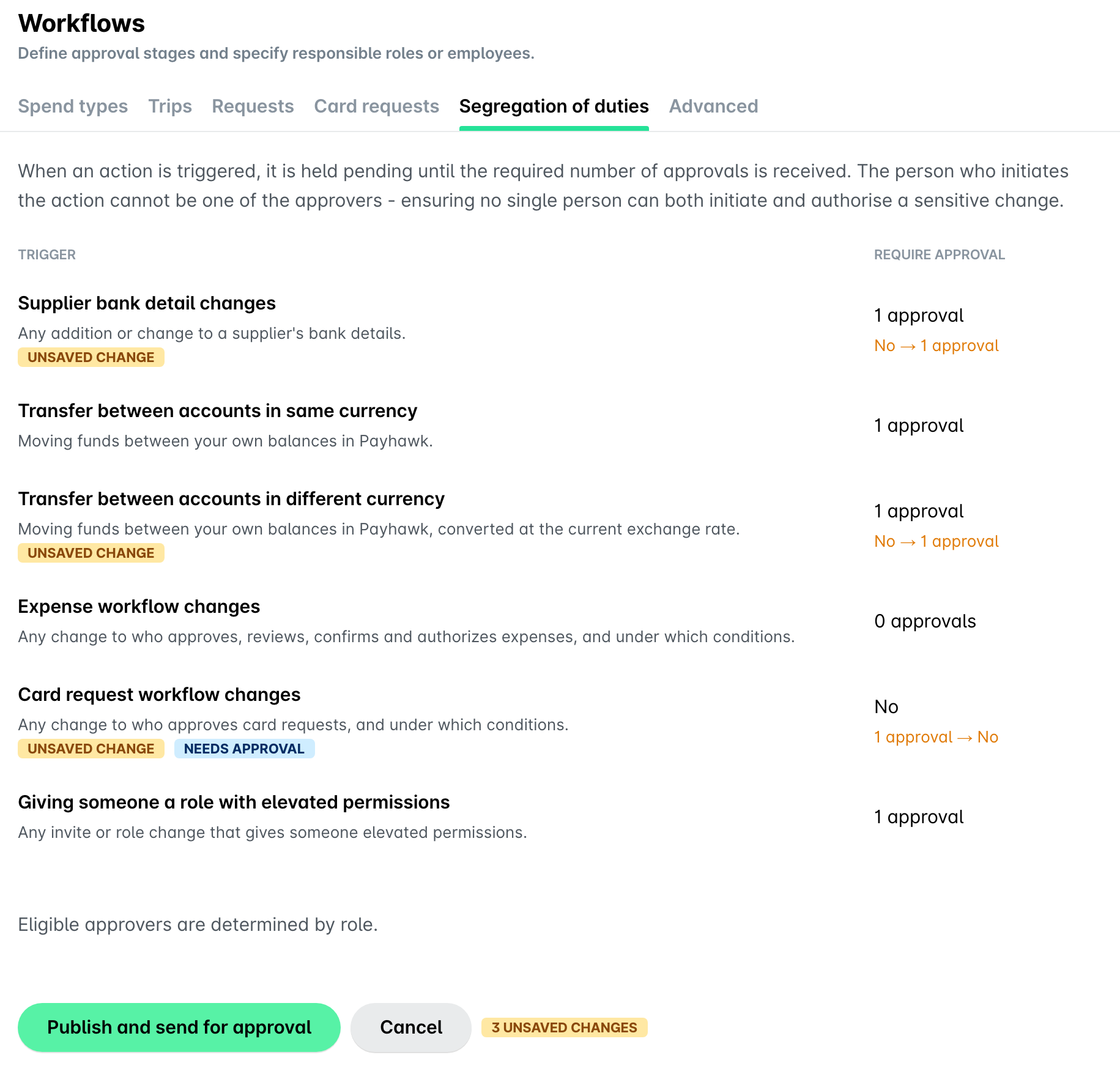
A change to the segregation of duties settings is itself held until it’s approved. Payhawk saves your edits as a draft, so you can change several settings and send them for approval together. When you publish, the settings that don't need approval take effect right away. The settings that need approval stay in the draft and take effect only after an eligible approver signs off.
Useful resources