Segregation of duties is a control that holds sensitive actions until they receive the required number of independent approvals.
Only Payhawk Administrators can change the Segregation of duties settings.
Where you set a sensitive action depends on how your Payhawk account is organized. You can set the actions in a single entity from the entity's Settings, or set them for a group from your Group Dashboard.
For the full list of actions and what each one covers, see the overview of segregation of duties.
Setting up segregation of duties for a single entity
To set the required approvals for a sensitive action in one entity:
In the Payhawk Web Portal, open the app switcher in the top-left corner and go to Settings > Workflows.
On the Segregation of duties tab, select the sensitive action you want to protect by clicking on it.
In the dialog that opens:
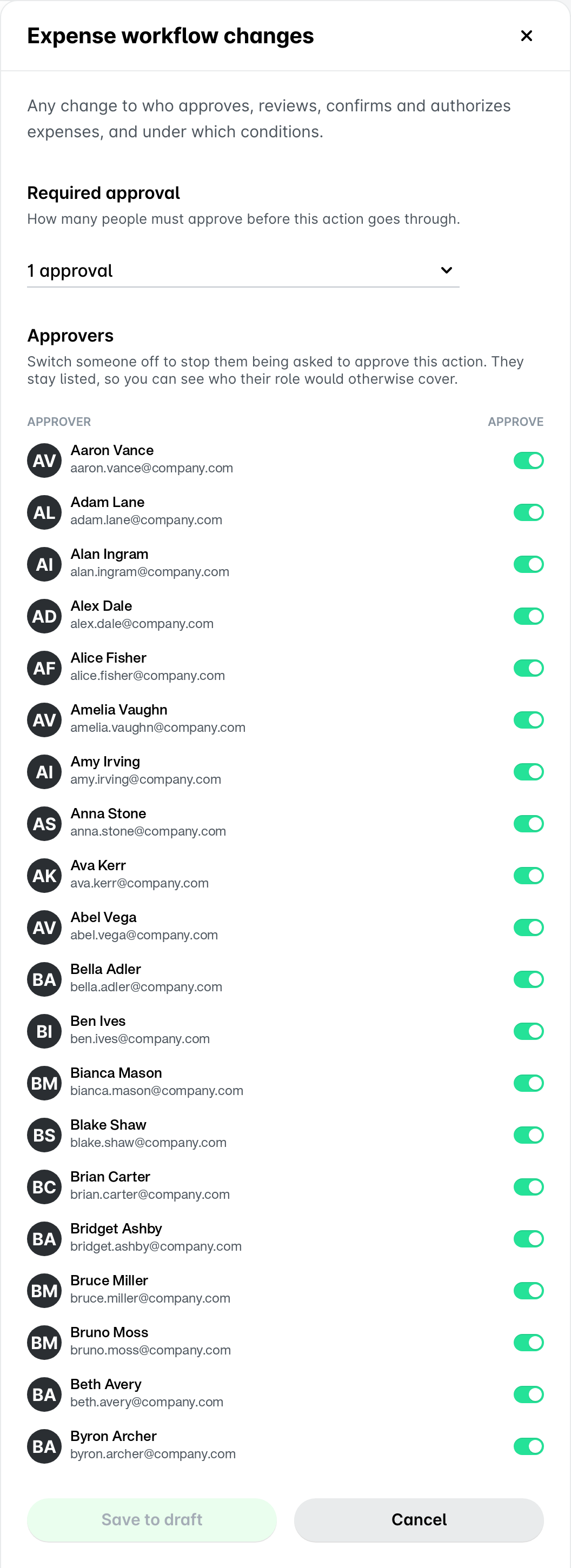
Under Required approval, from the drop-down menu, set the number of approvals required before the action can go through, for example, 1 approval.
Under Approvers, switch off the toggle button next to each user you don’t want to be asked to approve this sensitive action.
Excluding a user doesn't change their role or their permissions. They keep their access to everything else, and you can add them back to the eligible approvers list at any time.
Click on Save to draft.
Repeat the steps above for every other action you want to protect.
Click on Publish changes.
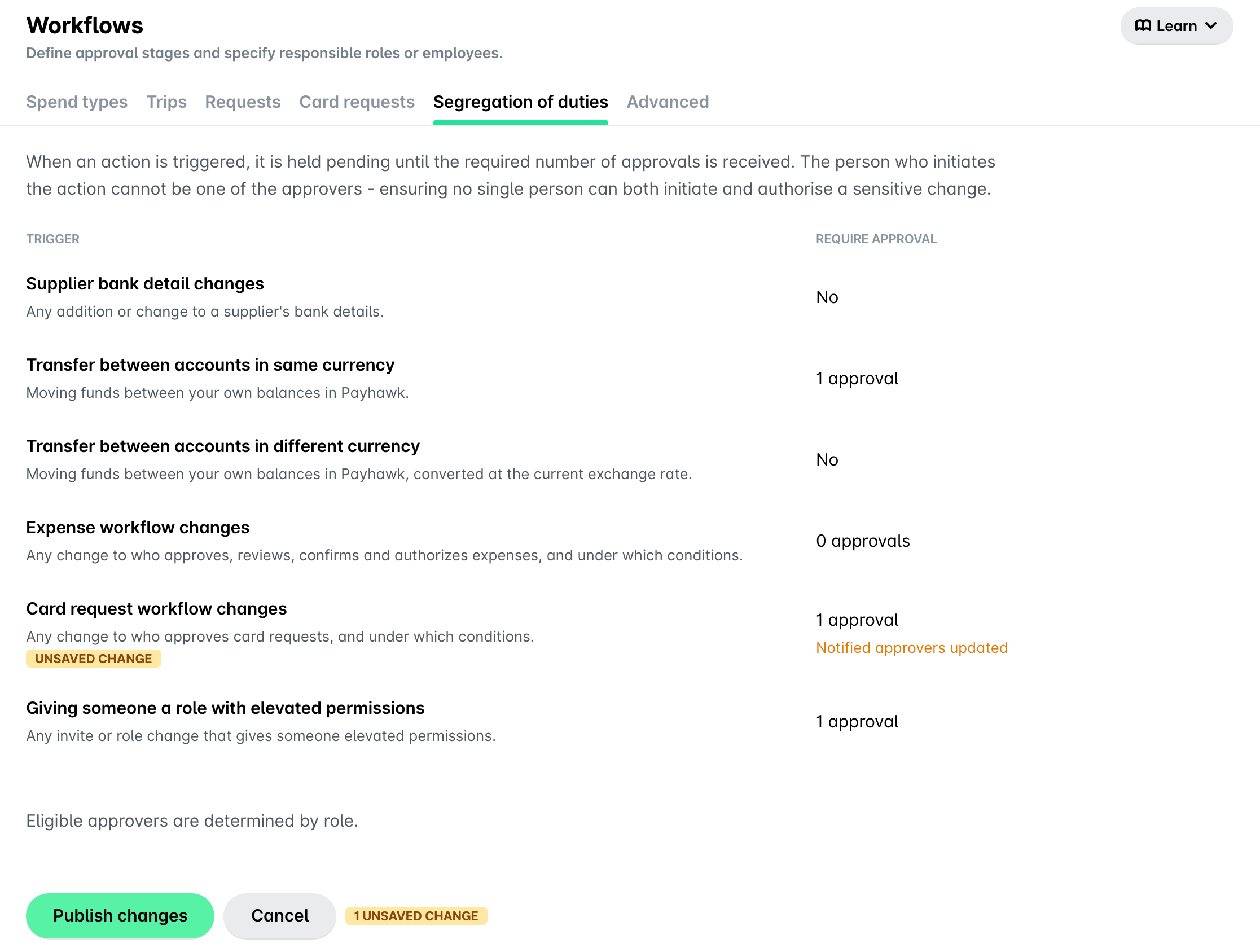
If your entity belongs to a group, and the group publishes its expense workflows to your entity, the Expense workflow changes action is read-only here. Set that action on the group level instead.
Setting up segregation of duties for groups
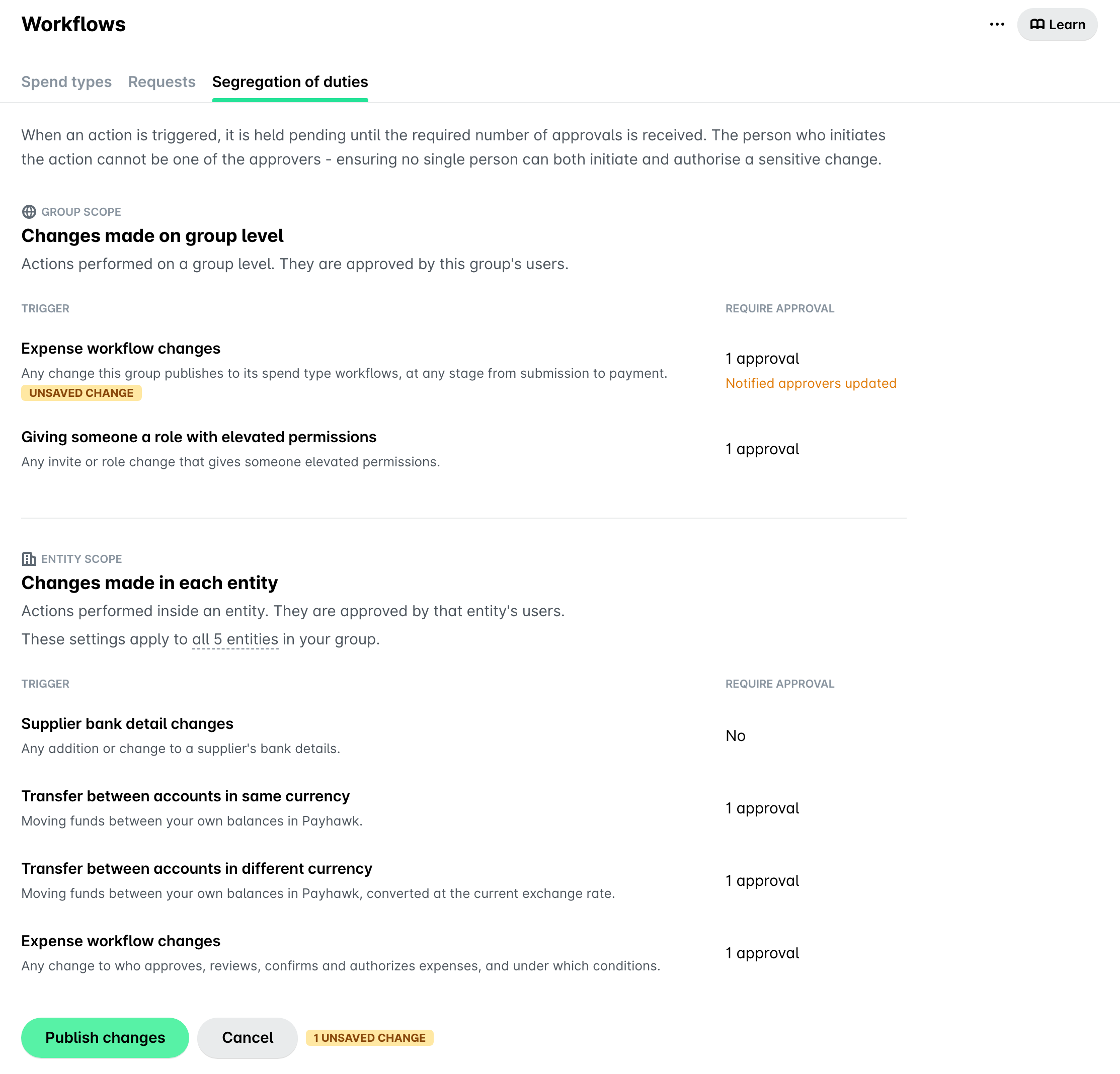
A group splits the sensitive actions into two scopes, so you can protect what the group publishes separately from what each entity changes on its own.
To set the required approvals for a sensitive action across a group:
In the Payhawk Web Portal, open the app switcher in the top-left corner and go to Settings > Workflows.
On the Segregation of duties tab, select the sensitive action you want to protect by clicking on it.
In the dialog that opens:
Under Required approval, from the drop-down menu, set the number of approvals required before the action can go through, for example, 1 approval.
Under Approvers, switch off the toggle button next to each user you don’t want to be asked to approve this sensitive action.
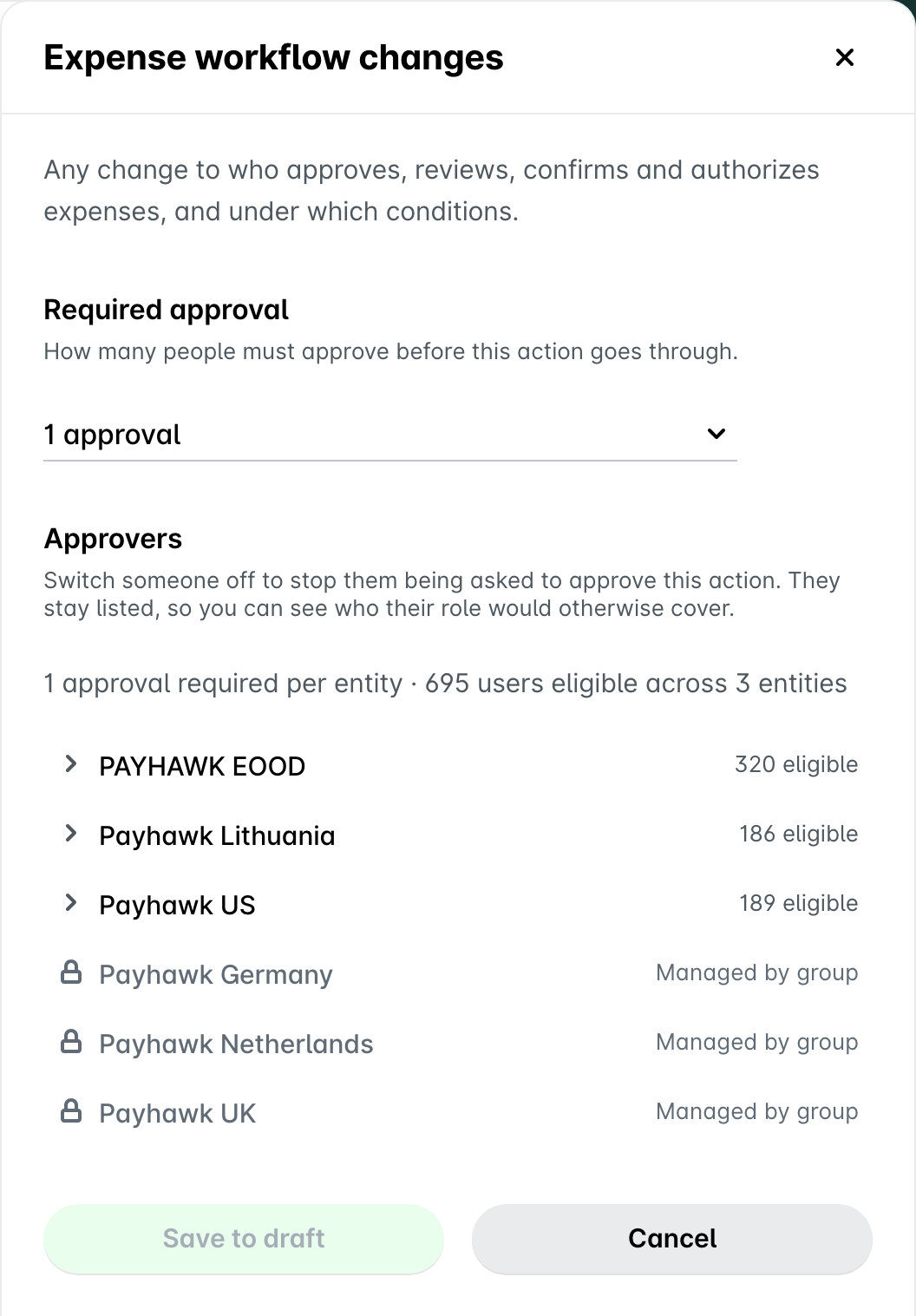
For an action under Entity scope, Payhawk lists the approvers for each entity and shows how many users are eligible in each one. Click on an entity to see its eligible users.
An entity marked Managed by group inherits the group's expense workflows. The action does not apply to that entity, so you cannot change its approvers.
Click on Save to draft.
Repeat the steps above for every other action you want to protect, in either scope.
Click on Publish changes.
Notes on Segregation of duties settings
Since Segregation of duties protects sensitive changes, your update doesn’t take effect right away:
Settings that don't need approval take effect as soon as you publish.
Settings that need approval go to an eligible approver as an authorization request, and the action shows as Pending approval until the request is approved.
Payhawk saves each change to your draft and holds it until you publish. Saving to a draft lets you change several settings and send them for approval together, instead of waiting for approval after each one.
You cannot approve your own change to the settings.
Useful resources