Outgoing bank payments can be rejected by Payhawk or by the recipient's bank, most often because of incorrect beneficiary details.
When a payment is rejected, you do not need to create a new expense or payment. Once the rejection is processed by the bank, you can retry the original payment.
Why your bank payment was rejected
A few common causes that lead to a rejected outgoing bank payment include incorrect or incomplete beneficiary details, compliance flag, as well as closed or innactive beneficiary account.
For more details on each cause, see the reasons for rejected outgoing bank payments.
Notes on retrying the payment
While the payment is pending, the bank is still processing it. Do not create a duplicate payment while the current transaction is still pending.
Banks usually return rejections by the end of the same day, but the exact timing depends on the bank.
Payhawk cannot change the payment's status, so once the bank's rejection reaches the system, you can retry the payment.
Keep the original expense, there's no need to delete it or create a new one, as the retrying payment process uses the same expense.
Retrying the payment
To retry a rejected payment:
Correct the cause of the rejection:
For incorrect bank details, update the beneficiary's bank details.
For incorrect recipient details, update employees' reimbursement details.
In the Payhawk Web Portal, go to Spend.
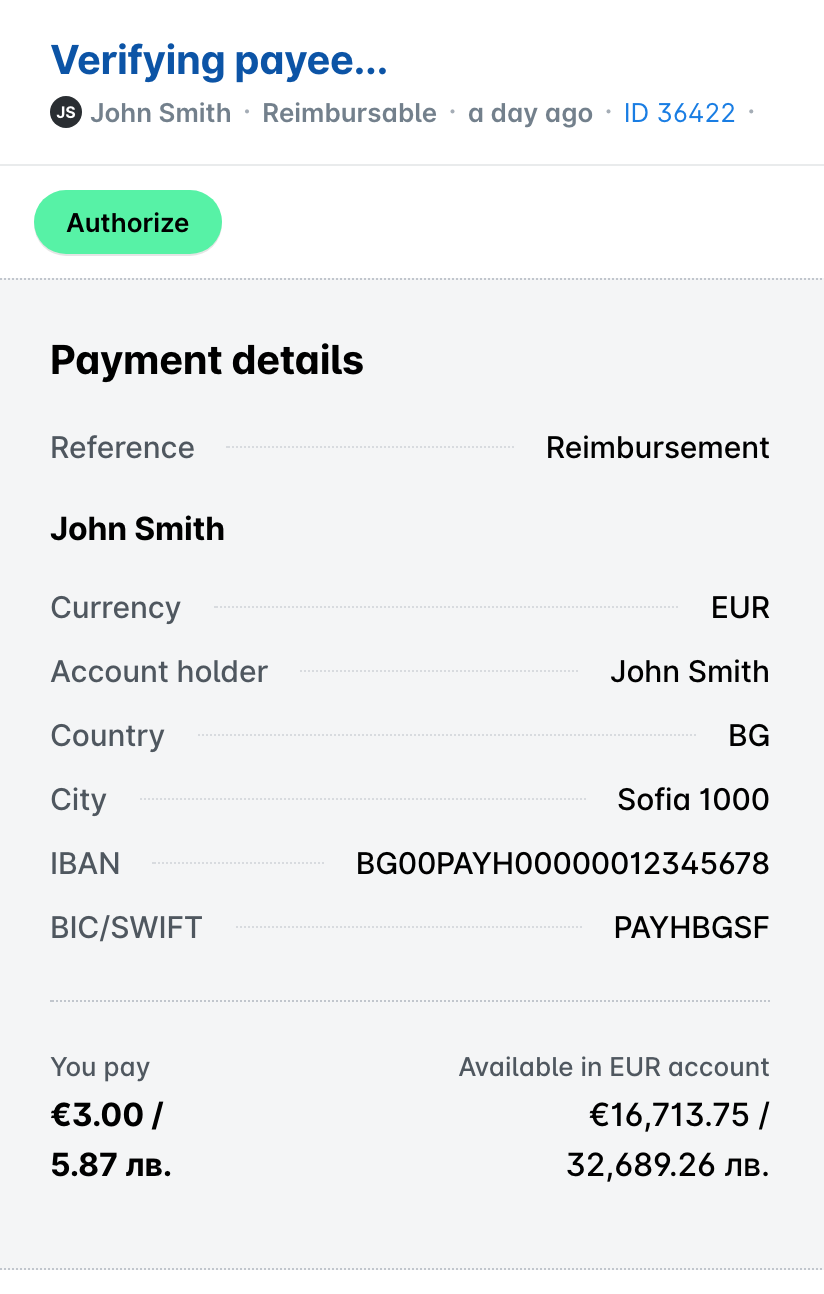
Open the unpaid expense by clicking on it.
Click on Authorize to retry the payment.
When to contact Payhawk Support
If you've tried the steps above and the payment still cannot be authorized, contact Payhawk Support.
When you contact Payhawk Support, provide them with the following details to help the team investigate further:
The expense or payment reference.
The beneficiary name and the last part of their IBAN.
The amount and currency of the payment.
The date you initiated the payment.
Any error message or rejection reason shown.