If your entities already have their own spend policies, trip types, request types, or expense report types, you can move them to the group level. After the move, the setting is managed from the group, and each entity gets a read-only copy.
Before you start
Moving is optional. The settings of your entities keep working, and you can move one setting at a time.
Group Administrators can move settings to the group. For spend policies, users with the Spend Policies Modify permission can also move them.
After the move, the Administrators of an entity can't edit the group copies. They can only edit the settings that belong to their entity.
Per diem rates, trip report types, built-in report types, and spend policies with supplier merchant rules stay in each entity.
Moving spend policies
To move a spend policy:
From the group account, go to Cards > Policies.
In the banner at the top, click on Review and migrate.
Review the matching policies across your entities. Identical policies are merged automatically. For policies with the same name but different settings, choose whether to merge them or keep them separate.
Select the entities the policy applies to, or select All entities. All entities also includes the entities you add to the group later.
Finish the move, or cancel it to keep your entity policies as they are.
Notes on moving spend policies
The policy IDs, the cards assigned to the policy, and the entity defaults stay the same.
Amounts apply as the same number in the currency of each entity, without conversion. For example, a limit of 500 is EUR 500 in an entity that uses EUR and GBP 500 in an entity that uses GBP.
In the entity, the copy of the policy is marked as Managed by group and is read-only. It can still be assigned to cards and set as the entity default.
If an entity has a local policy with the same name, the local policy is renamed with (old) at the end and keeps its cards.
Group spend policies can't use competence groups as approvers.
Moving trip types
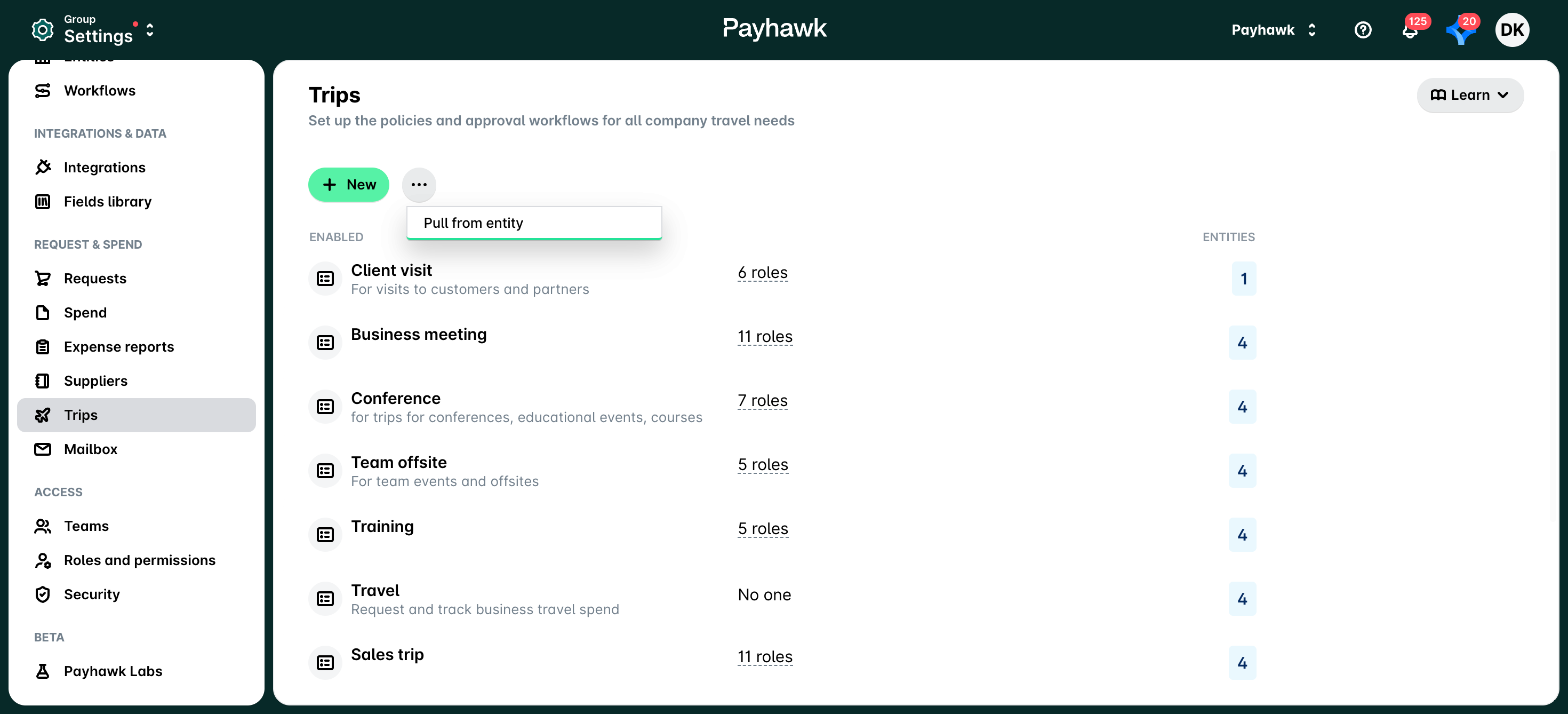
You can create a new trip type in the group account, in Settings > Trips, or reuse the trip type of an entity. To reuse it, click on the three-dot menu and select Pull from entity. Pulling copies the request fields, approval workflow, roles, and travel policy of the trip type.
Notes on moving trip types
After a pull, the trip type of the entity is renamed with (old) at the end and is disabled.
Group trip types are only copied to the entities that use the Travel Agent.
The per diem rates of each entity still apply. When you save a group trip type, Payhawk lists the entities that have no per diem setup.
If an entity has a local trip type next to the group copy, the Travel Agent asks travellers which one to use.
Moving request types
Create the request type in the group account, in Settings > Requests, or reuse the request type of an entity with Pull from entity. For more information, see managing request types on the group level.
Moving expense report types
Create custom expense report types in the group account, in Settings > Expense reports, or reuse the report types of an entity with Pull from entity. In the entities, the copies are read-only.
Trip report types and built-in report types stay in each entity. The copy of a group trip type in each entity creates its own trip report type. For more information, see managing expense report types on the group level.
Stopping or undoing a move
If you remove an entity from a group spend policy or type, or select Stop managing, the copies stay in the entity as local settings.
If you delete a group trip type and it's the only trip type of an entity, the entity keeps it as a local trip type.
When an entity leaves the group, its copies are detached and stay in the entity as local settings.