Run finance from Claude or ChatGPTRun finance from your AI Assistant
Ask about your spend and get a real answer, then act on it — code, approve, chase, close. Every change is previewed before it happens, and nothing runs beyond the permissions you already have.


Most finance connectors only read. This one does the work
Hand over as much as you want - a question, a task, or an entire finance job. Payhawk does the work on your live data, and shows you every change before it makes it.

Get an answer to a spend question instead of a spreadsheet to work through. Payhawk works the number out on its own side, then says so rather than guessing when it is not confident.

Approve a request, recode an expense, chase a missing receipt, or freeze a card by typing it. Every change shows exactly what it will do, then waits for your yes.
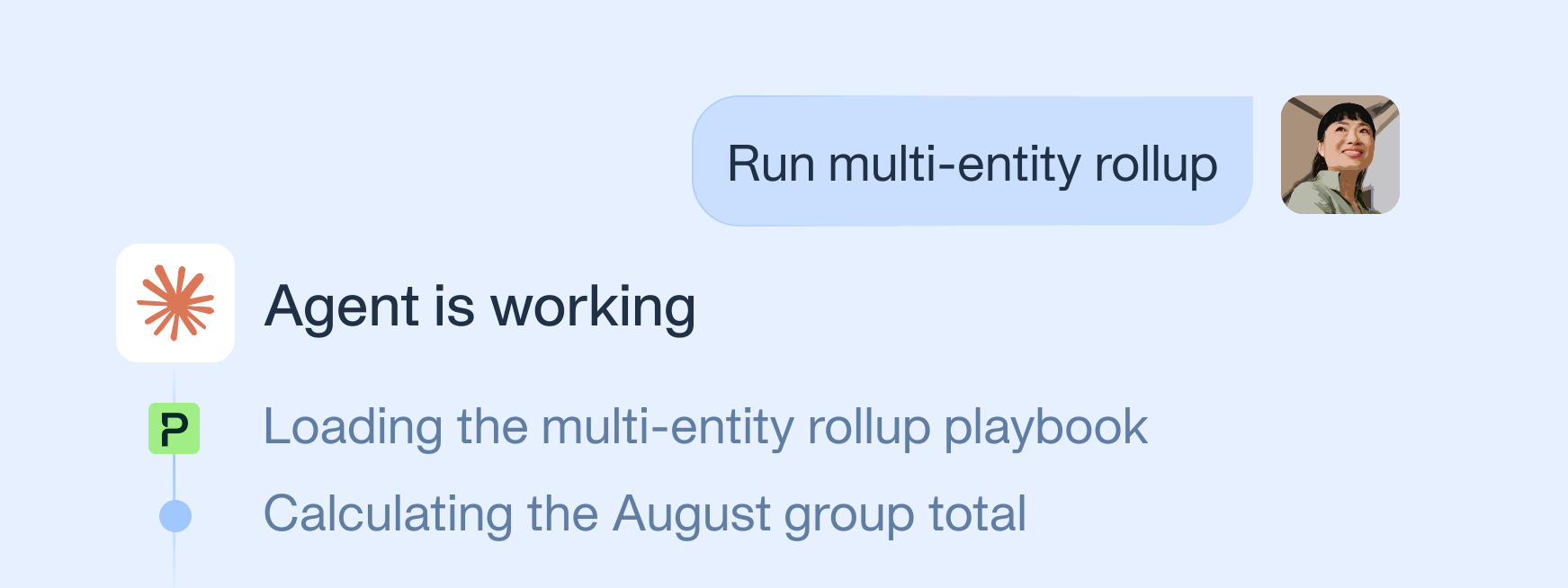
Give Payhawk a multi-step job like month-end close, then review finished work instead of running each step. Playbooks carry the sequence a good finance team would follow.
Available where you already work
Connect your Payhawk account to Claude or ChatGPT. Your team then works with live Payhawk data without opening another tab.
No connection needed. The same prompts run in the Payhawk app, so anyone who'd rather stay in the platform gets the same result.


“The MCP has bridged a gap we'd struggled with for a long time: multi-entity reporting. Across our 28 entities it's made getting to consistent, reconciled numbers far less painful than it used to be.”
Not sure where to start? Try these prompts
Just ask Payhawk, the way you'd ask a teammate. Use the examples and swap in your own numbers, entities, or dates.

Which of my expenses are missing a receipt?

Is there anything waiting on me to approve?

Walk me through closing the month

How do I set up an approval workflow for expenses over 5,000?

What did we spend across all our entities last month, in EUR?

What is our reconciled spend for August across all 30 entities for the Marketing team?
A prompt does a task. A playbook does the job
Month-end close, expense review, supplier clean-up, budget control — use a playbook and Payhawk works the whole thing end to end.
Your permissions travel with every prompt
See and do only what your own Payhawk login already allows, entity by entity. Payhawk applies the same permission checks the platform enforces, with no separate AI layer deciding what you can reach.
FAQs
MCP stands for Model Context Protocol, the open standard that connects an AI Assistant to a real system. You connect once, and the assistant can then look things up and take actions in that system for you, instead of you copying data into a chat by hand.
The Payhawk MCP connects your Payhawk account to the AI Assistant your team already uses. Anyone can then ask a spend question in plain language and get a real answer, or prompt Payhawk to do the work, such as approving a request or chasing a receipt, using their own Payhawk permissions. Where native ERP sync already handles reconciliation, this adds the layer above it: surfacing what is still blocking the close, and letting you fix it without hunting across screens.
The Payhawk MCP works with Claude, ChatGPT, Gemini, and Codex. It is built on the same open standard in each, so the capabilities and the data protections are identical. During the beta, ChatGPT needs Developer Mode turned on once, and a manually added connector runs in the desktop app only.
The assistant sees only what your own Payhawk login already lets you see, entity by entity. An employee sees their own expenses and cards, an administrator sees the account, and treasury data such as balances and fund accounts needs the funds-visibility permission regardless of role. Card numbers show the last four digits only, and personal details are stripped from listings.
No action that changes data runs without your confirmation. Every write, whether an approval or a recoding, shows exactly what it will do and waits for you to say go, then re-checks your permissions and the current state before it runs. Every action is rate-limited and lands in the audit trail.
Direct data reads, such as listing expenses or checking a card, are exact relays with no interpretation. For interpreted analysis, such as a trend or a budget-burn figure, Payhawk computes the answer on its own side and declines rather than guess when it is not confident. Any figure can be cross-checked against the underlying records.
It cannot start a payment, move money, or issue a new card. Those stay in the Payhawk platform or mobile app. It also cannot change spend policies, users, or account configuration, and it can never see or do more than your own Payhawk permissions already allow.
The Payhawk MCP is in beta. It is not yet listed in the AI Assistant app directories, so your Payhawk contact gives you a connection link to add it by hand. Once it is published to those directories, connecting takes one click.