SAP S/4HANA procurement integration: what connects
13 Oct 202610 min
Sync your Payhawk expenses with Xero in real-time and be on top of your spending with automatic bank feed.





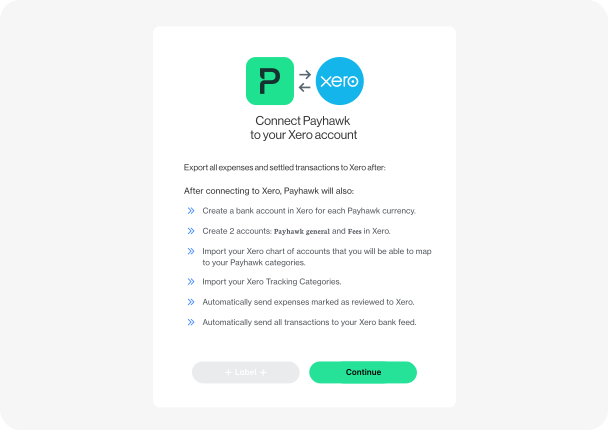
Categorise invoices automatically using your Xero chart of accounts and tax rates. Payhawk also imports tracking categories, helping your team code expenses consistently and keep reporting accurate.
Every transaction on Payhawk is automatically pushed to Xero's bank feed at the very moment it gets settled. Your balances won't be out of sync ever again allowing you to monitor and control spending in real-time.
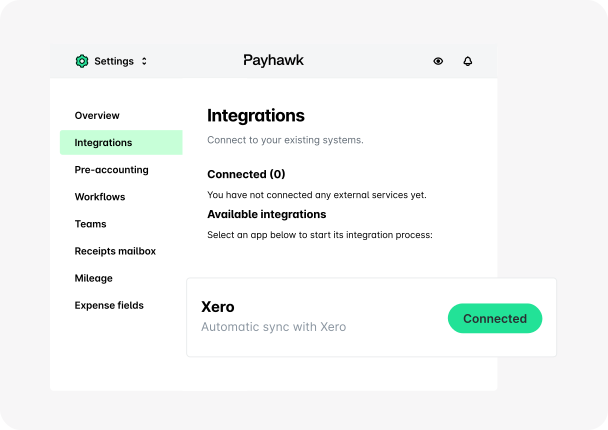
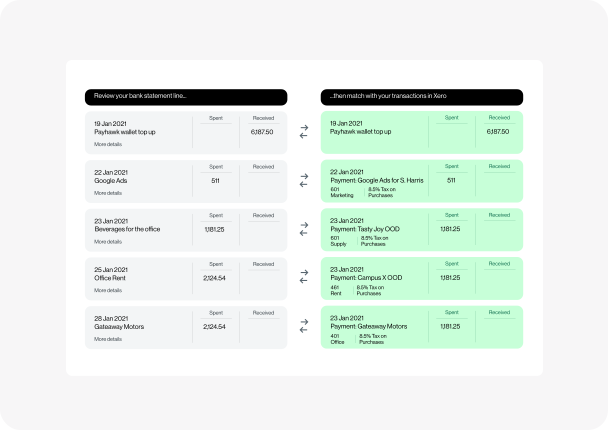
Payhawk pushes your expenses and their data once they've been reviewed to help you keep reconciliation quick, accurate, and efficient. All that you have to do on Xero is a one click reconciliation.

“The Xero integration is one of the strongest I’ve seen on the market — you just need to click in Xero, and all the information input is done in Payhawk. The flexibility is great, too; you can set up your workflows in a way that works best for your business.”

Turn your expertise into growth — partner with us!
Connect Payhawk and Xero to reduce manual data entry, speed up reconciliation, and keep expense data aligned across your finance workflow.
With real-time transaction sync, automated categorisation, and reviewed exports, your team can spend less time on admin and more time on control.

Connecting Payhawk to Xero is super simple thanks to Payhawk's direct integration. Once you become a Payhawk customer you simply need to update your settings to allow the integration, choose a date from which you'd like to sync your balance and map your chart of accounts to your Payhawk categories.
Payhawk imports from Xero your chart of accounts, tax rates, and tracking categories. Payhawk automatically suggests this data to the accountants that review expenses. Once an expense is reviewed, Payhawk pushes the expense and its additional data such as dates, suppliers and amounts to Xero automatically.
Fees are exported separately as bank account transactions, rather than as part of the bill, ensuring better accuracy and alignment between your bill amounts and financial records in Xero.

