

Procurement automation: five processes you should have automated yesterday
28 Oct 20268 min

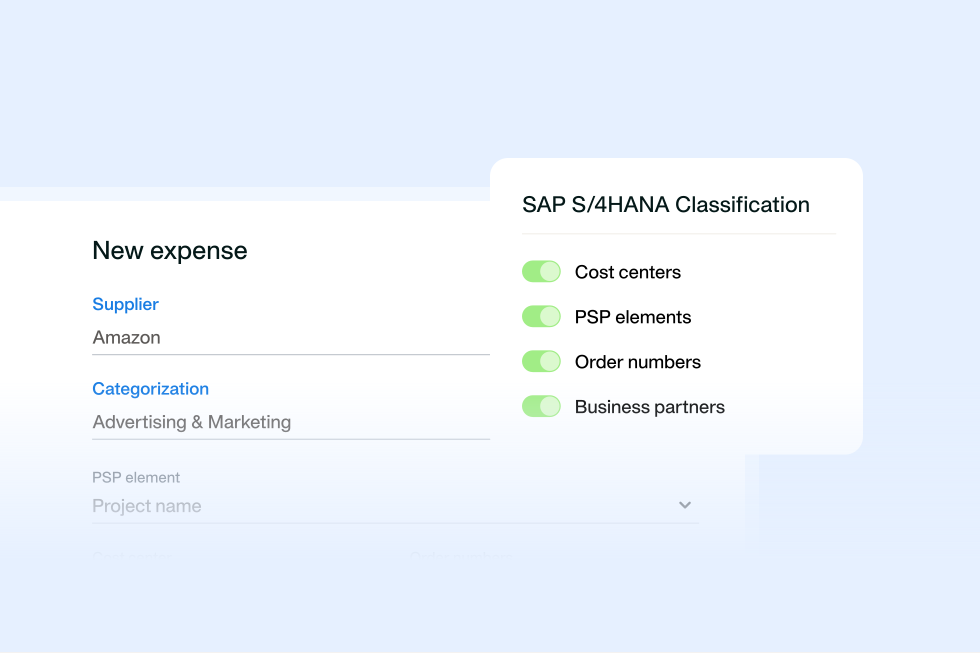
When purchase orders (POs), goods received notes (GRNs), supplier invoices and payments sit in different systems, Finance loses time to manual matching and reconciliation. Payhawk runs two-way and three-way matching before payment and tracks payment status against each PO. Its SAP S/4HANA integration then posts approved spend to SAP S/4HANA in real time. Learn how the workflow connects and what to check in any procurement software that integrates with SAP.

By submitting this form, you agree to receive emails about our products and services per our Privacy Policy.
Payhawk’s SAP S/4HANA integration now supports SAP S/4HANA Cloud Public Edition, SAP S/4HANA Cloud Private Edition and selected on-prem setups. Payhawk pulls master data from SAP S/4HANA and posts each approved expense and supplier invoice back as its own correctly typed SAP document in real time. Payhawk already supports two-way PO sync for Oracle NetSuite through its NetSuite purchase order workflow, and bilateral PO sync with SAP S/4HANA is planned.
That gives you a clear route from intake to pay. Raise and approve purchase orders (POs), capture supplier invoices, and apply matching and proactive controls before spend happens at all. SAP S/4HANA remains your source of truth.
Many procurement tools say they integrate with SAP. For some, "integration" means a scheduled CSV upload or a middleware connector sitting between the two systems. Even fewer explain which edition they support, which direction data moves or what still doesn't sync.
This guide gives you the full picture of SAP S/4HANA procurement integration, including the current PO-sync limitation. You’ll also learn what to look for when evaluating procurement software that integrates with SAP.
When a vendor says “SAP integration”, it can mean multiple things. A file export, a middleware connector, a certified add-on and a native application programming interface (API) integration can move data. But they don’t offer equal control, speed, or ownership models.
A file export creates a gap between approval and posting. A middleware connector adds another workflow to monitor. A certified add-on can extend SAP S/4HANA, but can hide how data moves or who owns it.
Payhawk’s SAP S/4HANA integration is native, built in-house. It connects directly to SAP S/4HANA without third-party middleware or scheduled CSV exports. SAP S/4HANA owns financial records and master data. Payhawk controls indirect spend workflows before approved data reaches SAP S/4HANA.
Payhawk’s solution can:
When spend is coded after the purchase, errors reach SAP S/4HANA before Finance can catch them. Pulling master data from SAP S/4HANA at the start of the workflow puts the right GL account, tax code and cost centre on a request before anyone approves it.
Each procurement software with SAP integration works differently. For example, Payhawk pulls the coding data your team needs from SAP S/4HANA before employees submit spend. This S/4HANA master data sync supports accurate spend coding and cost centre mapping SAP workflows at the point of purchase.
Most master data flows one way, from SAP S/4HANA into Payhawk. Payhawk pulls GL accounts, tax codes, cost centres and suppliers from SAP S/4HANA, which remains the source of truth and system of record. Suppliers are the exception: [what Payhawk sends back]. This S/4HANA master data sync lets teams code indirect spend with the right values before it is captured.
| SAP S/4HANA master data | What Payhawk uses it for | Direction | Who owns it |
|---|---|---|---|
| General ledger (GL) accounts | Payhawk codes spend to the right GL account before approval | SAP S/4HANA → Payhawk | SAP S/4HANA |
| Tax codes | Payhawk applies valid tax treatment to expenses and supplier invoices | SAP S/4HANA → Payhawk | SAP S/4HANA |
| Cost centres | Payhawk assigns spend to the right team, entity, or budget | SAP S/4HANA → Payhawk | SAP S/4HANA |
| Suppliers | Payhawk codes supplier invoices against approved supplier records | SAP S/4HANA ↔ Payhawk (partial) | SAP S/4HANA |
See the full overview of data shared with SAP S/4HANA.
So, how does Payhawk move spend from a request to an SAP S/4HANA record? Payhawk keeps the indirect spend workflow in one place. SAP S/4HANA keeps the accounting record. This setup gives Finance an audit trail from request to posting.
Payhawk manages the workflow before SAP S/4HANA receives the approved document. Here’s where each stage lives:
Approved spend posts to SAP S/4HANA in real time, so Finance can review current records instead of working through a month-end backlog.
| Payhawk transaction | When Payhawk sends it to SAP S/4HANA | SAP S/4HANA outcome |
|---|---|---|
| Approved expense | Following review and approval | One individual SAP S/4HANA document |
| Approved supplier invoice | After matching and approval | One individual SAP S/4HANA document |
| Payment data for an expense | Once the transaction settles | Payment data exported in SAP S/4HANA |
Payhawk runs the full PO workflow for POs raised in Payhawk. POs created in SAP S/4HANA or another tool don't sync into Payhawk yet. Bilateral PO sync with SAP S/4HANA is planned, and Payhawk already runs two-way PO sync with Oracle NetSuite through its NetSuite purchase order workflow. Payhawk works alongside SAP Materials Management (SAP MM) rather than replacing it.
If your team raises POs in SAP S/4HANA, Payhawk currently works as an accounts payable and expense layer with a request and approval workflows for indirect spend.
Invoices in inboxes. Purchase orders (POs) in email chains. Goods receipt note (GRN) data in shared drives. When data sits across systems, matching takes longer and errors slip through. AI-driven invoice extraction and PO matching can cut procure-to-pay cycle times by up to 80%. Automated matching controls help teams realise that potential, enabling faster, more accurate reconciliations and financial closes.
For instance, Payhawk’s SAP S/4HANA integration gives Finance and Procurement teams a defined point of control. Two-way matching vs three-way matching depends on whether a purchase requires goods receipt note matching. Payhawk checks supplier invoices before payment using the matching method that fits the purchase. Here’s how each method works:
| Match type | When Payhawk uses it | Payhawk checks | Control before payment |
|---|---|---|---|
| Two-way matching | Services and other non-physical purchases that don’t require a GRN | The purchase order amount against the supplier invoice amount | Payhawk flags price differences before payment |
| Three-way matching | Physical purchases that require a GRN | Purchase order quantity, GRN, and supplier invoice amount | Payhawk flags quantity and price differences before payment |
Payhawk’s AI-driven optical character recognition (OCR) reads the PO ID on the supplier invoice and links the invoice to the PO. When OCR can’t find the PO ID, your team can link the invoice manually. Payhawk can also apply discrepancy rules, so small price or quantity differences don’t block payment.
After Payhawk matches and approves the invoice, Payhawk posts the invoice to SAP S/4HANA as its own document. Payhawk includes the GL account, cost centre, tax code, and document date. Payhawk also prevents duplicate orders automatically and itexports payment data for an expense only after the bank settles the transaction.
These two-way and three-way matching workflows strengthen goods received note matching. They help teams catch price and quantity differences before payment, reduce maverick and duplicate-payment risk, and keep SAP S/4HANA and AP records aligned.
Your workflow can look solid at first. A manager approves a request. Procurement raises a PO. The supplier sends an invoice. Then the data reaches SAP S/4HANA, and the workflow stops.
A GL account is missing for the subsidiary. A supplier record uses a different name. A CSV upload leaves SAP S/4HANA behind on the latest spend insights. Whatever the cause, Finance must investigate the problem instead of focusing on strategic work.
For many, this scenario is the norm. Finance teams spend up to 40% of their time on manual reconciliations. That work increases errors and slows decision-making.
A procurement software that integrates with SAP only works when the data stays current. Here are four places where it can break, how to resolve it, and the risks to watch:
For the complete seven-point list, see the what actually syncs in procurement-to-ERP integration (and where it breaks) guide.
From AI-driven invoice capture to approval workflows, you’re likely weighing features to improve your AP technology around SAP S/4HANA. Prioritise these questions to find the best stack.
Batch exports can leave Finance with a month-end backlog. A transaction may sit outside SAP S/4HANA until the next upload. Finance then has to reconcile data after the event.
Check how each vendor posts spend to SAP S/4HANA: does the vendor create individual documents in real time, or wait for a batch export? Look for real-time ERP posting that keeps SAP S/4HANA current throughout the month.
For example, Payhawk’s SAP S/4HANA integration posts each approved transaction as its own correctly typed SAP S/4HANA document.
Payhawk’s solution helps you avoid monthly CSV uploads, reduce manual reconciliations, and keep spend visible in SAP S/4HANA throughout the month.
A bank feed can delay transaction data until a statement arrives. A third-party card issuer can add another dependency between the purchase and the finance record.
Ask who receives transaction data first. The answer determines whether Finance sees card spend at authorisation or waits for a bank statement or third-party feed.
For instance, Payhawk acts as the issuer of record for its corporate cards. Payhawk receives transaction data at authorisation, not from a later bank statement or third-party feed. That gives Finance visibility of card spend and more time to spot and block unauthorised transactions.
Payhawk-issued debit cards support UK, US, European Union (EU), European Economic Area (EEA), and European Free Trade Association (EFTA) entities. Payhawk-issued credit cards support UK and US entities.
Explore Payhawk’s SAP S/4HANA integration
The same SAP spend management integration can solve different problems across Finance, Procurement, and IT. The best SAP S/4HANA procurement integration gives each team control before spend reaches SAP S/4HANA.
For example, a UK entity can approve a software subscription before buying. Payhawk can also apply the right cost centre and tax code before posting. That reduces the correction work finance teams do later.
Here’s how the best SAP S/4HANA integration can benefit each role:
Take Essentia Analytics, for example. Before Payhawk, the finance team relied on point solutions, spreadsheets and separate credit cards. The team chased invoices and corrected rekeying errors across payments, which slowed month-end close and limited visibility. Since onboarding Payhawk, the team has:
Integration claims can sound convincing in a demo. The right questions will reveal how the workflow will behave in your SAP S/4HANA environment. Use this checklist when you compare procurement software vendors:
A procurement software that integrates with SAP should make life easier for Finance, Procurement, and IT by reducing manual re-entry, improving data quality, strengthening control over indirect spend, and cutting month-end reconciliation work.
Your chosen solution should also clarify the operating model. SAP S/4HANA should remain the source of record, while the solution manages indirect spend workflows before approved data reaches SAP S/4HANA.
The solution should also pull master data from SAP S/4HANA, so teams use the right GL accounts, tax codes, cost centres and supplier data from the start. In Payhawk, most master data flows one way from SAP S/4HANA into Payhawk, with suppliers as the exception.
Payhawk’s native SAP S/4HANA integration supports both Cloud Public and Private Editions. Approved spend posts in real time as individual SAP documents, not batch files. Invoice matching happens before payment. This setup helps Finance maintain cleaner records and tighter control without slowing the business down.
But one boundary remains: POs created in SAP S/4HANA don’t currently sync into Payhawk. If SAP MM manages PO creation, Payhawk supports the accounts payable and expense workflows around it.
To see how the workflow fits your SAP S/4HANA setup, explore Payhawk’s SAP S/4HANA integration and book a demo.
Payhawk’s native SAP S/4HANA integration supports SAP S/4HANA Cloud Public Edition and SAP S/4HANA Cloud Private Edition. Each edition has its own connection and setup process.
Most master data flows one way, from SAP S/4HANA into Payhawk. Payhawk pulls GL accounts, tax codes, cost centres and suppliers from SAP S/4HANA, which remains the source of truth and system of record. Suppliers are the exception: [what Payhawk sends back]. This S/4HANA master data sync lets teams code indirect spend with the right values before it is captured.
Yes. Approved expenses and supplier invoices post to SAP S/4HANA as individual documents rather than as a batch export. This real-time ERP posting gives Finance cleaner records and reduces manual reconciliation work.
Not currently. Payhawk supports purchase order automation SAP workflows when purchase orders are raised and approved in Payhawk, but POs created in SAP S/4HANA don’t sync into Payhawk yet.
Payhawk uses both. Whether Payhawk uses two-way or three-way matching depends on whether a purchase requires a GRN. Two-way matching checks the PO amount against the supplier invoice. Three-way matching also checks the quantity recorded on the GRN before payment.
With extensive experience in finance, marketing, and digital strategy, Raphael combines quantitative insights with compelling storytelling to drive regional marketing success and customer-focused innovation in financial SaaS solutions.

