Payment questions stop at the Payments AI Agent
Employees resolve failed payments, low funds, reimbursement status themselves with the Payments AI Agent, so routine questions never reach your finance team.
Every failed payment lands on your desk
A card declines in front of a supplier. The employee does not know why, so they message finance, then wait for someone to check. Your team managers cannot see their own team’s cards, so they come to finance too. None of that has to reach you.
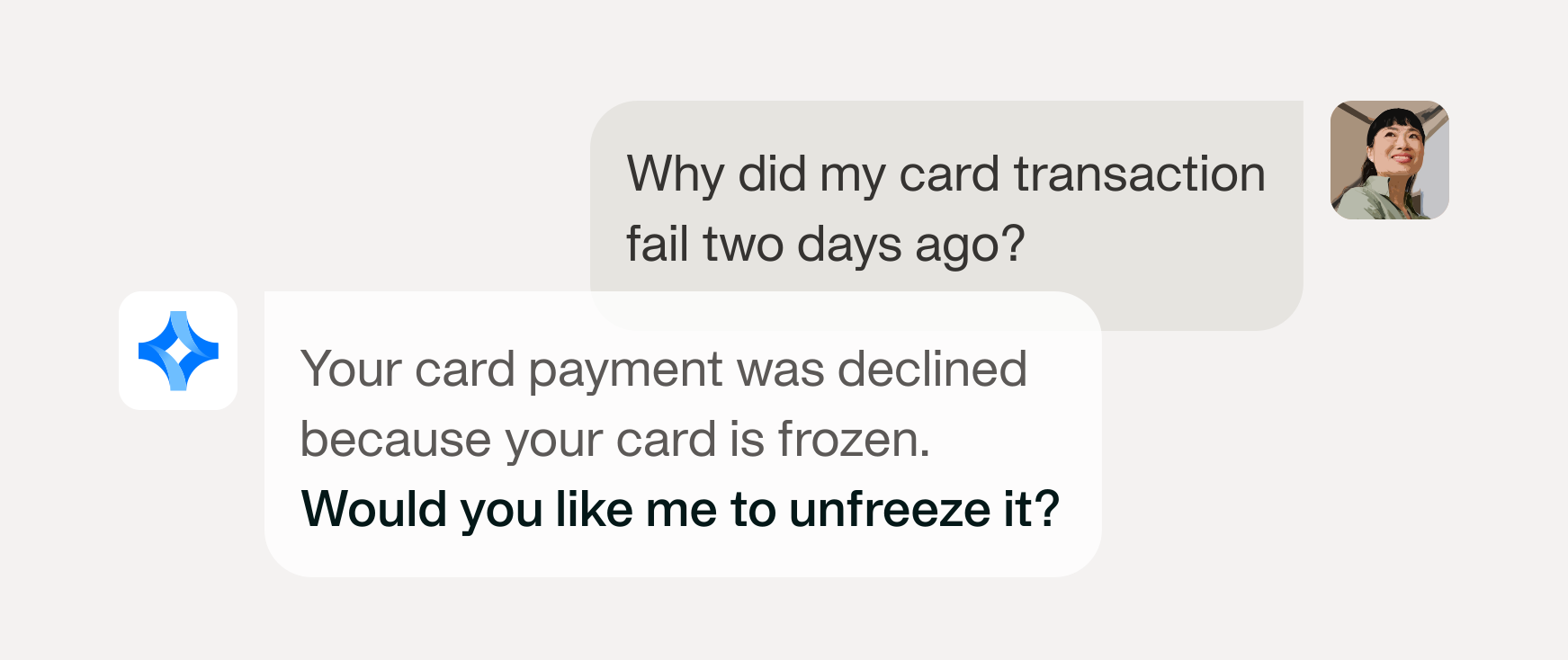
Blocked spend gets resolved where it happens, before it reaches a finance queue. Payhawk’s agent covers the failure that already happened, plus the one about to.

Team leads and admins check their team's cards directly, along with the spend on them. Oversight stops depending on a request to finance.

Spend rules, approval chains, permissions all hold when employees serve themselves. Each person gets answers scoped to their own role, nothing beyond it.








Where your payment questions get answered
Each capability below removes one reason someone messages finance about a payment. Employees get the answer first, before the question becomes someone else's task.

Failed transactions come back with the cause plus the next step, covering all 36 reasons a card gets declined. Employees act on the answer themselves. Roughly 7,500 employee conversations a month close end-to-end without finance involvement.

Card funds that will not cover an upcoming subscription charge trigger a warning before the payment date, so business services stay live. Finance sees the gap early enough to top up.
Admins, accountants, and team managers ask about other people’s cards, transactions, and reimbursements within the permissions they already hold. Show all pending reimbursements for my team returns an answer in seconds. The agent inherits each user’s access rights, so it surfaces nothing they could not already see.


Reimbursement, per diem, and mileage status arrives before anyone asks. Roughly 300,000 proactive notifications go out each month, covering failure explanations, plus statuses pushed ahead of the question. When will I be paid stops reaching your inbox.

Employees check card details, freeze or unfreeze their own card, plus request funds in the channel they already work in. An administrator enables the channel; each employee authenticates before the agent reaches their expense data. Fund requests still route to a human approver.

Every agent-initiated action writes to a full audit log. Reviews run on the record finance already trusts, with no separate system to reconcile.
A prompt explains a decline. A playbook fixes the cause
Review card and spend-control fit
Show where card limits and spend policies do not match real spending behavior, and settle each mismatch at the level it belongs: the card when one card is the problem, the spend policy itself when the cards under it keep hitting the same wall.
Forecast when to top up
Estimate when the available balance will run low, per currency and entity, so funds arrive in time. It forecasts when money needs to be there; it never moves money.
Subscription & SaaS audit
Take recurring spend from a report to a maintained register: confirm the recurring charges nobody has marked, dismiss the ones that are not subscriptions, consolidate a vendor down to one record, and name what could not be actioned.
Check the next payment run is covered
Answer whether the money will be there to pay the bills falling due by a deadline, per currency, and if not how much to load and by when. It checks funding; it never pays anything.
Let the questions resolve themselves
Every routine question answered in Payhawk is one your finance team never sees.
Discover enterprise power, without enterprise complexity
Manage employee expenses alongside all your other company spend. With Payhawk, you get complete control over your policies, workflows, and payments in a single platform.
Smart cards with built-in control

Review and repay employee expenses

Book and manage business trips easily

Fully digitised employee spend tracking, expense reports with custom approvals and direct reimbursement to employee bank accounts. link

Multiply your team's capacity with a suit of Al Agents. Handling finance tasks with precision, they ensure your team spends less time on routine work.
FAQ
The Payments AI Agent is an AI assistant inside Payhawk that answers questions about cards, card transactions, fund requests, and reimbursements. It explains what happened, notifies people proactively, then executes fixes inside existing spend policies and approval workflows. It works in the Payhawk web portal, the mobile app, and Slack.
In the Payhawk web portal, the Payhawk mobile app, and Slack. For Slack, an administrator enables the channel first, then each employee authenticates to grant the agent access to their own expense data.
The Payments AI Agent identifies the cause across 36 distinct decline reasons, including insufficient funds and spend policy blocks, then gives the next step. The median answer takes 12.5 seconds, so it lands before a ticket would have been opened.
The agent pushes reimbursement, per diem, and mileage status before anyone asks. Employees check status themselves in Slack, the mobile app, or the web portal, so the question never reaches finance.
Yes, within the permissions they already hold. Admins, accountants, and team managers can ask about their team’s cards, transactions, and reimbursements. Permissions carry over exactly as configured, so nobody sees more through the agent than they see in Payhawk.
No. It can initiate a fund request workflow, but approval stays with a human inside your existing approval chain. Every action runs under the spend policies your finance team already configured.
It runs inside Payhawk’s certified environment, with role-based access control, encryption, and a complete log of everything the agent does.
No, it reads live payment data, then acts inside your spend policies, approval chains, and each user’s permissions. It executes fixes rather than only answering. Product help answers are a supporting capability rather than the purpose.