.avif)
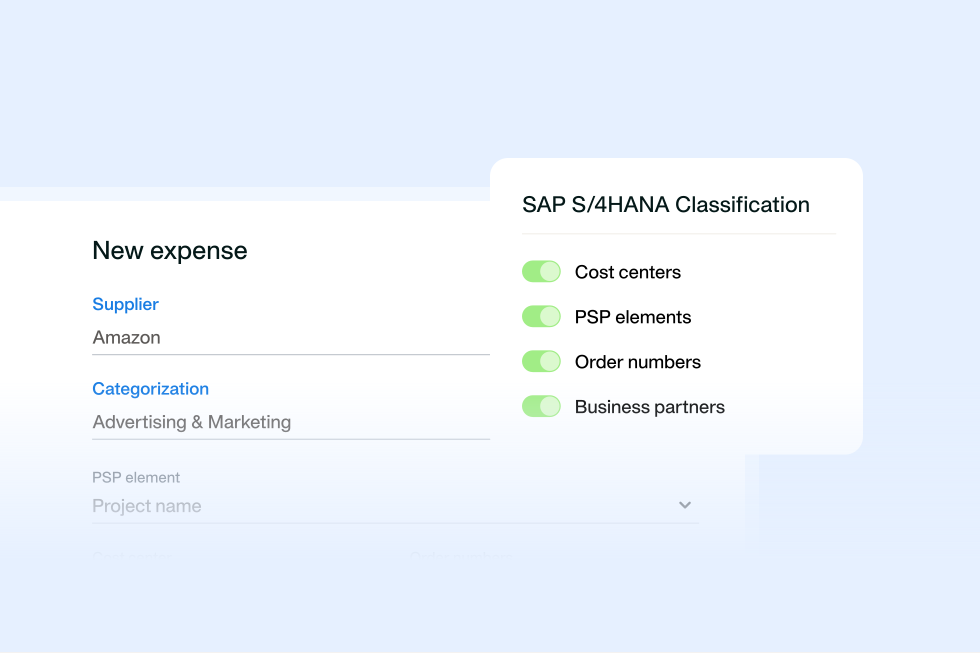
SAP S/4HANA procurement integration: what connects
13 Oct 202610 min
.avif)

Procurement automation uses software to run the repeatable steps between a purchase request and a paid invoice. Five processes cost finance the most while they stay manual: purchase request intake, approval routing, budget checks, purchase order creation and invoice matching. Uncover what breaks in each, and what procurement automation looks like.

By submitting this form, you agree to receive emails about our products and services per our Privacy Policy.
Procurement automation uses software to run repeatable steps from purchase request to payment. Procurement process automation connects those steps, so each stage passes complete information to the next.
A routine purchase can create work for multiple teams. You might recognise this situation: a manager emails a purchase request without a cost centre.
The budget owner then has to interrupt their work to check a spreadsheet before approving. Later, finance manually checks the invoice against the purchase order (PO). Each handoff takes time away from other work. It also increases costs.
Also, every manual handoff creates a gap where missing information, unapproved spend or invoice errors can creep in. Finance often only catches those gaps at month-end.
63% of finance teams spend more than ten hours a week processing invoices and supplier payments, compared with 52% in 2024.
This article looks at five processes to automate, starting with purchase request intake, then approval routing, budget checks, purchase order creation, and invoice matching. The order matters: each stage needs accurate information from the one before it, so fixing the earlier steps helps prevent problems further down the line.
Build a procurement setup that fits your business
Use this procurement process automation table to check which steps your team still handles manually.
| Process | Sign the process is still manual | Automate it first if… |
|---|---|---|
| Purchase request intake | Requests arrive by email or Slack without the details needed for approval | Finance chases the requester before approval can begin |
| Approval routing | Every purchase follows the same approval chain | Small purchases wait as long as large ones |
| Budget checks | Budget owners see spend only after someone commits the business to a purchase | Overspend first appears in the month-end variance report |
| PO creation | Someone retypes approved requests into POs | Invoices arrive without a PO to match |
| Invoice matching | Accounts payable (AP) checks every invoice by hand | Your team pays duplicate or over-billed invoices |
The sections below show what breaks at each stage and what automated procurement looks like in practice.
A complete purchase requisition gives approvers the details they need to decide. When information is missing, procurement has to go back to the requester before anyone can approve the purchase.
Picture a growing professional services company preparing for onboarding on Monday. Six new starters need laptops, so a manager sends a message: “Can we order six laptops?”
The request sounds simple, but it leaves a few questions:
Procurement has to ask the manager for those details and wait for a quote. By the time the answers arrive, a routine purchase may have become urgent, and nobody has checked whether the budget can cover it.
Sometimes, employees skip the request altogether. They place the order and send the invoice to finance afterwards. Procurement then has to piece together what someone bought, why, and whether anyone approved the spend.
Purchase requisition automation gives employees one place to submit requests, with required fields for each purchase type. This gives procurement intake a clear structure and keeps the purchase request process consistent.
For example, Payhawk’s Procurement AI Agent lets employees describe what they need in plain language through Slack, Microsoft Teams, or the Payhawk mobile app. Payhawk asks for any missing details before the request reaches the approval workflow. See how the procurement agent works to understand how it handles incomplete requests.
Employees can:
A PO approval workflow should send each purchase request to the right people. A clear purchase approval workflow reduces delays and shortens procurement cycle time.
Let’s imagine an office manager requests £200 of supplies. The request follows the same approval chain as a £50,000 equipment order. Both sit in inboxes while procurement chases decisions. The smaller purchase needs fewer approval steps, but employees wait just as long.
Procurement workflow automation uses the amount, category, and budget owner to decide who approves each request. Your policy can allow low-value, in-policy requests to auto-approve, while larger purchases receive extra checks.
For example, Payhawk lets you set up a purchase order approval workflow that sends requests to named employees, budget owners, or managers. This helps your team get purchases approved without chasing people or working out who needs to sign off. You can also skip approval steps where your policy allows, so smaller purchases don’t face unnecessary delays.
Use this example procurement approval matrix as a starting point. Adjust the thresholds to your policy.
| Purchase amount | Required approvers, in sequence |
|---|---|
| Under £1,000 | Budget owner |
| £1,000–£10,000 | Budget owner, then procurement |
| Over £10,000–£50,000 | Budget owner, procurement, then department head |
| Over £50,000 | Budget owner, procurement, department head, then Finance Director or Chief Financial Officer (CFO) |
Apply the same principle when you automate invoice approval workflows. Set rules to send each invoice to the right approver. This way, your team doesn’t have to build the approval chain manually each time.
Maverick spend is purchasing outside your company’s agreed procurement policies or processes.
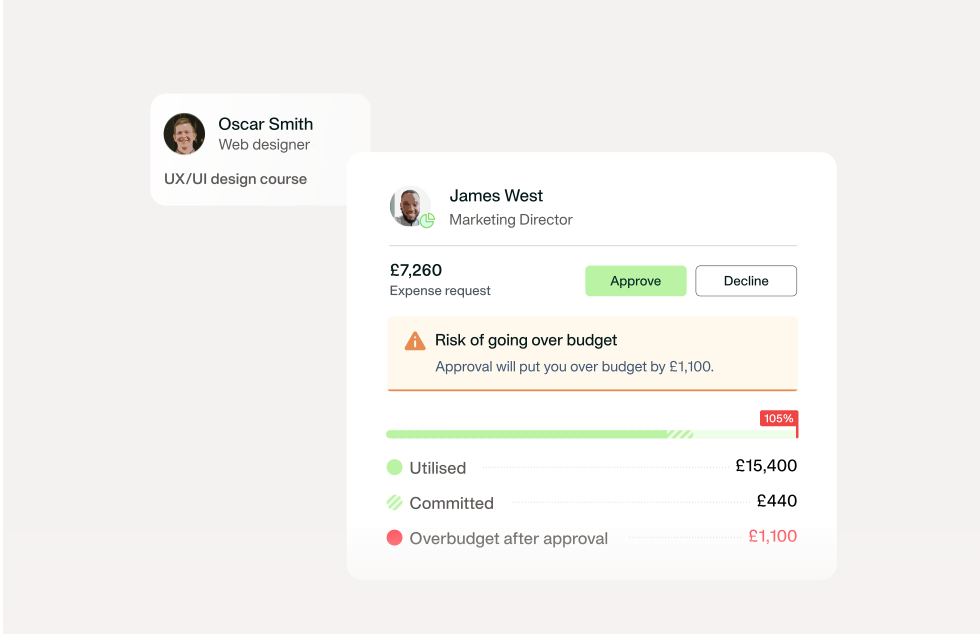
But even an approved purchase can push a department over budget when Finance can't see earlier commitments. Imagine a department head checking a monthly spreadsheet before approving a £5,000 request. The figures suggest £8,000 remains, but don’t include £6,000 in approved orders awaiting invoices.
That £6,000 is committed spend: your team has approved the purchases, but suppliers haven’t invoiced you yet. So while the request looks affordable, finance won't realise the overspend until month-end.
Procurement automation brings budget control into the approval decision, so finance spots overspend faster.
For instance, Payhawk’s spend management platform adds the relevant budget owner as an approver and shows the request’s budget impact. Budget owners can:
The PinPoint Media customer story shows how the marketing agency improved control over project budgets. Disconnected tools and spreadsheets made expense tracking harder as the business grew. After moving to Payhawk, the team can now:
Annabel Lawton Smith, Production and Operations Manager at PinPoint Media, explained:
“We all use team cards, which is a great way of managing team budgets, where we've assigned a team a specific pot of money - and each individual has their card to spend within that.”
Purchase order automation turns an approved request into a PO without anyone re-entering details. The gap appears when approval doesn’t trigger PO creation. Instead, procurement still has to turn that decision into an order manually.
For instance, say a facilities manager gets approval to replace office furniture. But procurement still has to copy the supplier, quantities, and prices into a PO. Before anyone finishes, the supplier sends an invoice.
Finance gets an invoice but no PO to match against. Someone has to find the approval and check what the business agreed to buy. In other words, approval hasn’t removed the admin; the work has simply moved to another team.
Procurement automation should carry the approved details forward. For example, once you add PO creation to the workflow, Payhawk creates a numbered PO when your team approves the request. This supports procure-to-pay automation by linking the approved request with the order and invoice.
An automated purchase order helps your team:
When evaluating purchase order software, check that approval triggers PO creation. Support the workflow with a clear policy, for example: no PO, no payment. Explain any exceptions upfront.
The Greystone GT customer story shows how you can introduce a formal PO process without increasing workloads. Finance previously checked expenses after spending, limiting opportunities to question purchases beforehand.
Since adopting the platform, Greystone GT has:
Ryan Franklin, Financial Controller at Greystone GT, explained:
We’ve become quite strict with suppliers. If they don’t provide a valid purchase order, we simply send their invoices back and ask them to try again.
Three-way matching checks the invoice against the PO and the goods received note (GRN), which records what arrived.
When AP checks every invoice by hand, mismatches and duplicate invoices can slip through and surface only after payment.
Consider a supplier that bills for ten monitors, but only eight arrive. Someone in finance must then spot the difference before payment. If the discrepancy slips through, your business could pay for goods that never arrived. Invoice exceptions also slow teams down. 41% of finance professionals say managing invoice exceptions is among their top accounts payable challenges.
Procurement automation compares the invoice, PO, and receipt details so your team doesn’t have to check every document manually. This supports touchless invoice processing: matching invoices move forward, while your team focuses on discrepancies.
For instance, Payhawk automatically links an invoice to its PO when invoice capture identifies the PO reference. Payhawk then checks receipt quantities and invoice amounts, applying configured discrepancy rules.
Two- and three-way matching help your team:
Two-way matching compares the invoice with the PO, typically for services. Three-way matching adds the GRN, typically for goods. Receipt requirements depend on company policy.
With so many processes to automate, it can be hard to know where to start. Here’s the roadmap:
When considering how to automate procurement processes, ask vendors to demonstrate a purchase from request to invoice. This helps you see how the software handles everyday purchases and problems, such as missing information or an invoice mismatch. Use these four questions to compare the best procurement software for your business:
Payhawk’s procurement automation software connects all five processes in one workflow: intake, approvals, budget checks, PO creation, and invoice matching.
Put procurement requests on autopilot

Like many finance and procurement teams, you probably have some questions about automating your processes and getting it right. Let’s answer two common ones to refine your approach.
When deciding how to automate procurement processes, build a connected workflow in this order:
You can automate repeatable steps, but leave decisions that need judgement to people. For instance, software can:
Your team then approves spend and resolves exceptions. That’s one of the benefits of procurement automation: fewer manual handoffs, with your team focused on the purchases and discrepancies that need attention.
Every manual step between a purchase request and a paid invoice creates a control gap that finance must handle. Automate intake, approvals, budget checks, PO creation and invoice matching in that order. That way, your team can spot budget risks and invoice errors before money leaves the business, not when it’s time to close the books.
Book a demo to see how you can bring your procurement processes together in one workflow that keeps routine purchases moving automatically.
Anna Sidzhimova is a Senior Product Marketing Manager at Payhawk, where she helps finance teams get more control over company spend, from budgets to approval workflows. She brings a product and go-to-market background, with experience across fintech, enterprise software and market research.

