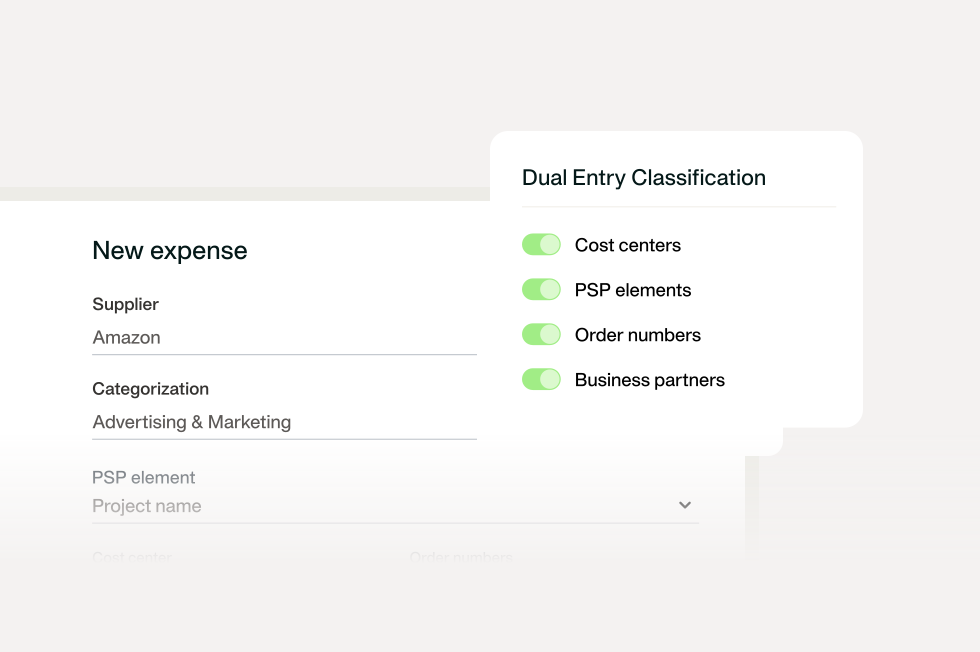
Why connect spend management to DualEntry
29 Sept 20269 min


Card spend may already be controlled, but supplier invoices often still sit in a separate process. This guide shows how to connect cards and supplier bills in one invoice approval workflow, so finance can manage approvals, payments, documents, and visibility without a full AP overhaul.

By submitting this form, you agree to receive emails about our products and services per our Privacy Policy.
Your card spend may already be controlled, visible, and easy to review. Supplier invoices, however, often follow a different path: bills arrive by email, approvals happen in Slack or Outlook, and payments may be released from a bank account before finance has the full context.
That creates two workflows for the same outcome of company spend. Finance then has to check who approved each invoice, whether it has been paid, and whether the right documents and coding are in place.
Bringing supplier invoices into the same rhythm as cards gives finance one workflow. That way, supplier bills stop holding up month-end close.
In this blog, we’ll show you how to connect card spend and supplier invoices without a full process overhaul, so approvals happen before money moves and reconciliation doesn’t mean chasing missing information.
Bring supplier invoices into one workflow
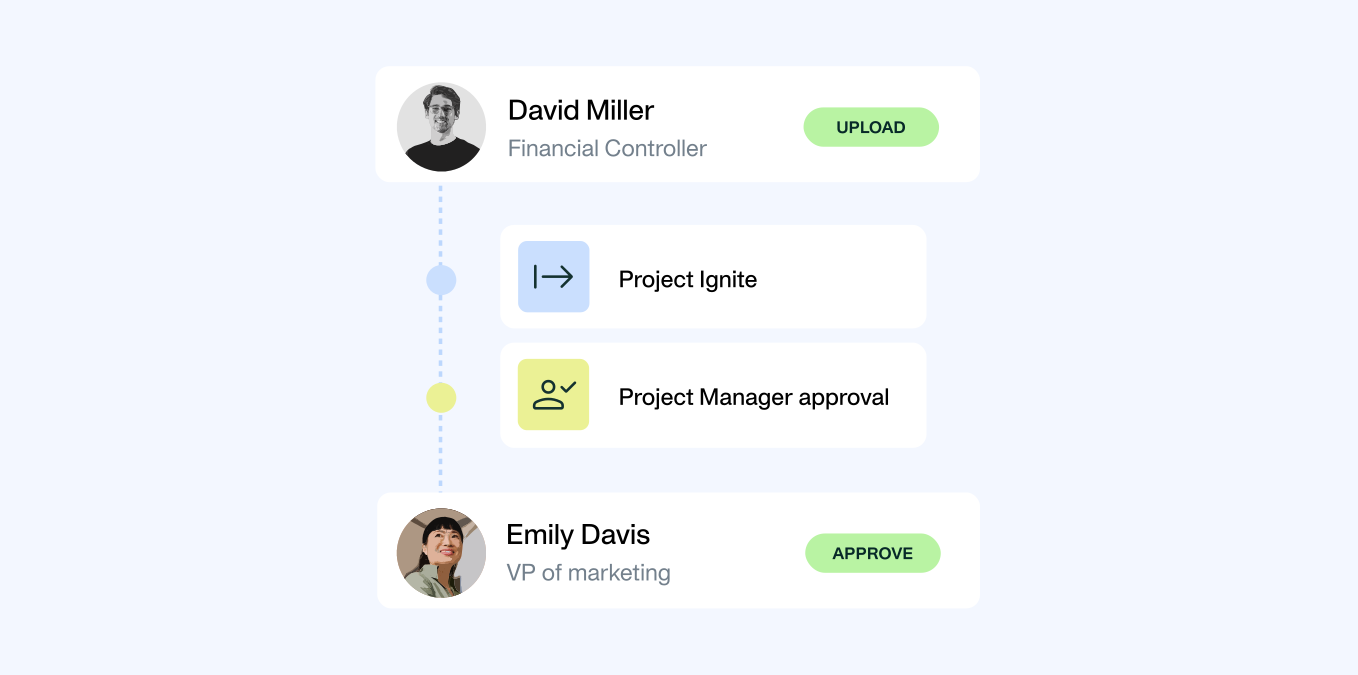
Card spend and supplier invoices may start differently, but they should end in the same workflow. Both should follow a clear path from approval through payment and reconciliation, with the same visibility and controls along the way.
A unified workflow is not just two systems connected after the fact. It means card spend and supplier invoices follow the same controls from the start, so finance has complete and consistent data before month-end begins.
Spend management software supports this by bringing supplier invoices into the same workflow as card spend, giving finance one place to manage approvals, payments, documentation, and reconciliation.
Pre-switching to Payhawk, we used credit cards and separate tools for accounts payable. It didn’t integrate with NetSuite or combine workflows, so there was a lot of switching between systems.
David Watson, Group Financial Controller, State of Play
That's a common pattern. Card spend becomes structured first, while supplier invoices continue to sit in separate systems and approval processes. Bringing both into one workflow gives finance a complete view of spend.
Not sure whether supplier invoices are following the same controls as card spend? Use this quick check.
Score one point for each statement that’s true today:
8 to 10 points: You already have strong controls in place. Focus on expanding the workflow to additional supplier categories.
4 to 7 points: Card spend is structured, but supplier invoices still create manual work. Start with one invoice category and standardise the process.
0 to 3 points: Cards and invoices are running completely separately. Check out the next section to get started.
Don't move every invoice at once. The goal isn't to redesign accounts payable overnight. Start with the invoice category that creates the most manual work today, prove the process, and expand from there.
Here are three sensible places to start:
Regular bills are the easiest to start with because the details barely change. Software subscriptions, contractors, logistics, professional services: same supplier, same approver, same time each month. You set the approval route once, and it holds. Start here if a good chunk of your spend is regular, predictable, and paid outside the platform today.
These invoices are often the easiest place to introduce an invoice approval workflow because the supplier, approver, and payment pattern are already well understood.
Modern spend management platforms can automatically identify recurring supplier expenses and subscriptions, including historical transactions. That gives finance teams better visibility into renewals, duplicate subscriptions, and unused services without the manual admin work.
Your team might have an approval problem instead. Maybe the bill gets stuck because the sign-off lives in email threads that no one can find later.
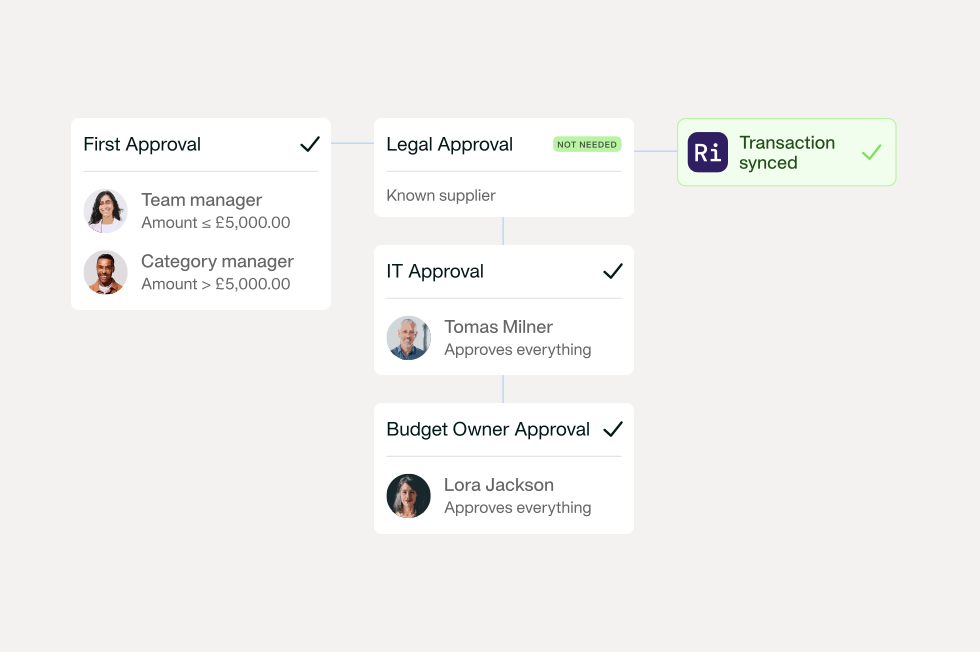
If that’s the pain, your first workflow can be very simple, especially if the purchase was requested through Payhawk’s Procurement AI Agent. Then the right approvers, reviewers, and budget owners are already linked to the request. The agent can also follow up until a decision is made, so finance doesn’t have to chase stakeholders manually. Below is the simple workflow:
The value? That approval now happens in one place before payment, and with a record attached. These ways to build better workflows beyond cards go further on routing approvals across spend types.
Overseas bills carry the most hidden risk, especially when they’re across multiple entities and currencies. You need the amount, currency, FX fees, due date, and payment status in one view before any money moves. When they all sit in different places, an overseas bill costs more than you budget and reconciles incorrectly. Bringing them into the workflow clears the most expensive surprises first.
In addition, international payments often involve more stakeholders, more currencies, and more manual checks. Bringing them into the same workflow improves visibility before money leaves the business.
Whether you pay a supplier invoice by card or bank transfer, the workflow can stay the same.
When an invoice enters Payhawk, it is checked against existing card transactions. If Payhawk finds a matching card payment, the invoice is linked to that transaction and reconciled automatically. If there is no matching card transaction, Payhawk creates a bill for review and routes it through the approval workflow.
For companies in countries that use eInvoicing, the same matching logic applies. Incoming eInvoices can be checked against existing card payments first, then either matched and reconciled or opened as bills for review.
This gives finance one process for supplier invoices, regardless of how the supplier was paid.
One workflow for cards and invoices. Powered by AI agents.

The control decision isn’t “fill in every field.” It’s knowing which details are needed at different points. There are really three groups.
First: what the approver needs before they can sign off.
Nobody should approve a bill they can’t make sense of, so the approver needs the supplier, amount, department, and business purpose in front of them.
Second: what must be clear before the payment goes out.
A bill shouldn’t be paid until approval is complete, you've verified the supplier and bank details, and you've run a duplicate check. In a unified workflow, these checks happen automatically as invoices move through approval and payment, so finance gets control without extra manual review.
Third: useful details for clean reporting shouldn’t hold up payment.
Extra context added after the fact should be captured, but shouldn’t stall payments already checked and approved.
If you’re mid-go-live on a new ERP, this is the moment clean coding pays off.
Moving systems shows up every place your data is messy. If your card spend is neatly coded, but supplier invoices carry random categories, wrong cost centres, and missing entity tags, that mess goes straight into the new system. Bringing invoices into the same workflow now means both lanes hand over clean, mapped data when you switch over. You’re fixing the input before the move, not cleaning up the output after it.
This guide on workflows and accounting integrations covers how the sync side fits together.
If you're introducing an invoice approval workflow for the first time, start by making sure these details are captured at each stage.
Before approval
Before payment (these must be done)
After payment
By clearing all three stages, reconciliation mostly disappears, because the data is right before money moves.
Most invoice workflows break in the same few places. Here’s what typically goes wrong, why, and how to fix it.
Invoices land in personal inboxes.
Why: suppliers send bills to whoever they last spoke to.
Fix: one place for every bill, a shared inbox or upload, so each one enters the same workflow, no matter who receives it.
No one owns the bill.
Why: nothing forces an owner to be named, so bills drift.
Fix: make budget owner a required field before approval. If there’s no owner, there’s no approval.
Approvals get stuck.
Why: requests sit in email, untracked and easy to ignore.
Fix: route approvals through the workflow with a named person and a visible status, so a stuck bill stands out.
Payment goes out before approval.
Why: someone pays a supplier straight from the bank to keep them happy.
Fix: make approval a condition of payment. A bill can’t be paid until it’s signed off.
Duplicate invoices slip through.
Why: the same bill arrives twice, once chased and once original, and both get paid.
Fix: an automated duplicate check on the supplier and invoice number before payment.
Overseas bills need manual review every time.
Why: FX, currency, and due dates aren’t captured, so someone checks by hand.
Fix: capture currency, FX detail, and due date as fields, so the check is built in.
More on closing these gaps in this overview of accounts payable automation benefits.
If card spend is already working well, use it as the foundation for supplier invoices. The goal isn't to introduce a completely new process. It's to extend the approvals, controls, and visibility you already have to another category of spend.
Pick one type of bill, regular, chased, or overseas, whichever drains the most time right now, and run it through one workflow: capture, owner, approval, payment only after sign-off, then document and code. Then, the next close will look more like your card side already does.
The fastest way to see it is to submit your first supplier invoice. If you’d like a hand mapping it to your entities and approval rules, book a short setup session with your implementation manager, and they’ll get your first workflow live with you.
If you’re still weighing it up, a quick demo shows how the two lanes come together.
With over 15 years of experience in SaaS and digital communications, Paul specialises in translating complex financial concepts into clear, engaging narratives. At Payhawk, he combines creativity and analytical insight to help finance teams thrive through data-driven storytelling.