Already automated your finance stack? Your team is still applying the rules manually
25 Nov 20267 min
Payhawk raises $280M at a $2B valuation as it evolves into the global Finance OS for the AI era


Directions EMEA 2026 showed Copilot moving from answering questions to doing work in Business Central. What that means for consultants, and a simple rule for what to code, configure or connect.

By submitting this form, you agree to receive emails about our products and services per our Privacy Policy.
Directions EMEA 2026 brought the Business Central partner community to Paris from 27 to 29 October. Most of the agenda came back to one shift: Copilot moving from answering questions to doing work inside Microsoft Dynamics 365 Business Central.
Two announcements matter most for consultants. Edit with Copilot will let Copilot create, edit and delete records as the signed-in user, inside that user's permissions. Business skills are plain-language documents that tell Copilot how a particular business works, from its terminology to its rules and exceptions. Microsoft is opening business skills to partners through an early access preview.
Microsoft also explained why it is moving so fast. According to MS Dynamics World, Microsoft told partners it expects around 40,000 customers, many of them on NAV and GP today, to move to Business Central over the next 8 to 10 years. It does not believe there are enough Business Central professionals to implement them all, so it is betting on agents and business skills to make implementations faster and cheaper.
That leaves every Business Central practice with a practical question. If Copilot can do more of the configuration, where does a consultant's value sit now?
Business skills change where configuration effort goes. In the keynote, Microsoft showed skills written from a company's own policies, and the agenda included a Microsoft roundtable on AI skill files for Business Central consultants. Writing and maintaining skills becomes part of the configuration work.
A skill is only as good as the understanding behind it. Someone still has to know how the client's approvals really run, which exceptions live in one person's head, and which rules carry audit or tax risk. Copilot can draft a skill from a policy document. It cannot tell whether the policy matches what the finance team actually does.
Payhawk's reading of the event, rather than any speaker's claim, is that consultant value moves towards four tasks:
Several sessions pointed the same way. One panel asked how AI-assisted development will move the line between functional consultants and AL developers. Another followed a consultant and an engineer working with agents from bug report to merged pull request.
The more Copilot can do, the more a practice needs a clear rule for what goes where. Writing after the keynote, Think About IT separated guidance from validation: business skills can steer how Copilot handles a procedure, while hard financial checks belong in Business Central itself.
| Approach | Use it for | Why | Examples |
|---|---|---|---|
| Code (tested AL) | Rules that must hold every time | The ERP enforces them, whoever or whatever acts | Mandatory financial validations, posting controls |
| Configure (settings, workflows, business skills) | Processes that vary by client | Cheaper to change, and skills guide Copilot in plain language | Approval routing, cost centre naming, policy exceptions |
| Connect (a maintained product) | Whole areas a specialist already covers | Someone else maintains it through each release wave | Spend management, cards, procurement, travel |
The developer side of the event made the same case for discipline. In a pre-event interview, Finn Pedersen argued for automated tests, namespaces and extensibility through interfaces as AI-assisted coding grows. Stefano Demiliani's session set out to cover how to monitor AI-assisted coding sessions and track their token costs.
The third row is where bespoke builds cost clients most. Custom extensions need retesting and support after each Business Central release wave. When a maintained product already does the job, connecting it keeps the client closer to standard Business Central.
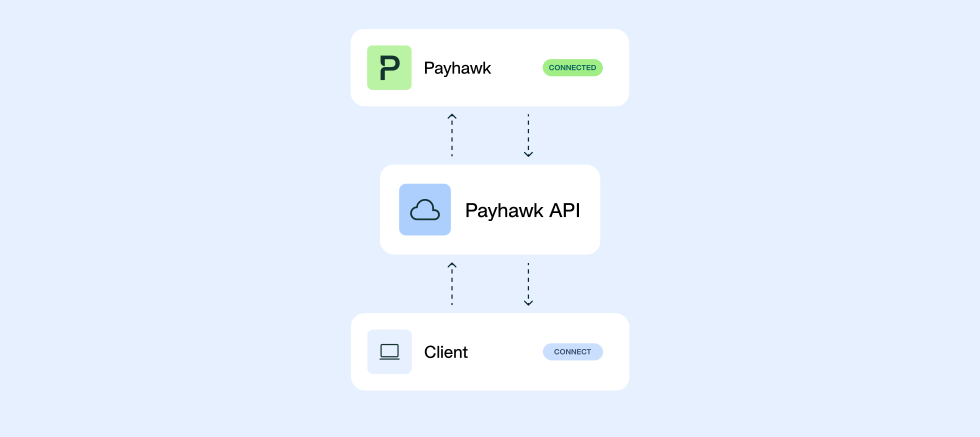
Payhawk's Business Central integration shows what the third row means in practice. It installs as an extension from Microsoft AppSource and connects through a setup wizard to either a sandbox or a production environment.
Once connected, the integration works with the client's existing Business Central set-up:
One detail shows the configure-or-code rule at work. Clients who already run Business Central approval workflows can add a Payhawk reference field to the purchase invoice header. Their workflows can then treat Payhawk invoices differently from manually created ones, for example by skipping approval for spend already approved in Payhawk, with no custom code.
In a recent Payhawk onboarding, the implementation team confirmed that the client's Business Central integration needed no custom development. Prospects evaluating the integration have pointed to master data sync and multi-entity support. The help centre lists every field the integration shares, and Payhawk's Business Central integration guide covers the customer side.
Microsoft keeps widening Business Central's core, including native expense reports and the Expense Agent, in public preview since May 2026. For a single entity with straightforward expense claims, that may be all a client needs, and a good consultant will say so.
A specialist platform earns its place when the client's set-up goes further than that:
Specialist apps extend Business Central the same way partners do. Payhawk runs the spend process across entities, cards and travel, with each entity connected to its own Business Central company, then feeds clean, coded data into Business Central, which stays the system of record.
Clients will ask what Copilot means for their implementation. ISVs that answer with a clear rule for what to code, what to configure and what to connect will keep their trust, and trust is what keeps a client for the next project.
Recommending a maintained specialist tool also protects the practice. There are fewer custom extensions to retest after each release wave, and the client gets a finance stack that keeps working as it adds entities, cards and suppliers.
The relationship can run both ways. Payhawk's sales team speaks to companies moving to Business Central that still need an implementation partner, and to Business Central clients who need spend management. Partners who bring Payhawk into their projects get introductions back, a say in the product roadmap, and real people to call when a client needs support
Orcun works with ERP, finance, and advisory partners to help more businesses discover better ways to manage spend, close faster, and modernise finance operations. He brings experience combining SaaS growth, finance knowledge, and partnership strategy to turn strong relationships into practical business opportunities.