
SAP S/4HANA procurement integration: what connects
13 Oct 202610 min


Using SAP S/4HANA with an accounts payable solution that doesn’t integrate properly can create a difficult month-end. Supplier data, invoice coding, and payment statuses can fall out of sync, leaving your finance team with extra reconciliation work and less reliable visibility into liabilities and cash. Learn what a strong SAP S/4HANA AP integration should look like and how to compare AP automation solutions.

By submitting this form, you agree to receive emails about our products and services per our Privacy Policy.
For SAP S/4HANA, the best accounts payable (AP) solution is the one that leaves the least manual work inside SAP after go-live. Three things decide that: which master data syncs, how each transaction posts, and whether payment status returns to the ledger.
Here's what it looks like when those three fail. You're the AP manager at a 400-person SaaS company with four company codes. Your AP platform shows 30 invoices as paid. SAP S/4HANA still shows 30 open items.
At month-end, your team has to confirm settlement for each payment, find the corresponding records, and clear the open items manually. Until that work is complete, you can’t fully trust your view of liabilities or cash. That isn't a process problem. It's an integration problem.
You’re not alone. 54% of CFOs lack standardised accounting data across their group. It shows up in a specific way. The vendor that sells you your software is active in your AP platform but blocked in SAP S/4HANA. Or it exists twice, under two slightly different names. The invoice codes cleanly, then the posting fails - or it posts against the wrong record and nobody notices until close. Somebody has to keep the two supplier lists agreeing, and in most teams that somebody is a person, not an integration.
Teams may blame invoice volume or slow approvals. More often, the integration is the thing creating the work. File-based exports can connect an AP platform to SAP S/4HANA, but they move data on a schedule rather than continuously, so Finance absorbs the uploads, the timing differences and the reconciliation.
In this article, we’ll explore how SAP S/4HANA AP integrations work. We’ll also cover what to look for when choosing the best accounts payable software for SAP.
How does an SAP S/4HANA accounts payable integration work? There are four main ways.
A native integration connects the AP platform directly with SAP S/4HANA using supported SAP services and APIs. Depending on the S/4HANA edition and security architecture, the connection may be direct or routed through SAP BTP.
Native APIs reduce manual handling by moving data between your AP platform and SAP S/4HANA. Private-cloud setups can use SAP Business Technology Platform (BTP). Finance teams choose this route when approved invoices need current SAP records. SAP S/4HANA invoice processing can then create supplier invoice documents, sync coding, and return payment status. Payhawk’s Summer 2026 edition introduced native SAP S/4HANA integration for both Cloud Public and Cloud Private Editions.
Some AP tools run inside SAP itself, installed as an add-on rather than connecting from outside. Invoice processing then happens in the SAP interface your team already uses, and there's no external platform holding a second copy of the data. The trade-off is ownership: the add-on lives in your SAP landscape, moves through your transport path, and your basis team carries it through every upgrade.
Certification is a separate question from architecture. An SAP Store listing and SAP certification aren't the same thing, so ask which one a vendor holds - and what it actually covers, since certification confirms interoperability, not how much master data syncs.
If your AP platform lacks a direct SAP S/4HANA accounts payable integration, manual file exports become the fallback. Your team may export accounting data in CSV or Excel and upload it to SAP. File-based connections can work, but they introduce more manual handling and timing dependencies than automated integrations.
Middleware is a separate product from a third vendor, sitting between your AP platform and SAP. It translates data, applies mappings and routes messages when no direct connection exists. Connectors are the prebuilt links to specific systems. Both suit mixed SAP estates, and both need testing on three points:
For a deeper look at what good SAP S/4HANA integration should cover, see our guide on how to integrate SAP S/4HANA with spend management.
| SAP S/4HANA environment | What to test |
|---|---|
| Cloud Public Edition | Check the vendor's supported SAP services/APIs, required extension or setup, master-data sync, posting behaviour and upgrade ownership. |
| Cloud Private Edition | Check whether the integration connects directly or through SAP BTP/Cloud Connector, and what infrastructure your SAP team must maintain. |
AP solutions can look similar in a demo. Differences appear once data reaches SAP S/4HANA. To help you select the best accounts payable software integration for SAP, we have designed this checklist. Ensure you ask most of these questions during the demonstration.
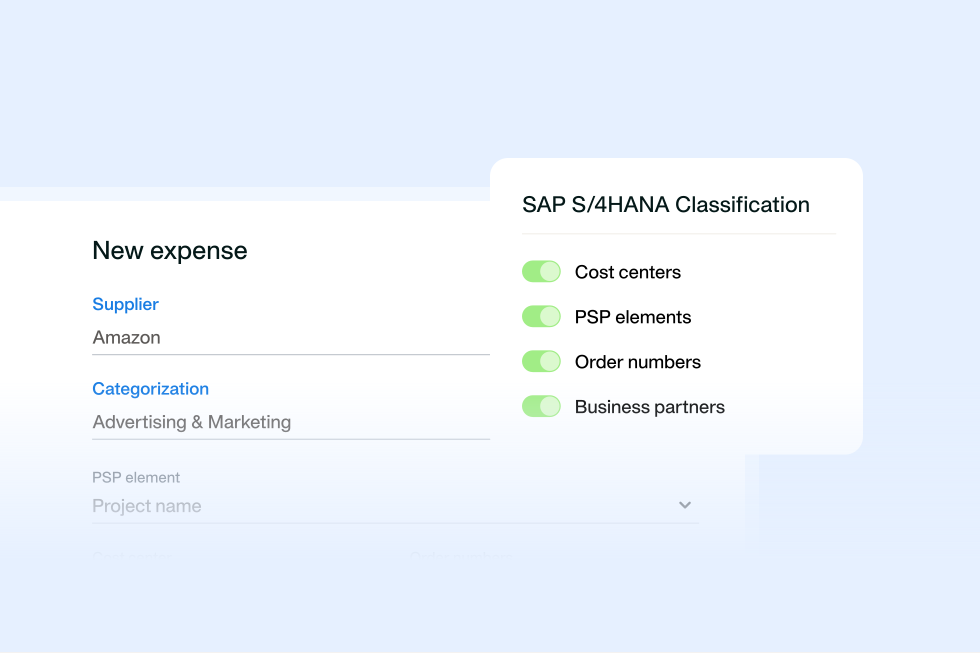
Reliable SAP S/4HANA master data sync helps keep supplier records aligned while avoiding posting rejections and late coding fixes. Ask for syncing across:
Most vendors cover the first group. The second is where demos get vague, and where a vendor that can't sync WBS elements quietly hands that coding back to your team.
Ask what happens when SAP changes and your AP platform hasn't caught up yet. A supplier deactivated in SAP on Tuesday, an invoice coded to them on Wednesday, an export on Thursday - where does that break, and who finds out?
Two questions worth asking directly:
The second question matters more than it sounds. A rejected posting that nobody sees is an open item at close.
An invoice and its payment are two different events with two different audit trails. If your AP tool posts them as one blended record, your auditor loses the ability to trace one from the other. Ask the vendor to show a supplier invoice and its payment posting as separate, correctly typed SAP documents - not a single merged entry.
Authorisation isn't settlement. A bank can reject an authorised payment, so an AP platform that exports on authorisation puts spend into SAP S/4HANA that may never happen. Confirm the platform exports only settled payments - and that it exports at settlement, so your bank account in SAP reflects what the bank has actually confirmed rather than what someone approved yesterday.
Organised receipts support faster audits, closes, and compliance evidence sourcing. Assess whether receipts land in SAP Generic Object Services attachments (GOS) with each document. An SAP S/4HANA integration should keep invoices and supporting records together.
This is where evaluations quietly fail: a demo that looks fine on one company code can break the moment GL account structures or card-limit distribution have to hold across four. Ask the vendor to walk through your actual chart of accounts, not a sample one, before you sign anything.
A blocked cost centre shouldn't be something SAP tells you about after the invoice bounces. It should stop the invoice before it's submitted. Ask whether the AP tool catches that at entry, or whether your team finds out at rejection.
AP requirements extend beyond supplier payments. Assess whether the solution covers that spend with SAP S/4HANA AP automation. Coverage can include corporate cards, reimbursements, mileage and per diems, and even travel management. Look for multi-entity management across company codes and procurement capabilities that bring requests, approvals, purchase orders (POs), invoices, and payments into one workflow. This way, Finance gets a single source of truth.
Explore Payhawk’s SAP S/4HANA integration
The benefits of accounts payable automation only materialise when Finance no longer has to correct data after it reaches SAP. Here are some failure points.
34% of organisations move accounting data into spreadsheets for manual fixes. When SAP S/4HANA AP automation relies on manual sync, supplier updates, coding changes, and payment statuses become tasks. This workload delays processing, raises admin costs, and takes time away from strategic work.
CSV and batch exports can’t keep SAP S/4HANA updated when data arrives overnight. This delay can show incorrect spend and available cash. Imagine an account holds £200,000. A £100,000 payment settles at 3 pm, but SAP S/4HANA updates the next morning. If finance approves a £120,000 payment based on the SAP S/4HANA balance, that can leave a £20,000 cash shortfall.
Duplicate supplier records and repeated invoice entries can hide problems until payment. For example, differences in supplier details or invoice references can make one cost look like two transactions, creating reconciliation work and risking double payouts. Around 1.5% of payments are duplicate or erroneous disbursements. For a business with £2 million in annual AP payments, that could mean a loss of around £30,000 each year.
When the invoice and expense record don’t match, Finance has to search emails and spreadsheets, confirm the details, and update the coding. 66% of organisations enter invoice data manually into their enterprise resource planning (ERP) or finance system. This manual work delays SAP invoice processing and posting, keeping Finance from focusing on exceptions and close.
Your SAP S/4HANA AP integration demo should show how an AP solution cuts manual work, speeds up close, and keeps accounting data accurate and in real time sync with your ERP. Explore these two areas:
Automated end-to-end reconciliation helps your team match payment data with SAP S/4HANA entries with little to no manual work. This can look like an SAP S/4HANA integration that keeps payment, journal, and bank-statement data unified across company codes.
Automation technology can reduce manual work by up to 50%-60% and improve real-time visibility. Test how the solution manages reconciliation, from settlement to SAP posting.
For instance, with Payhawk you’ll:
Automated invoice coding and mapping helps your team use the correct SAP structure. SAP invoice automation supports consistent coding and matching across company codes. Automated matching can match up to 95% of transactions.
Purchase orders (POs) and three-way matching sit in procurement, not accounts payable - but they decide what AP receives. A matched PO, goods receipt note (GRN) and invoice arrive as a clean posting. An unmatched one arrives as an exception that someone has to chase.
How much this matters depends on your spend mix. If most invoices are PO-backed, test three-way matching across POs, invoices and GRNs. If most are non-PO — as they are in software and services businesses - test something else: how well the platform codes an invoice with no PO to match against, and whether the approval routing for that invoice is as controlled as the PO route.
For example, using Payhawk, you can use SAP S/4HANA master data sync to:
The right accounts payable platform that integrates with SAP S/4HANA should reduce manual work without forcing your team to rebuild its SAP processes. Let’s cover some options.
Payhawk orchestrates AP, corporate cards, expenses, travel, procurement, and payments as one connected system, not six tools each connecting to SAP separately. It captures and approves invoices, controls card spend, and pays suppliers, then sends every transaction into SAP S/4HANA already coded, matched, and linked to its payment. That's the difference between an integration and an export: Payhawk keeps supplier, payment, and accounting data in sync on both sides, so Finance stops reconciling what should already agree.
Tipalti focuses on global AP and supplier payments. Its SAP connection supports sub-ledgers, payment reconciliation, and general ledger reporting. Tipalti supports multi-entity AP workflows across suppliers, currencies, payment methods, and regions.
Stampli takes an invoice-first approach to AP and procurement automation. It syncs invoice and payment information. Stampli also supports SAP purchase-order types and enables many-to-many matching. Stampli can manage invoice approvals, coding, and supplier conversations alongside SAP.
Medius provides cloud-based invoice and payment automation with SAP integration. It covers invoice capture, approvals, matching, fraud controls, and reporting on status and exceptions. Medius fits teams that need clearer AP visibility across several entities or ERP systems.
Serrala offers AP automation running within SAP or through a cloud platform. It covers invoice capture, approval workflows, matching, exception handling, and payment posting. Its central invoice hub can support teams running S/4HANA alongside SAP ERP Central Component (ECC) or other ERP systems during migration.
Esker automates invoice capture, validation, matching, approval routing, and ERP posting. Its pre-built integrations support SAP ECC and SAP S/4HANA. Esker provides workflow controls, dashboards, analytics, and multi-ERP support. So, Finance can track payables across entities in one place.
SAP AP automation should simplify invoice processing and strengthen control. Here are some post-go-live mistakes and fixes.
Solution: Assign a supplier data owner and define how SAP and your AP platform create, update, and deactivate suppliers.
Solution: Review mappings after a chart of accounts change. Give Finance and IT ownership before changes reach live workflows.
Solution: Keep approvals in one workflow. Use workflow orchestration through the AP platform to give approvers a traceable route.
Solution: Send only bank-settled payments. This keeps SAP cash data aligned with bank activity.
Solution: Export invoices, receipts, and supporting records with the transaction. Finance can then resolve queries without switching tools.
Solution: Assign an owner to mapping changes. Review supplier, tax, account, cost-centre, and SAP S/4HANA integration mappings when configuration changes.
Solution: Apply approval, coding, and policy checks before teams commit spend. This protects margin and keeps SAP invoice automation controlled.
A focused pilot checks that your SAP S/4HANA AP integration-setup delivers reliable data, controls, and evidence before rollout. Use this decision checklist and pilot plan before go-live.
Before you invest, define the controls and records SAP AP integration must support. These questions test whether an AP solution fits your S/4HANA environment.
An accounts payable software that integrates with SAP S/4HANA should act as a co-pilot for your finance team and employees, reducing manual work and protecting control, cash visibility, and close speed. Prioritise SAP S/4HANA master data sync, the correct SAP document for each transaction, and automated payment updates to the ledger.
A generic product tour cannot show whether SAP S/4HANA integration will hold up at close. Ask vendors to demo the flows using your SAP configuration, company codes, approval rules, and invoice types. Take these steps to get closer to a reliable, more profitable AP process. Want to explore your SAP configuration on Payhawk? Book a demo.
With extensive experience in finance, marketing, and digital strategy, Raphael combines quantitative insights with compelling storytelling to drive regional marketing success and customer-focused innovation in financial SaaS solutions.

